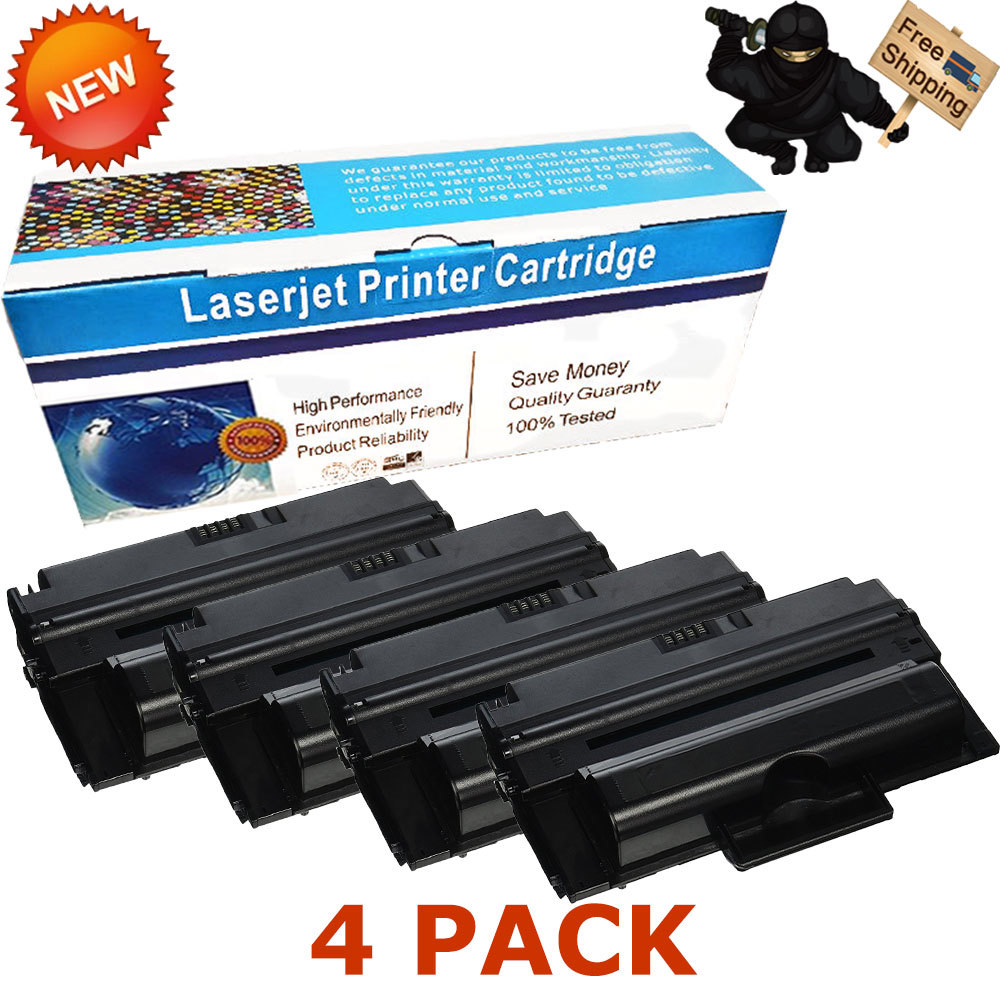
DescriptionPaymentShippingReturn PolicyContact us Shop CategoryStore Home BROTHER◈TN450 / DR420◈TN360 / DR360◈TN660 / DR630◈TN750 / DR720◈TN850 / DR820◈TN221 / DR221◈TN115 / DR110◈TN210◈TN460 / DR400◈TN336◈TN580 / DR520◈TN570 / CANON SAMSUNG LEXMARK OtherHot Item 2PK 83A CF283A Bk Toner Cartridge for HP LaserJet Pro M127fn M127fw M125nw MFP USD 31.85 4PK Color Toner for HP CF210A 131A LaserJet Pro 200 M251nw M276nw MFP Printer USD 65.75 PG-245XL CL-246XL Ink Cartridge Lot For Canon PIXMA MG2920 MG2522 MG2550 MX492 USD 17.99 Combo Black Color pk Ink Cartridge 65XL 63XL 62XL 64XL 61XL 60XL for HP Printer USD 31.90 10 Pack CE285A Toner for HP 85A LaserJet Pro P1102 P1102w M1132 M1212nf M1217nfw USD 102.85 New List Item 3PK CF248A 48A Black Toner Cartridge For HP LaserJet Pro MFP M15a M15w M28a M28w USD 32.44 1 Pack CF248A 48A Black Toner For HP LaserJet Pro MFP M15a M15w M28w M29a M29w USD 20.40 6 PK CF248A 48A Toner Cartridge For HP LaserJet Pro M15a M15w M28a M28w M29w MFP USD 49.00 3 PK CC364A 64A Black Toner Cartridges Compatible With HP P4014 P4015 P4515 USD 76.88 12PK CF248A 48A Toner Cartridge For HP LaserJet Pro M15a M15w MFP M28a M28w USD 89.40 Help & InfoPayment PolicyShipping PolicyReturn PolicyFAQAbout Us 4pk MLT-D206L Black Laser Toner Cartridge For Samsung SCX-5935 SCX-5935N 206L
Compatible Toner Cartridges Ready to be Installed in the Following Printers:
SCX-5935FN
SCX-5935NX
Compatible with Part Numbers: MLT-D206L
Certified Page Yield:
Black Toner Cartridge up to 10,000 Pages Based on 5% coverage ISO Quality Standard
Payment
We only accept PAYPAL for the time being.
Instructions
The selected cartridge will rotate to the inside front of the printer. 、Open the printer door and lift up the handhold. Gently dislodge the cartridge for removal.
Insert the new cartridge into the laser printer and align the cartridge with the arrows. Push down gently to make sure it is locked into place.
Close the front panel of the printer, and it is ready for use. Print a test page.
Shipping
Standding Shipping Send to all USA areas eccept for APO/FPO, Alaska/Hawaii, US Protectorates, PO Box.
Service
Any of your messages will be attended to in the quickest manner.
Guaranteed refund for product issues caused by us.
Contact Us We appreciate your action of contacting us first to see what we can do to help before leaving your negative response.
All rights reserved.