Item Description:
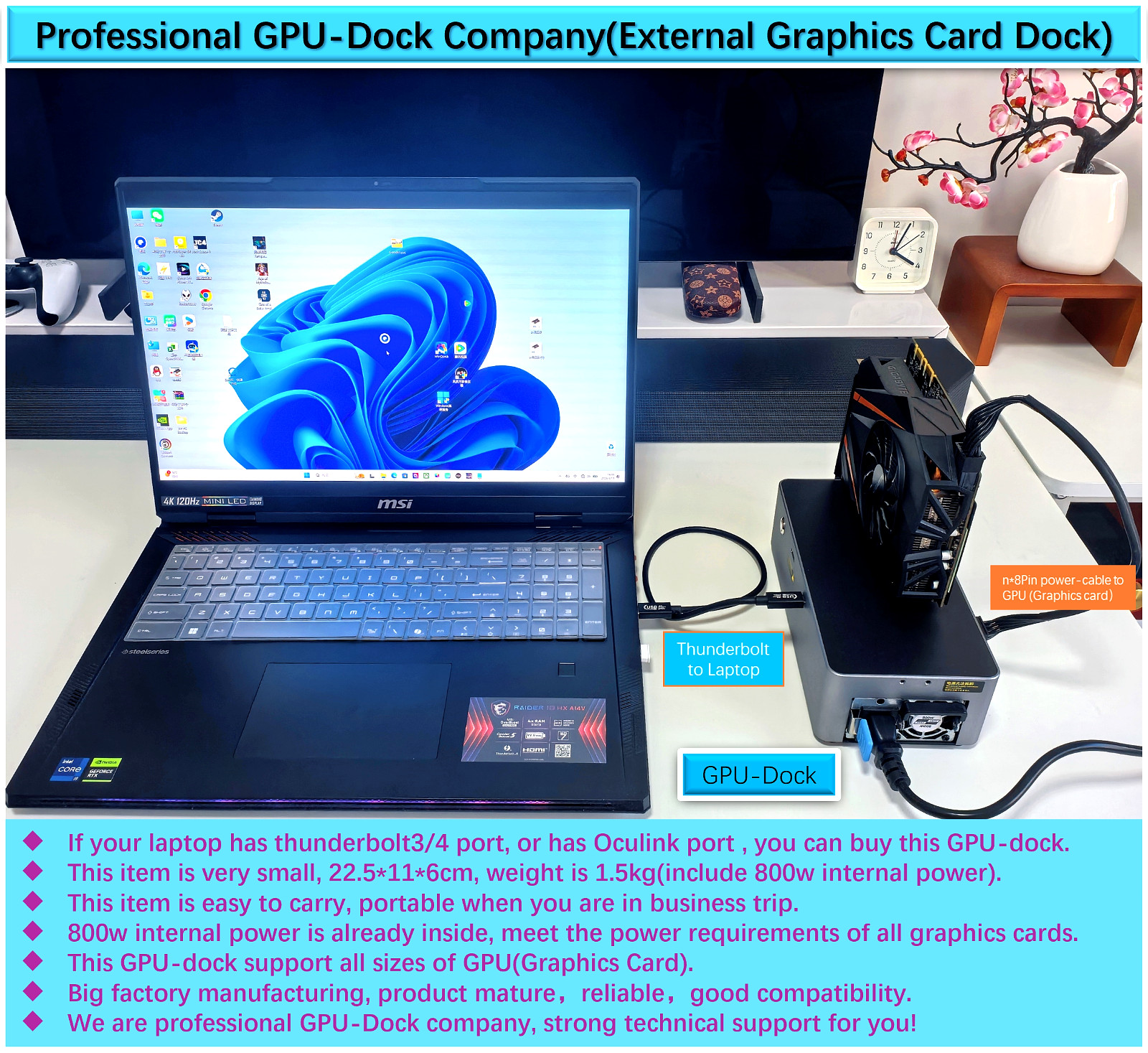
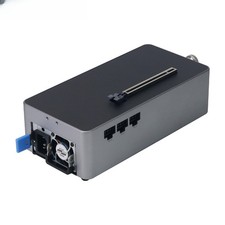
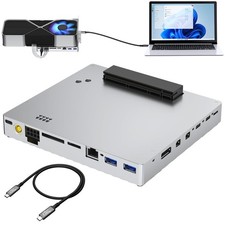
- AG02External Graphics Card Dockwithout GPU. Comes withall necessarycables (1 pcs of USB4 Data Cable for Thunderbolt 3 and 4, 1 pcs of OCulink cable, 3 pcs of 8pin power-cables).
- This item is new, all functions working well; before ship, we already connect it to laptop and tested.
- This item is very small(size is 22.5cm*11cm*6cm,weight is 1.5kg),it is easy to carry(portable) when you are in business trip.
- This item already include Internal power(800w), 650w for GPU, 150w for redundancy.
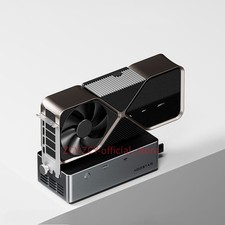
- You can use any size of GPU, for example: RTX2060,RTX3070,RTX5080.
- We are professional GPU-Dock company, strong technical support for you!
Package Included:- 1 x Graphics Card Dock- 1 x 50cm USB4 Data Cable- 1 x OCulink cable- 3 x 8pin power-cables- 1 x GPU-Dock power-cable
Note:- Graphics card is not included.Product Advantages and Highlights:
- Big factory manufacturing, product mature, reliable, good compatibility.
- This item is very small, light weight,it is easy to carry(portable).
- Support thunderbolt3&4 and usb4 port, and support OCUlink port.
- Support all sizes of GPU(graphic card), for example: RTX4090.
- 800w internal power; Support all powers of GPU, for example: RTX4090(max 630w).
- We are professional GPU-Dock company, strong technical support for you!
GPU-Dock Performance Test:Game test reference: insert GTX1070 into GPU-Dock, Game name:Rise of Tomb RaiderGraphics Quality: high, Resolution: 1080p Test Result: average FPS is59.96FPS
Note: if use better GPU(e.g.,RTX4080), FPS will be higher.Use Suggestion:1. Suggest update Nvidia or AMD GPU to newest version in your laptop.(desktop version, not notebook version).2. Insert GPU(graphic card) into GPU-Dock gently.3.GPU-Dockuse 1/2/3 pcs of 8pin power cable connect to GPU.4. Power-on laptop, about 3~5 minutes later,Connect thunderbolt-cable between laptop and GPU-Dock.5. Power-on GPU-Dock(insert power-cable intoGPU-Dock),laptop can find eGPU in Device Manager.iflaptop can't find eGPU automatically,plskeeping GPU-Dock connected and powered on, andreboot your laptop.Payment Policy1. We accept PayPal,Payoneer,Visa Card,Credit card etc.
2. We ship to your or Paypal address. Please make sure your and Paypal address is correct before you pay.To expedite your order processing please include your item number and buyer ID in all forms of payment.Shipping Policy1. Your order will be shipped within 3 business days once we receive your payment;The shipping time is around 7-15 business days depending on your location.
2. We are not responsible for any customs duty incurred at foreign customs; For remote regions of DHL/FedEx..., extra shipping costs might be charged. Usually it costs about 40USD-59USD. We will contact you if shipping company informed us your address belongs to remote area. Thanks for your understanding.Custom Duties & Taxes1. It is buyer's responsibility to cover the import duties, taxes.We do not charge any taxes and fees, and the possible taxes and fees will be collected by the platform or by third parties such as customs and carriers.
2. Please check with your country's customs office and inform us what/how much should declare before shipping.Contact usIf you have any questions please contact us . We will respond within 1 business day or less. Please include your item number or order number in all communications. If you are not satisfied with the product or service, please contact me and don't give us negative or natural response, We must give you a satisfactory solution.
response1. Please kindly leave us a positive response and 5 star DSR if you satisfied with our product and service. Please feel free to contact us firstly if you have any problem with your order, we are responsible and credible seller and will solve the issue it for you asap.
2. If you are dissatisfied for any reason, please don't be quick to leave us neutral or negative response. We work hard to make sure EVERY CUSTOMER 100% SATISFIED and resolve any problem for you and always leave positive response to all our customers.
Notes:- USB4 does not support for ROG handheld 1th, ZenBook series laptops, 6800U, 7735U series mini host/handheld and Intel B580.- For Z1 processor requires installation of a public version driver.
Please pay attention to:1. If your laptop only has an integrated graphics card, you can buy this external graphics card dock, both the laptop's internal screen and the external screen can work well.2. If your laptop only has a dedicated graphics card, when using this external graphics card dock, you can only connect the external screen and cannot use the laptop's internal screen.3. If your laptop has both an integrated graphics card and a dedicated graphics card, pls right-click on the desktop of your laptop, select Display Settings, choose Advanced Display Settings, and check the internal monitor is using an integrated graphics card or a dedicated graphics card: If the internal monitor is using an integrated graphics card, both the laptop's internal screen and the external screen can work well; If the internal monitor is using a dedicated graphics card, it can only be connected to an external screen and cannot use the laptop's internal screen.