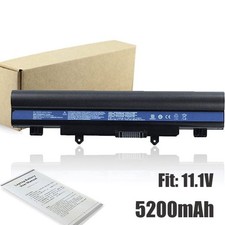
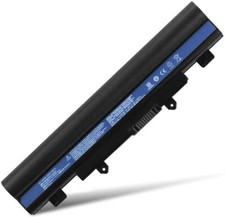
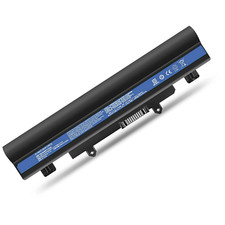
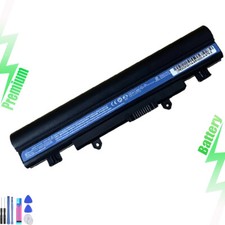
Grade A Cell Battery Specification:*100% Brand Replacement New Grade A Cell Battery*Battery Type: Li-ion*Battery Cells: 6-cell*Battery Capacity: 5200mAh*Battery Output: 11.1V*Battery Color: Black
Compatible with ACER Laptop Models:Acer Extensa 2509 2509-C052 2509-C6FD EX2509Acer Extensa 2510 2510-34Z4 2510G EX2510 EX2510GAcer Travelmate P246 P246-M P246-MG P246M-M P246M-MG P246-MG TMP246 TMP246-M TMP246-MGAcer Travelmate P256 P256-M P256-MG TMP256 TMP256-M TMP256-MGAcer Travelmate P276 P276-M P276-MG TMP276 TMP276-M TMP276-MGAcer Aspire E5-411 E5-411-P137Acer Aspire E5-421 E5-421GAcer Aspire E5-471 E5-471G E5-471PGAcer Aspire E5-511 E5-511G E5-511PAcer Aspire E5-521 E5-521GAcer Aspire E5-531Acer Aspire E5-551 E5-551GAcer Aspire E5-571 E5-571G E5-571P E5-571PGAcer Aspire E5-572 E5-572G E5-572G-593Y E5-572G-591D E5-572G-50FB E5-572G-72M5Acer Aspire V3-472 V3-472-57M0 V3-472G V3-472P V3-472P-324J V3-472PGAcer Aspire V3-572 V3-572-78S3 V3-572G V3-572P V3-572PG V3-572-5217 V3-572PG-767J V3-572P-51BA V3-572P-540V V3-572P-36H1 V3-572G-54L9 V3-572G-587W V3-572G-7609 V3-572PG-50X5Compatible with ACER P/N:AL14A32, 31CR17/65-2, KT.00603.008Product DescriptionSmart Chip: NATNO replacement battery has high quality chip, which offers steady output and charging quickly.High Performance: The Grade A cells of the battery ensure low power consumption. About 500 recharge cycles over the life of battery if using properly.High Quality: NATNO battery have exact same size as original batteries. The battery has no memory effect, which can prolong the battery life.Install A New Battery Guide1. First, you need to turn off your laptop and disconnect the power.2. Disconnect the connection between the old battery and the motherboard to avoid unnecessary damage caused by disassembling the battery. Then unscrew the old battery screws one by one with a tool and carefully save each screw.3. Remove the old battery, then carefully install the new battery on the battery case, and finally close the back cover of the laptop to complete.4. If you don't understand the above steps, please search for the video about laptop battery installation on YouTube. Maybe it will help you.**Friendly Reminder**For optimal performance, please calibrate your newly installed battery:1. Discharge the new battery use to 5% and then charge to 95%, and cycle 3-4 times.2. When charging, first install the battery, then turn on the power. When fully charged, first cut off the power, then pull the power plug.3. Do not always run out of a battery to 0%, this would make it damaged or usage life shortened.4. Please store the unused battery fully charged.(Charge it once a month) Do not store at low power to prevent reduce the lifespan of a battery5. Please keep battery away from flame or water.6. When using the battery, care should be taken to prevent exposure and moisture.Package Includes: 1 x Replacement BatteryWarranty: 30 Days Money Back Guarantee, 6 Months Exchange.