DUAL SCREEN • WINDOWS 11 PRO ACTIVATED ASUS ZenBook Duo 14 UX482EA Dual Touchscreen Laptop
i7-1165G7 11th Gen Quad-Core 16GB LPDDR4X Memory 1TB SSD PCIe NVMe 2 Screens Both Touch, Both On
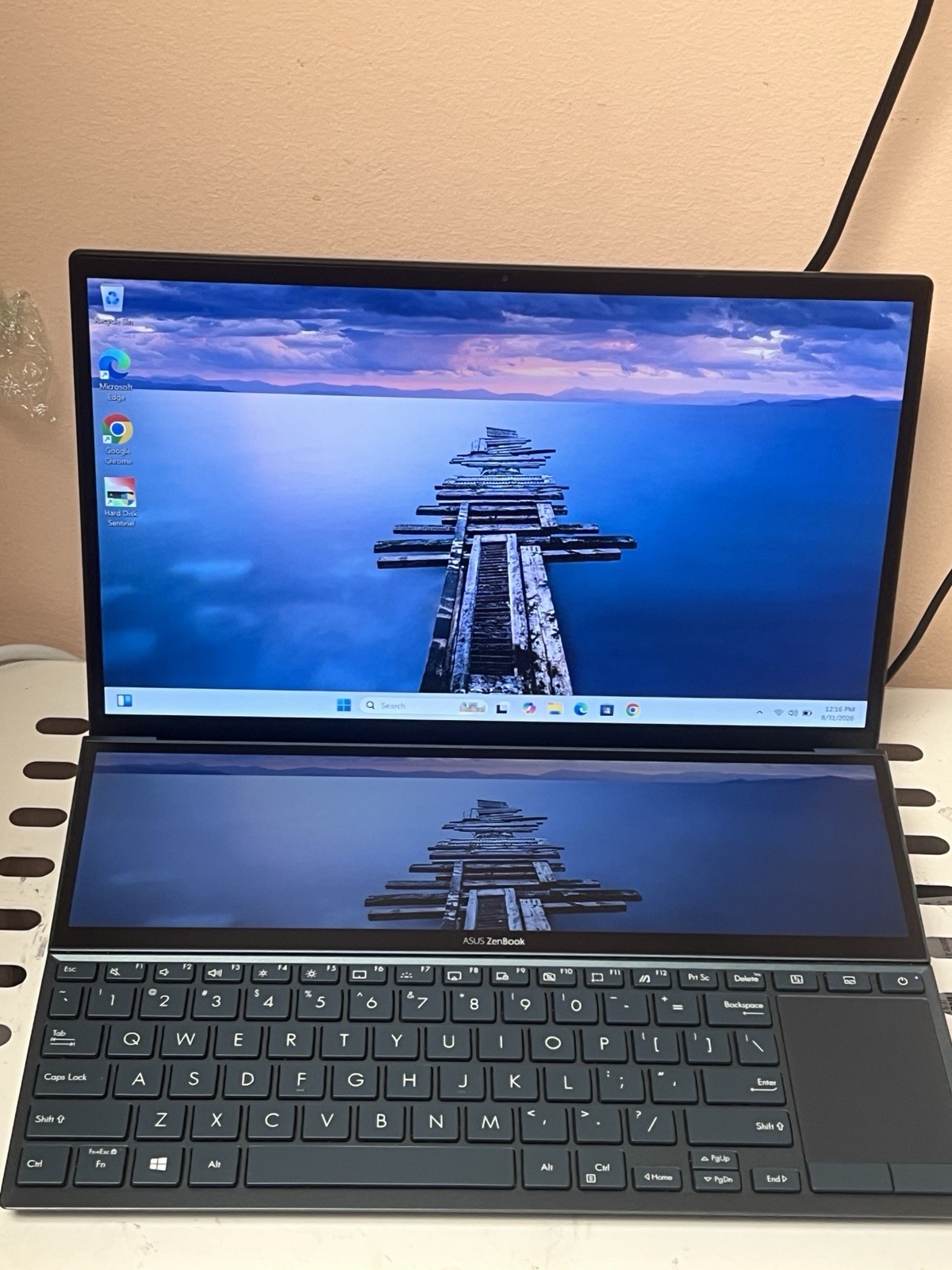
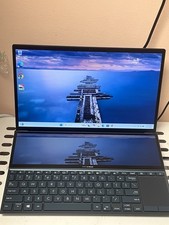
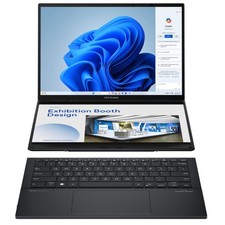
This is the ASUS ZenBook Duo 14 (UX482EA), the dual-screen ultrabook that puts a second full touchscreen right above the keyboard. The 12.65" ScreenPad Plus tilts up 7° when you open the lid, so you can keep Slack, Premiere timelines, Discord, reference docs, or a mixing console parked on the lower panel while the main 14" Full HD touchscreen stays clean for your actual work.
This unit is the top configuration for the UX482EA: quad-core Intel Core i7-1165G7 (up to 4.7GHz), 16GB of RAM, and a 1TB PCIe NVMe SSD, with Intel Iris Xe graphics driving both panels. Windows 11 Pro has been freshly reset and activated — it boots to the out-of-box setup screen so you create your own account, with no previous owner data and no third-party junk installed.
Both displays support touch and stylus input (10-point), the keyboard is backlit, and the IR camera supports Windows Hello face login. Charging and video are handled over two Thunderbolt 4 ports, so a single USB-C cable can run power and an external monitor.
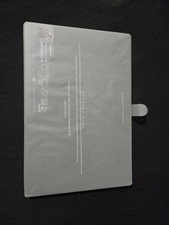
Full Specifications Brand / ModelASUS ZenBook Duo 14, UX482EA Processor11th Gen Intel Core i7-1165G7 @ 2.80GHz (4 cores / 8 threads, up to 4.7GHz turbo, 12MB cache) Memory16GB LPDDR4X (onboard / soldered, not user-upgradeable) Storage1TB PCIe NVMe M.2 SSD (932GB usable after formatting) GraphicsIntel Iris Xe Graphics (integrated) Main Display14" NanoEdge Full HD 1920 x 1080 touchscreen, glossy Second Display12.65" tilting ScreenPad Plus, 1920 x 515 matte touchscreen Touch / PenPen and touch support, 10 touch points, on both panels Operating SystemWindows 11 Pro 64-bit — freshly reset and activated Ports2 x Thunderbolt 4 USB-C (display + power delivery), 1 x USB 3.2 Gen 1 Type-A, HDMI 1.4, microSD card reader, 3.5mm combo audio jack WirelessWi-Fi 6 (802.11ax) + Bluetooth Keyboard / AudioBacklit chiclet keyboard, touchpad with numeric-key overlay, harman/kardon tuned speakers, array microphone CameraHD IR webcam with Windows Hello face login ManufacturedFebruary 2022 Condition — Please Read Overall: Great Condition Clean chassis, tight hinge, no dents or cracks. Keyboard, touchpad, both touchscreens, backlight, camera, speakers, Wi-Fi, and all ports tested and working. One Cosmetic Note There is one minor scratch on the lower ScreenPad Plus screen. It is only visible when the screen is off — you cannot see it while the display is powered on. Shown in the photos. Software: Fresh Start Windows 11 Pro was fully reset and reactivated. It arrives at the setup screen so you create your own account. No accounts, no files, no bloatware, no BIOS or account locks. Battery The battery holds a charge and functions normally. As with any used laptop, battery health and runtime are not guaranteed and are considered a consumable part. What's Included ✓ASUS ZenBook Duo 14 UX482EA laptop ✓Compatible USB-C power adapter / charger ✗No stylus, no original box, no other accessories What the Second Screen Is Actually Good For Video & Photo Editing Drop the Premiere or DaVinci timeline, or Lightroom filmstrip, onto the lower panel and keep the preview full size up top. Coding & Spreadsheets Terminal, logs, or a reference doc live on ScreenPad Plus while your editor or workbook owns the main display. Meetings & Trading Zoom or Teams participants, chat, or a ticker strip sit on the bottom screen so nothing covers your work. Students Lecture PDF on one screen, notes on the other, in a machine that weighs about 3.5 lbs and charges over USB-C. Music & Streaming Mixer, plugin racks, OBS scenes, or Discord park on the lower touchscreen within thumb reach. Desk Setups Thunderbolt 4 runs a dock, external monitors, and power from one cable, then unplug and keep two screens on the go. Frequently Asked Questions Can you see the scratch during normal use? No. It sits on the lower ScreenPad Plus panel and disappears once that screen is on. It is only noticeable with the laptop powered off, at an angle, in the right light. Is Windows genuinely activated? Yes. Windows 11 Pro is installed, activated, and fully updated at the time of listing. Nothing to buy, nothing to key in. Can the RAM or SSD be upgraded? The 16GB of LPDDR4X memory is soldered to the board and cannot be changed. The 1TB M.2 NVMe SSD can be swapped or cloned if you want more space later. Does the second screen need extra software? Windows sees it as a normal second display right away. The ASUS ScreenXpert utility adds the extra tricks such as app switching, task groups, and handwriting input, and installs free from the Microsoft Store. Will it handle gaming or heavier creative work? Iris Xe graphics handle 1080p photo work, 4K video playback, and lighter esports titles well. It is a productivity and creator ultrabook, not a dedicated gaming machine. Shipping Ships fast and fully insured from California. Packed with heavy bubble wrap in a double-walled box so it arrives exactly as it left. Tracking uploaded the same day it goes out. Returns & Questions Covered by the return policy shown above. Everything described here was verified on this exact unit, and the photos are of the actual laptop you receive. Message me with any question before or after you buy. Also searched as: ASUS ZenBook Duo 14 • UX482EA • UX482EA_UX482EA • ZenBook Duo dual screen laptop • ScreenPad Plus laptop • two screen laptop • i7-1165G7 laptop • 11th Gen Intel Core i7 ultrabook • 16GB 1TB laptop • 1TB NVMe SSD laptop • 14 inch touchscreen laptop • Windows 11 Pro laptop • Intel Evo laptop • Thunderbolt 4 laptop • backlit keyboard laptop • Windows Hello IR camera • Iris Xe graphics • ASUS ultrabook • video editing laptop • multitasking laptop • refurbished ASUS laptop • celestial blue ZenBook Tested, reset, activated, and ready to work — two screens, out of the box.