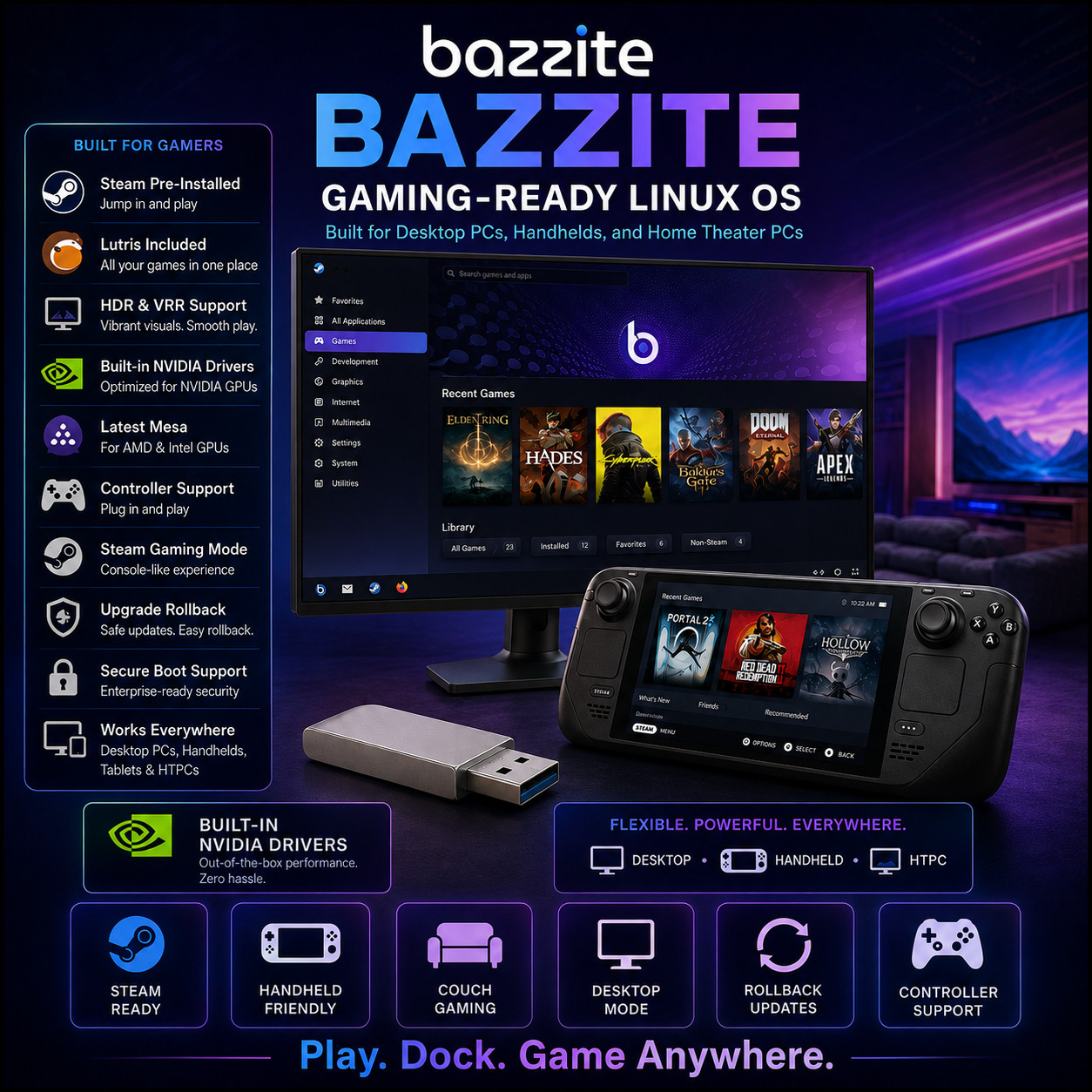
Gaming-Ready Linux Desktop bazzite PLAY · DOCK · GAME ANYWHERE A gaming desktop where the drivers, the launchers and the tweaks are already done. Console-Style Gaming Mode HDR & VRR Support Built-In GPU Drivers One-Click Rollback Please check your hardware first This is a modern gaming system and it asks for modern hardware: a 64-bit quad-core processor, 8 GB of memory, a graphics card supporting Vulkan 1.3, 50 GB of available SSD space, and a UEFI machine with a GPT-partitioned disk. Older computers and legacy-BIOS machines are not supported. The full table is further down — please read it before ordering, and message us if you are unsure about your PC.
Bazzite is a Linux desktop built specifically for playing games. Everything that normally stands between a new Linux user and a working game — graphics drivers, compatibility layers, controller support, the launchers, the performance tweaks — is already installed and configured when the system first starts. It runs as an ordinary desktop when you want one, and switches to a console-style, controller-driven interface when you would rather sit back with a gamepad. The same system suits a desktop tower, a living-room machine plugged into the television, and a handheld gaming PC.
Why This Edition Stands Out 💾 Prepared on a 16 GB+ USB drive The image is around 8 GB — far too large for any disc, and larger than the flash drives most people have spare. Yours arrives written, tested and verified on a drive with the capacity to hold it. 🎯 Built for your graphics card Separate builds exist for AMD/Intel graphics and for NVIDIA graphics. Choose yours at checkout and the correct drivers are already in the system — pick wrong and you would be troubleshooting instead of playing. ⏱️ Saves you an eight-gigabyte download On a typical home connection that download takes hours and fails often enough that the project recommends a download manager for it. This arrives ready. 🎮 Gaming set up before you start Game launchers, compatibility layers, controller support and performance tuning are configured in the system as shipped, rather than left as a weekend of forum threads. 📚 Step-by-step PDF setup guide A screenshot-driven "Read Me First" guide ships on the drive — boot-menu keys by brand, the Secure Boot key step that catches most people out, and the installer walked through screen by screen. 🚀 Always the latest stable release The media is rebuilt as new stable builds ship — you receive a current build at order time, not a years-old archive. What makes Bazzite different 🎮 Gaming that works on the first evening Steam comes preinstalled, along with a second launcher that gathers games bought from other stores into one library. HDR and variable refresh rate are supported, and the processor scheduling is tuned for responsive play rather than for spreadsheets. The awkward middle step of setting up a Linux machine for gaming has simply been done for you. 🛋️ A desktop and a console in one machine Log in to a normal desktop for browsing and work, or into a full-screen, controller-driven gaming interface that behaves like a games console — big text, navigable entirely with a gamepad, designed to be read from a sofa. It is the same computer either way; you simply choose which face it shows at login, and it can be extended with community plugins and themes. ⏪ Updates you can undo at the boot menu The system is image-based: after every update the previous version stays on the machine. If an update breaks something you needed, restart and pick the older version from the boot menu — no recovery media, no reinstall, no lost afternoon. Earlier images are kept in the project's repositories for ninety days, so you can go back further and pin a version you trust for as long as you want it. 🔌 Hardware handled for you NVIDIA drivers are built into the appropriate images, and the current graphics stack for AMD and Intel cards comes as standard, with the usual tweaks already applied. Controllers from all the major consoles work when you plug them in, as do steering wheels and a long list of other devices. Hardware video encoding and decoding, extra wireless adapters and additional display standards are supported out of the box. 🔐 Serious security underneath the games Mandatory access control is enabled by default, the system images are cryptographically signed, Secure Boot is supported once you enrol the project's key, and full-disk encryption is available with optional automatic unlocking through your machine's security chip. It is a gaming system built on genuinely modern foundations rather than a hobby project with the safety rails removed. 📦 Software from everywhere, safely contained A built-in app store installs sandboxed applications from the main community repository. Beyond that, container support means software packaged for any Linux family can be installed and used as though it were native — so a tool that only exists for another distribution is still available to you, without disturbing the base system that your games depend on. Plus more inside 🖥️ Two desktops to choose from A traditional layout with a taskbar and start menu that anyone switching from another system will find familiar, or a modern, touch-friendly design that suits tablets and handhelds. Both are offered. 🎒 Handhelds and living-room PCs A dedicated variant targets handheld gaming PCs and home-theatre machines, booting straight into the console-style interface. The project maintains a tested-hardware list of supported handhelds. 💳 Take your library between machines A game library kept on a MicroSD card can be shared between multiple installations, so the handheld and the desktop can read the same collection. 🤖 Android apps on the desktop Android applications and games can be run alongside your Linux software through a supported compatibility layer, with a setup guide provided by the project. 🪟 Dual-boot supported Keeping your existing system on the machine is supported, so you can move across at your own pace rather than all at once. 🛠️ Developer-friendly by default Container-aware terminals and management tools are included, which is why the project is comfortable saying the system is developed on itself. 📖 Genuinely good documentation The project maintains detailed installation, gaming, software and troubleshooting guides, plus an active community — unusually well served for a system of this kind. 🔑 No product key, no activation Nothing to type in for the operating system itself, and no limit on how many of your own machines you install it on. Who it's for 🎮 Gamers moving to Linux The setup work that usually defeats people on their first attempt has already been done. That is the entire point of this system. 🎒 Handheld PC owners A variant aimed squarely at handheld gaming PCs, with the controller-driven interface, the right drivers and the power tuning already in place. 📺 Living-room builders A machine under the television that boots straight into a big-screen interface you can drive entirely from the sofa with a gamepad. 🛠️ Tinkerers who want a safety net Experiment freely, knowing that every update leaves the previous version sitting in the boot menu waiting to be picked again. What you receive in the mail
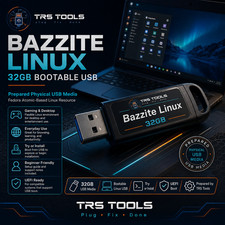
1 × 16 GB USB flash drive preloaded with the current Bazzite installer — the image alone is around 8 GB, so a drive of this size is required - Built for your graphics card — choose AMD / Intel or NVIDIA at checkout and the matching build is written for you. Message us before ordering if you want the handheld and home-theatre variant, or the other desktop layout, instead.
- Step-by-step setup guide with screenshots — open the "Read Me First" PDF on the drive
- Quick reference card — boot-menu keys for major brands, the Secure Boot key step, and what to do first after installing
Compatibility — please read before ordering Requirement Minimum Firmware UEFI. Legacy / CSM boot is not supported — older pre-UEFI machines cannot run this system. Processor 64-bit quad-core running at 2 GHz or better Memory 8 GB of RAM Graphics A graphics card supporting Vulkan 1.3 or higher. Cards without it are not supported — this is the requirement most worth checking first. Storage 50 GB of available space on an internal solid state drive; 120 GB recommended, and more again once games are installed Disk layout The target disk must use the GPT partition scheme. Installing to an older MBR-partitioned disk will fail. Secure Boot Supported on most hardware, but the project's signing key must be enrolled during or after installation. The included guide covers this step. Console-style mode Recommended on modern AMD graphics; Intel Arc works with minor caveats and NVIDIA with more significant ones. A gaming-platform account is needed to sign in, which you can create afterwards. Internet Not required to install, but a stable connection without a data cap is strongly recommended afterwards for updates and downloading games Drive A USB port. The image is around 8 GB, so it is supplied on USB rather than on any disc. How it works (3 steps) 1 Back up, then boot Back up anything important on the target drive, insert the USB, restart, and pick it from the boot menu. The included PDF lists the boot-menu key brand by brand. 2 Run the installer A guided installer walks you through language, disk and account. Choose whether to keep your existing system alongside it or use the whole drive. 3 Sign in and play Restart into your new system, sign in to your game library, and start downloading. The drivers and launchers are already there waiting. Owned, not rented No product key and no activation for the operating system. No subscription, and no account needed before your own computer will let you work. Install it on as many of your machines as you like, and take the updates the project publishes at no cost — with the previous version always kept on the machine in case you want it back. Frequently asked questions 🔍 Can I try it without installing, like some other Linux systems? No — and it is worth being clear about that. This USB boots a guided installer rather than a live desktop you can explore first. That is how the project distributes the system. If trying before committing matters to you, install it alongside your existing system rather than replacing it, so you can go back to the old one from the boot menu whenever you want. 💻 Will it run on my computer? Check four things: a UEFI machine (not an old legacy-BIOS one), 8 GB of memory, a graphics card supporting Vulkan 1.3, and 50 GB of available SSD space. The graphics requirement is the one that catches people, so check that first. This system is built for modern gaming hardware and it is not intended for reviving an old PC — message us with your make and model before ordering if you are unsure. 🎯 AMD, Intel or NVIDIA — which do I pick? Choose the build matching the graphics card the machine actually uses for gaming. If it is an AMD or Intel card, or built into the processor, pick the AMD/Intel build. If it is an NVIDIA card, pick the NVIDIA build so the correct drivers are already in place. If you are not sure which your machine has, message us before ordering and we will help you work it out. 🎮 Will my games actually work? A great many modern PC games run well through the compatibility layers included here, and games bought from most stores can be brought into one library. The main exception is competitive multiplayer titles with strict anti-cheat systems, some of which do not permit Linux at all — that is the publisher's decision, not something any Linux system can work around. Community-maintained compatibility lists exist for checking specific titles; please check the games that matter most to you before switching a machine over entirely. 🛟 Will this erase what is already on my computer? Only if you choose that option. The installer supports keeping your existing system alongside it, so both appear at the boot menu. Because this ISO installs rather than running live, please back up anything important on the target drive before you begin — the project makes the same point in its own guide. ⏪ What happens if an update breaks something? Restart and choose the previous version from the boot menu. The system keeps the last image on the machine after every update, and older ones remain available from the project's repositories for ninety days, so a bad update is an inconvenience rather than a disaster. 💻 Can I use it on more than one computer? Yes — install it on as many machines as you own. There are no activation limits of any kind on the operating system. 🔁 Do future updates cost anything? No. The project publishes updates at no cost, and they install in the background — you never need to reinstall to move to a newer version. 📦 We ship as soon as paid Play. Dock. Game anywhere. The driver-wrangling evening, already spent on your behalf. Have a question? Please do not hesitate to message us before purchasing.
This listing is for professionally prepared physical media. Your USB arrives preloaded with the operating system installer, setup guide, and quick-reference card, ready to use. You are paying for the prepared media and the sourcing, organisation, packaging, and shipping that goes into it, not for software licenses.
Condition: brand new prepared USB drive. Professionally assembled, tested, and verified before shipping.
Important notes: this is a prepared physical USB device. Includes software released under its applicable licenses, prepared and organised for ease of installation. No product keys or paid software licenses are included or required to use the operating system; games and gaming-platform accounts are not included and remain the responsibility of the buyer. For use on systems you own or are authorized to service. Installing an operating system can overwrite existing data — please back up anything important before you begin. The purchase price reflects the cost of the prepared media, the sourcing and organisation of the contents, packaging, and shipping, not a license to the underlying software. Only items shown or described are included.