🔥 SAVE BIG ON LINUX MEGA PACKS 🔥
🛒 VISIT MY store LINK HERE 🛒
🚚 Ships Worldwide in Tamper Proof Packaging
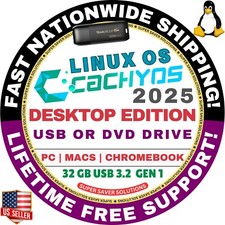
Cachy OSDesktop or Handheld Editions
Cachy OS is a Linux distribution based on Arch Linux. It focuses on speed and security optimizations - the default Linux kernel is heavily optimized using the BORE (Burst-Oriented Response Enhancer) scheduler, while the desktop packages are compiled with LTO, x86-64-v3 and x86-64-v4, Zen 4 optimization, security flags and performance improvements.⚠️ Select Your Preferred Edition: Choose from a range of Desktop Environments, Wayland Compositors and X11 Window Managers including KDE Plasma, GNOME, XFCE, i3, Wayfire, LXQt, Openbox, Cinnamon, COSMIC, UKUI, LXDE, Mate, Budgie, Qtile, Hyprland and Sway. Simply download and install using the online GUI ISO installer.
✅ WHO SHOULD BUY THIS?
If you are looking for any of the following: CachyOS bootable USB, CachyOS bootable DVD, CachyOS installer USB, CachyOS installer DVD, CachyOS USB installer kit, CachyOS USB DVD installer kit, CachyOS install USB drive, CachyOS install DVD disc, CachyOS live USB installer, CachyOS live DVD installer, CachyOS Arch based installer USB, CachyOS Arch based installer DVD, CachyOS gaming Linux USB installer, CachyOS desktop Linux installer USB, CachyOS desktop Linux installer DVD, CachyOS operating system USB installer, CachyOS operating system DVD installer, CachyOS OS install media USB, CachyOS OS install media DVD, CachyOS Linux installation kit
☑️HOW TO BOOT LINUX OS FROM USB OR DVD?
✅STEPS FOR WINDOWS PC & CHROMEBOOKS
1.Turn-off your computer
2.Insert the USB/DVD into any available USB port/DVD drive.
3.Switch on your computer
4.Press the key that allows your computer to boot to an alternate device (ESC on many HPs, F12 on many Dells, F8 on many custom builds, yours may vary, see your computer's documentation)
5.At the Book-up screen, select Boot from USB Interface or Boot from DVD option, press enter.
6.Wait for OS to load, then follow on-screen links for initiate OS.
7.Wait for system to boot into Linux OS.Done!Enjoy!
✅STEP FOR APPLE MACS DEVICES
1.Turn-off your computer
2.Insert the USB into any available USB port
3.Switch on your computer
4.Press the Option keyon your keyboard to go the boot menu
5.Select EFI Book
6.Follow on-screen links for initiate OS.
7.Wait for system to boot into Linux OS. Done! Enjoy!