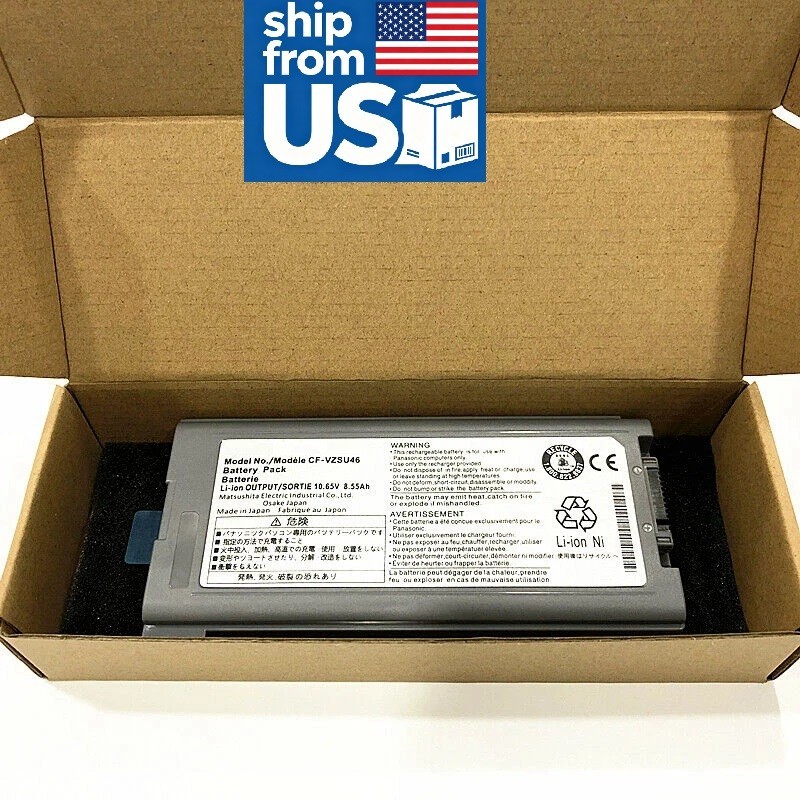
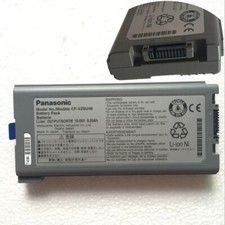
Specifications:Condition: Brand New , 'A' grade cells,100% Compatible!Battery model:CF-VZSU46 BatteryVoltage: 10.65 VCapacity: 8550 mAhBattery Type:RechargeableLi-ion BatteryColor:GrayCertification:FCC CE UL RoHSCompatible Model:For Panasonic Toughbook CF-30.
Compatible Part Numbers:
CF-VZSU46, CF-VZSU46S, CF-VZSU46U, CF-VZSU46R,
CF-VZSU46, CF-VZSU71U, CF-VZSU72U, CF-VZSU1430U
Note:
Please check carefully about your laptop model name/battery part number/battery shape and size to make sure you purchase the correct battery.To use your battery better, please follow the precautions listed below:1. Do not modify or disassemble the battery.2. Do not incinerate or expose battery to excessive heat, which may result in an exposure.3. Do not expose the battery to water or other moist matters.4. Do not pierce, hit, step on, crush or abuse the new battery .5. Do not place the battery in device for a long period of time if device is not being used.5. Do not short circuit the terminals or store your Lenovo battery pack with metal objects such as necklaces or hairpinsIntelligent protection board: (New Upgrade To Ensure Battery Safety)1.Overheating protection2.Overcurrent protection3.Overvoltage protection4.Overcharge protection5.Over discharge protection6.Short circuit protection
How to confirm that the battery is suitable for your laptop?
Method 1: Use System Information to find your laptop model
Step 1: Press Windows + R to open Run window.
Step 2: Input "msinfo32" in the empty box and click OK to open System Information.
Step 3: Keep in the System Summary section, and you will find the System Model item in the right pane.
Method 2: Remove Battery from Laptop to find your laptop battery part number
Step 1: Switch off the laptop and unplug the power cable in case of electric shock
Step 2: Remove the back panel with the screwdriver. You should to this with care avoiding any harm to the laptop components.
Step 3: Disconnect the cable connected to the battery and then take out the battery. After that, you can check the specifications of your battery.
About Us-High Quality BatteriesWe are a laptop battery manufacturer with more than 20 years of R&D technology and the first to start circuit board development, we are positioned for high quality, simplicity and durability. With our own R&D team and production factory, we are the most professional full-service provider integrating development, production, sales and service. Our products are stable, safe and reliable in performance. The factory started to enter the research, development and production of polymer batteries in 2012, all batteries are made of A grade cells, which are tested by the original factory computer. We provide 100% satisfied customer service, please feel free to buy! If you have any questions or suggestions about our batteries, please contact us through message so that we can provide the most convenient service for you.-Perfect MatchAll of our batteries are brand new and are 100% compatible to meet OEM specifications for safety and efficiency. Same size as original battery, Don't worry about assembly and adaptation issues.-Equipped with safety featuresBatteries pass rigorous smart tests such as short circuit protection, over voltage protection, discharge protection and over current protection, which are important for the life cycle and safety of the battery All batteries are made of high quality materials to ensure good performance.UL, CE, FCC, RoHS, UN38.3 certification and MSDS.-Product Details1.Power Interface: Gold-plated connector points to ensure current transport excellently and serve stably.2.Enclosure: The enclosure is made of ABS + PC high quality material, it has high temperature resistant function to protect your laptop overheat.3.Battery Buckle: The battery buckle is closely connected to the laptop, and the metal interface is stably powered.