 When you click on links to various merchants on this site and make a purchase, this can result in this site earning a commission. Affiliate programs and affiliations include, but are not limited to, the eBay Partner Network. When you click on links to various merchants on this site and make a purchase, this can result in this site earning a commission. Affiliate programs and affiliations include, but are not limited to, the eBay Partner Network.
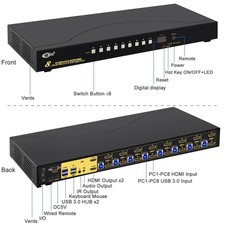
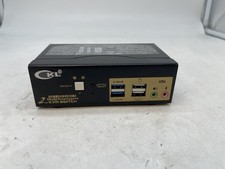
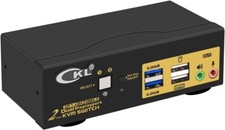
Item will be shipped the next day of purchase unless a Sunday or holiday. Free Returns & Fast Shipping! Original item & packaging must be shipped back undamaged, unused, and unmodified for a full refund. Please message with any questions, thank you! Detailed Info Below: Product Features: - 8 Port HDMI KVM SwitchDual Monitor: Control up to 8computers/laptops/DVRs/NVRs using one set of keyboard, mouse and dual extended or mirrored monitors.
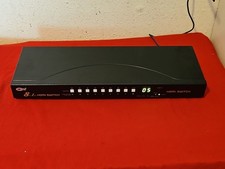
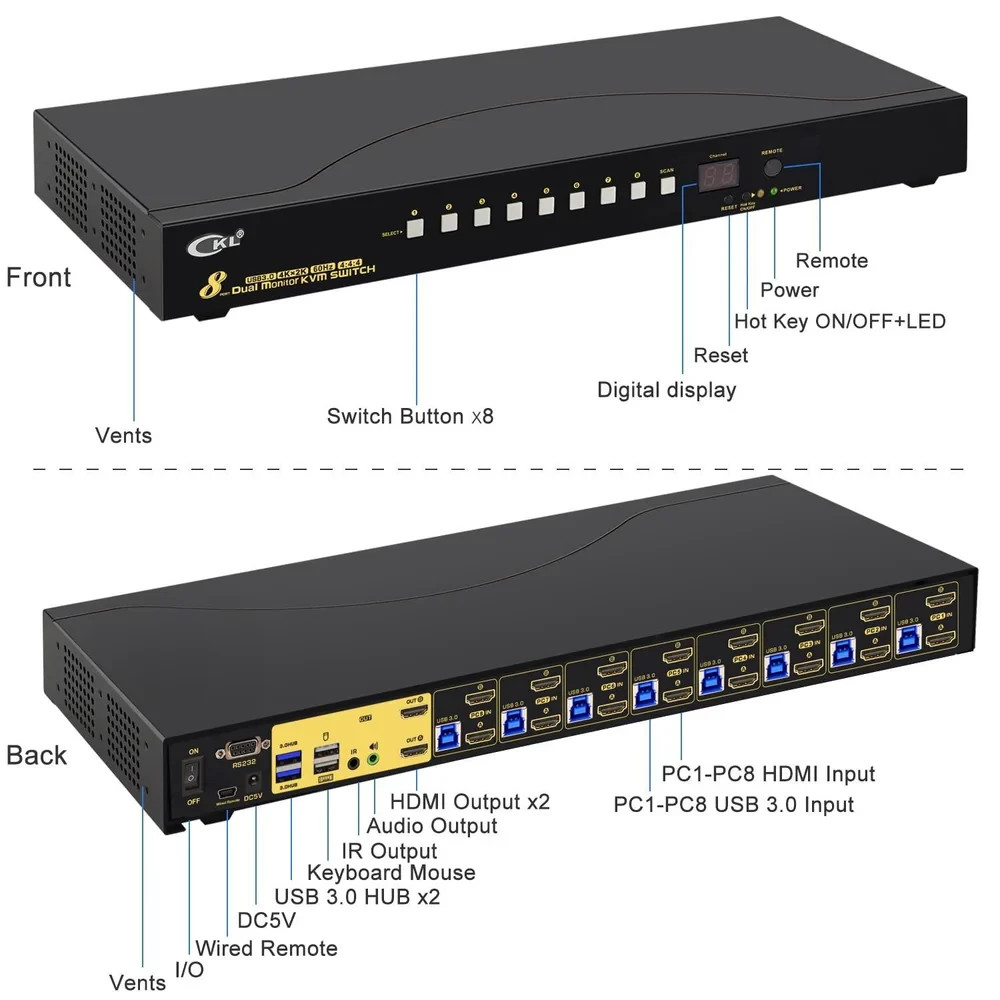
- International Standard 1U Rack Mount KVM Switch: Fits for 19”international standard 1U Rack, includes rack mount brackets.
- USB 3.0 KVM SwitchHDMI for 8Computers2 Monitors: The package includes 8 USB 3.0 A-male to B-male cables for connecting each computer to the KVM switch, with 2 integratedUSB 3.0 HUB ports for faster data transfer up to 5 Gbps.
- 8x2HDMI 2.0 Switch Box 4K@60Hz: As a Certified HDMI Adopter, our HDMI products uses original chip-setsto ensure excellent image processing and transmission capacity. Supports dual monitor outputs with high resolution up to 4K@60Hz and compatible
- Wide Operation Systems Support: Cross Support Windows 10/7/2000/XP/Vista, Linux, Mac, Debian, Ubuntu, Fedora, Raspberry Pi and Ubuntu.Plug and Play without driver needed.
- Other Capabilities : Support auto detectionand wake-up, with memory function in case of power-down. It can switch by mouse or keyboard independently, even it without USB signal input, such as Apple TV, Android TV box, etc. And it can enter into BIOS interface directly.
- Support audio outputand switch audio between computers
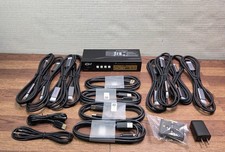
- Work Right Out of the Box: Comes with all input cables, power adapter, IR remote , wired remote and rack mount hook.
Switching Modes: - Keyboard Hotkey (right Ctrl twice -> port number -> Enter)
- Mouse Hotkey (double click mouse roller -> left / right click)
- Push button on front panel
- IR remote
- Wired remote
- RS232 Control
- Auto scan (with adjustable interval between 8-999 seconds)
Installation Guide: - Power off all devices;
- Plug DC5V 2A power adapter into KVM switch and AC socket;
- Connect HDMI cable and USB 3.0 cablefrom eachcomputer to the KVM switch;
- Connect the HDMI outA and Bon theKVM switch to your monitorsusing HDMI cables;
- Plug mouse into mouse slot of KVM switch, plug keyboard into keyboard slot of KVM switch;
- Plug other USB 3.0 peripheral device/wired remote push button switch/IR remote into KVM switch if needed;
- Turn on KVM switch;
- Turn on computers.
What is in the box: 1 x 8Port KVM switch 16 x HDMI Cables 8x USB 3.0 cables 1 x DC 5V 2A Power adapter 1 x User manual 1 x wire remote push button 1 x IR remote 2 x rack mount hook  |
|