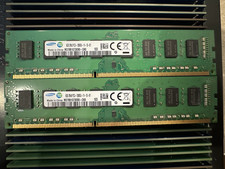
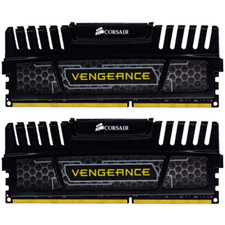
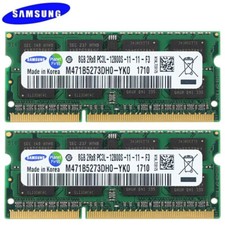
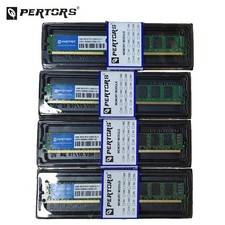
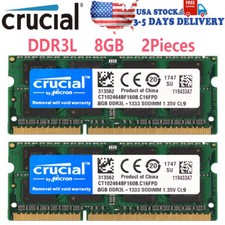
DDR3 8GB 16GB KIT RAM Q-PERTORS 1600MHz NON-ECC DESKTOP DIMM Memory 2x4GB 2x8GB
Product Details
Product Name:Desktop Memory DDR3
Memory capacity: 4GB/8GB
Memory Technology: DIMM 1.5V
Interface Type:240-Pin
Function:Non-ECC Unbuffered
Compatibility:4GB Memory Support all the DDR3 DIMM motherboard / 8GB Memory It does not support 775-pin old motherboards such as G41, h55, and p43
Package: 8GB(2X4) / 16GB(2X8)desktop memory,Each memoy is fullly tested before shipping,100% working.Brand of memory module chips may vary (shipped at random)
After sales: If you have any questions, please feel free to contact us
Bulk Purchase:We are a supplier of computer memory. If you need it, you can send us an email via to get the wholesale price. Please feel free to contact us at any time.
Shipping
Fast and secure shipping
Carefully packaged to ensure safe delivery
Tracking provided once shipped
Installation steps:1 : Shut down the system2 : Remove the power supply3 : Open the lid4 : Remove the old memory module5 : Install a new memory module6 :Not compatible with all-in-one machines
Product Failure Causes:
1 ?Memory installed but unresponsive ? There may be dust on the memory module or in the slot.Solution: Clean the gold fingers of the memory module with alcohol or an eraser, or use a brush to clean the slot. Then reinstall the memory and power on the system.
2 : Screen artifacts after installing memory ? The memory module may not be properly seated.Solution: Remove and reinstall the memory module , this usually resolves the issue.
3 : If you have one memory module (low frequency) and purchase another memory module (high frequency), and install both in the same computer, but one of them fails to work, it may be due to frequency incompatibility between the two modules ? Solution: In this case, only the high-frequency memory module should be kept.
4 : The computer is making noise - it may be due to removing the memory module without shutting down the system or unplugging the power
Important: All of the above operations must be performed after shutting down the system and unplugging the power cord. If you encounter other issues after installing the memory, please feel free to contact us. Thank you for your understanding.
Customer, if you are interested in other types of memory, you can click on our store page to view other options.