DR PARTED LIVELINUX OS
LATEST BUILD 2025.06 | DEBIAN 13 BASED
PERFECT FOR OLD & NEW DEVICES!
64-Bit(Live Boot, Full Installation)Brand New Bootable USB & DVD Drive
🙂 GIVE A NEW LIFE TO YOUR DEVICE!
What is DR PARTED LIVE LinuxOS?Dr Parted Live is a bootable GNU/Linux distribution based on Debian testing. Live CD/USB featuring a lightweight Openbox window manager anclonezilla, testdisk, partimage, photorec, ddrescue, nwipe, scalpel, safecopy, fsarchiver, memtester, curl, wget, cryptsetup, chntpw, wipe and hdparmcapable of bare-metal backup and recovery of disk partitions. It can use external hard drives and network shares. Dr.Parted also aims to provide an easy way to carry out administration tasks on a computer, such as creating and editing hard disk partitions. Although GParted and Apart GTK are the main programs, the CD/USB also offers other applications, such as Netsurf, GSmart Control, Connman, Grsync, Xarchiver, HD Sentinel, USBimager, etc. It also contains a suite of powerful command line tools: clonezilla, testdisk, partimage, photorec, ddrescue, nwipe, scalpel, safecopy, fsarchiver, memtester, curl, wget, cryptsetup, chntpw, wipe and hdparm.BUILD VERSION 25-in-1 LINUX MASTER COLLECTION, BUILD 2025.06MEDIA TYPE BOOTABLE DVD, BOOTABLE USB, USB + DVD COMBO
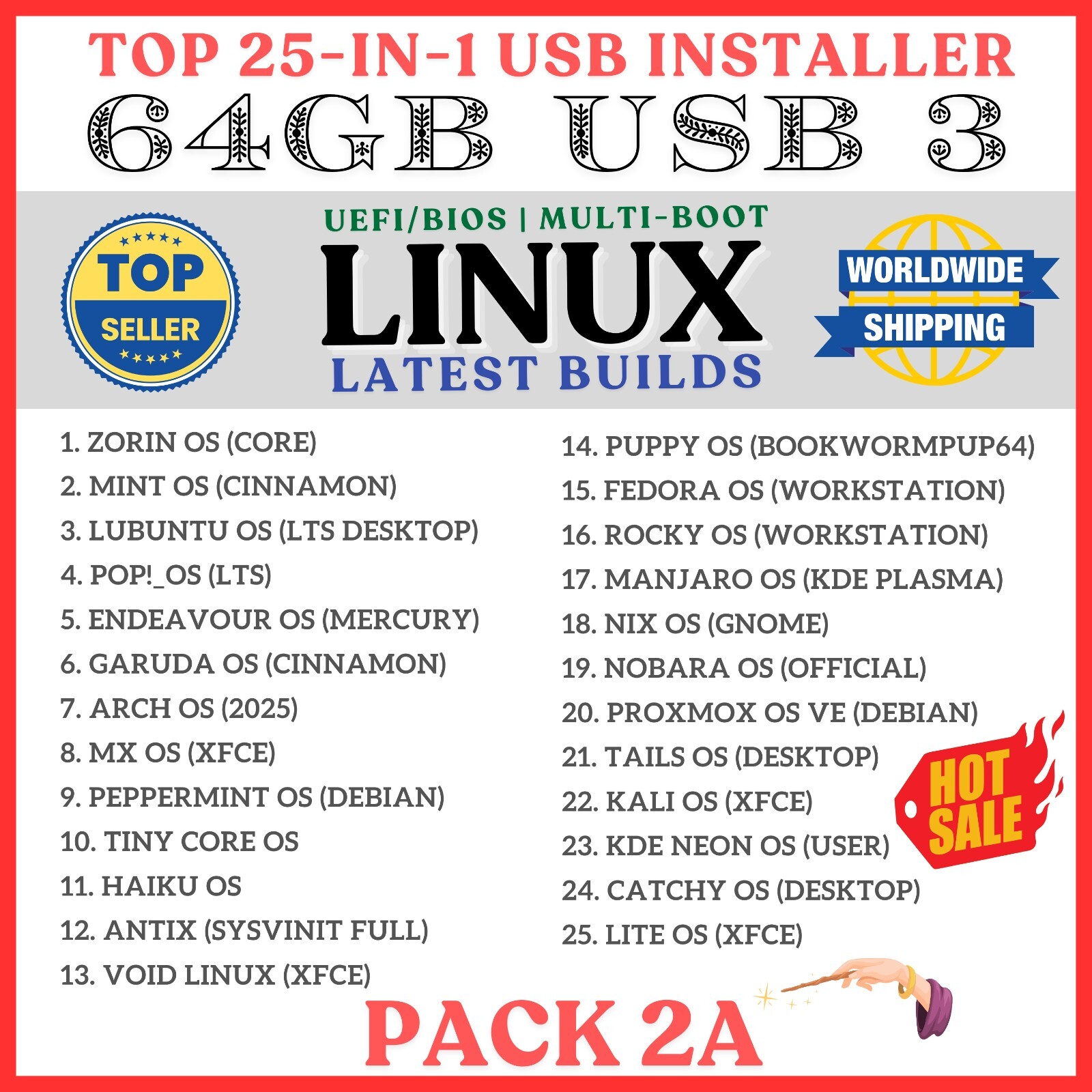
🔥 What Linux Distros are in the Master Collection?▸ Antix OS (sysVinit full) ▸ Arch OS (2025) ▸ Cachy OS (desktop) ▸ Endeavour OS (Mercury) ▸ Fedora OS (Workstation) ▸ Garuda OS (Cinnamon) ▸ Haiku OS ▸ Kali OS (Installer) ▸ KDE Neon OS (user) ▸ Linux Lite OS (xfce) ▸ Lubuntu OS (LTS Desktop) ▸ Manjaro OS (KDE Plasma) ▸ Mint OS (Xia-Cinnamon) ▸ MX Linux OS (xfce) ▸ Nix OS (gnome) ▸ Nobara OS (Official) ▸ Peppermint OS (Debian) ▸ Pop!_OS ▸ Proxmox OS VE ▸ Puppy OS (BookwormPup64) ▸ Rocky OS (gnome) ▸ Tails OS ▸ TinyCore OS ▸ Void OS (xfce) ▸ Zorin OS
Give it a try. You’ll Love it!⭐️ How to Boot Linux OS from USB?✅ Steps for Windows PC & Chromebooks
Follow these easy steps:
- Turn-off your computer
- Insert the USB into any available USB port
- Switch on your computer
- Press the key that allows your computer to boot to an alternate device (ESC on many HPs, F12 on many Dells, F8 on many custom builds, yours may vary, see your computer's documentation)
- At the Book-up screen, select Boot from USB Interface option, press enter.
- Follow on-screen links for initiate OS.
- Wait for system to boot into LinuxOS.
- That's it! Enjoy!
✅Step for Apple Macs Devices
Follow these easy steps:
- Turn-off your computer
- Insert the USB into any available USB port
- Switch on your computer
- Press the Option keyon your keyboard to go the boot menu
- Select EFI Book
- Follow on-screen links for initiate OS.
- Wait for system to boot into Linux OS.
- That's it! Enjoy!
⭐️LOOK AT MY AWESOME response, BUY WITH 100% CONFIDENCE!