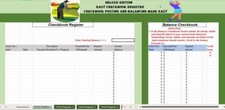
Compare digital account ledger balances with statement balances.
Cashless account reconciliationTrack Account / wallet, Opening ledger, Deposits, Withdrawals, Expected closing, Statement closing, Difference, Review note. Includes automatic summary totals and a visible input-check column.
WHAT YOU RECEIVE- One Microsoft Excel .xlsx workbook- A blank working plan and a separate fictional worked example- A product-specific PDF guide with field rules, calculation explanations, and assumptions- Editable blue input cells and green calculated cells
CAPACITY AND REQUIREMENTS60 entry rows per working planner. Start a new copy when full.Designed for desktop Microsoft Excel. Excel software is not included. No macros or automatic account connections are required. Other spreadsheet applications and mobile layouts are not promised.
HOW TO USEDownload the ZIP, extract it, open the .xlsx file, and read the included guide. Review Example first, then enter your own information in the blank working tab. Listing images show the actual workbook with fictional example data.
PLEASE READThis is a digital download. No physical product will be shipped. Allow up to 24 hours to receive your link to download your product.Enter all amounts for the same account period. A zero difference means the entered figures reconcile. Resolve every Review inputs flag before relying on totals. Enter a label in the first column for every used row. Blank numeric inputs are treated as zero. Percentages must be 0%-100%; all numeric inputs are nonnegative.Check your inputs and results against your own records. This organizer does not provide professional financial, tax, legal, or medical advice. Forecasts are estimates based on entered assumptions.
For a file question, contact the seller through your order and identify the worksheet and cell involved.