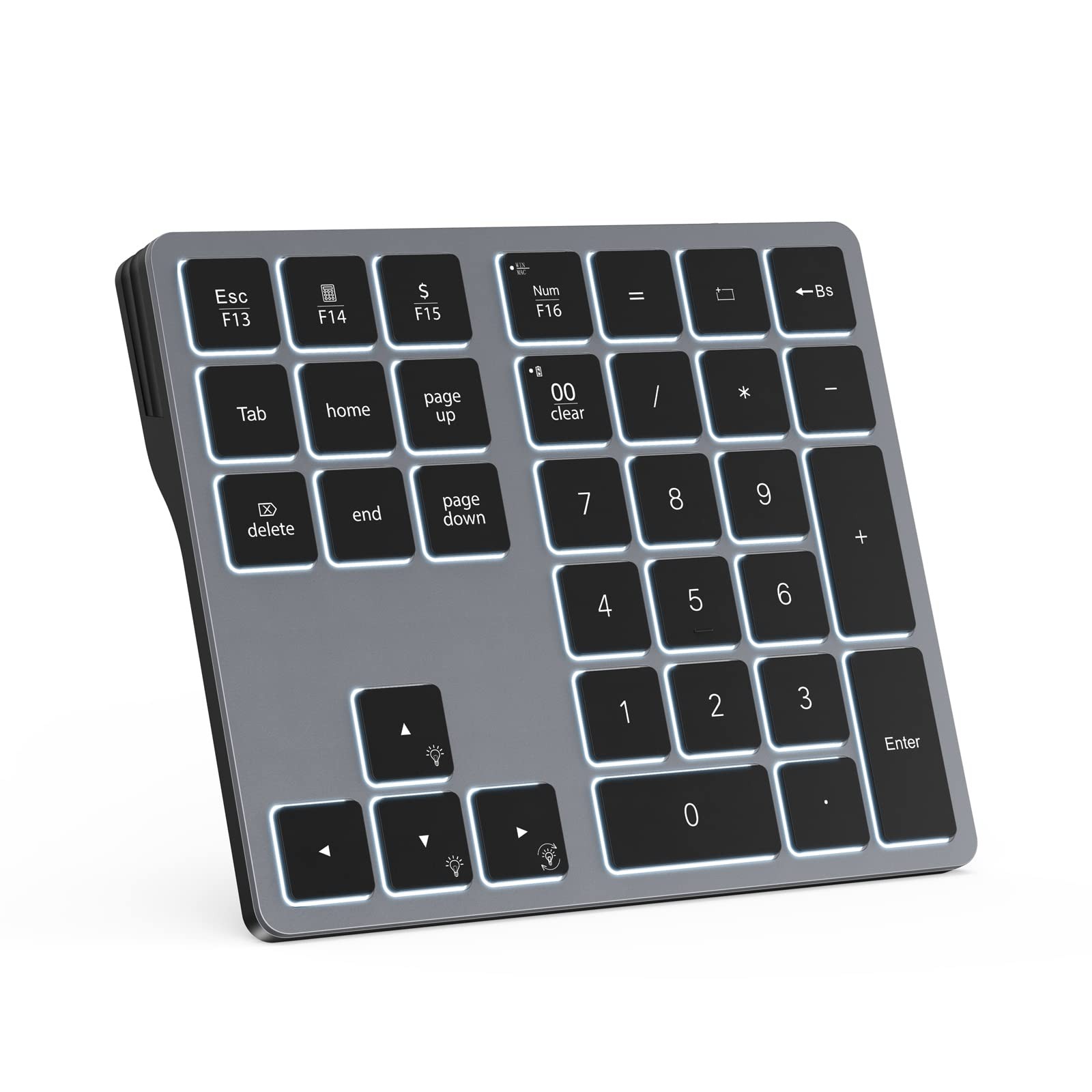
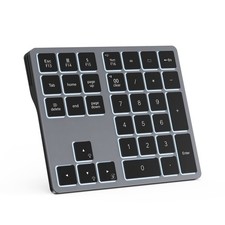
Doohoeek Backlit Buetooth Keypad Windows and Macbook, Gray
How to adjust the backlit keys:
1. Adjust keys backlighting down or up by pressing “Esc” key + “Up” or “Down” arrow key;
2. Change backlighting colors by pressing “Esc” key + “right” arrow key.
How to connect to the keyboard:
1. Fully charge the keyboard;
2. Turn on the keyboard;
3. Press the “CONNECT” button to enter the Bluetooth pairing mode;
4. Turn on the Bluetooth of your laptop and click Bluetooth named “bluetooth keyboard” to connect it.
How to configure the keyboard for different operating system:
1. Please press and hold “Esc” and then press “Enter” key for 5 seconds;
2. If the keyboard is under Windows configuration, the LED1 will turn blue. If the keyboard is under configuration, the LED1 will turn red.
The bluetooth dosen’t show up on my device:
1. Please go to Bluetooth page to “delete” or “forgot” all devices connected your tablet before;
2. Reconnect the keyboard according to the steps above.
The configuration page dose not appear after installed sucessfully? Please try the following specific steps: 1. Check the System Tray: The configurator may be running as a background icon. Please look at the bottom-right corner of your taskbar, near the clock. 2. Click the small ^ arrow (or up-arrow) to show hidden icons. 3. Look for our app's icon in that menu. If you find it, clicking it once should open the main configuration window.
Familiar Number Configuration for Efficiency: Forget hunting through a full row of numbers on no numpad keyboards. This keypad is a must-have for those who needs intense data input but is not used to typing with that kind of keyboards.
Portable and Sturdy: Type wherever you like thanks to the slim and portable design (195g weight; 143mm*118mm*14mm). It also built with the high quality of ABS material that keeps it from falling and scratching.
Backlit Keys for Any Lighting Environment: The keyboard with 7 colors and 3 levels of brightness allow you to type day or night. The backlit shortcut keys (“Esc” + the arrow keys) allow you to manually adjust the color and brightness of the keys.
Reliable 5.0 Bluetooth Connection: The strong and secure Bluetooth connection allows you to work efficiently with a 10m range. You only need to press “CONNECT” button to enter Bluetooth pairing mode.
Long Lasting Rechargeable Battery: It can work up to 220 hours without backlighting thanks to auto-sleep power saving mode and an/off switch button. Note: The battery life may vary based on use and computing conditions.
Wide Compatibility: The keypad is compatible with both Windows and mackbook devices. Please configure the keypad to the corresponding operating system after paring it.