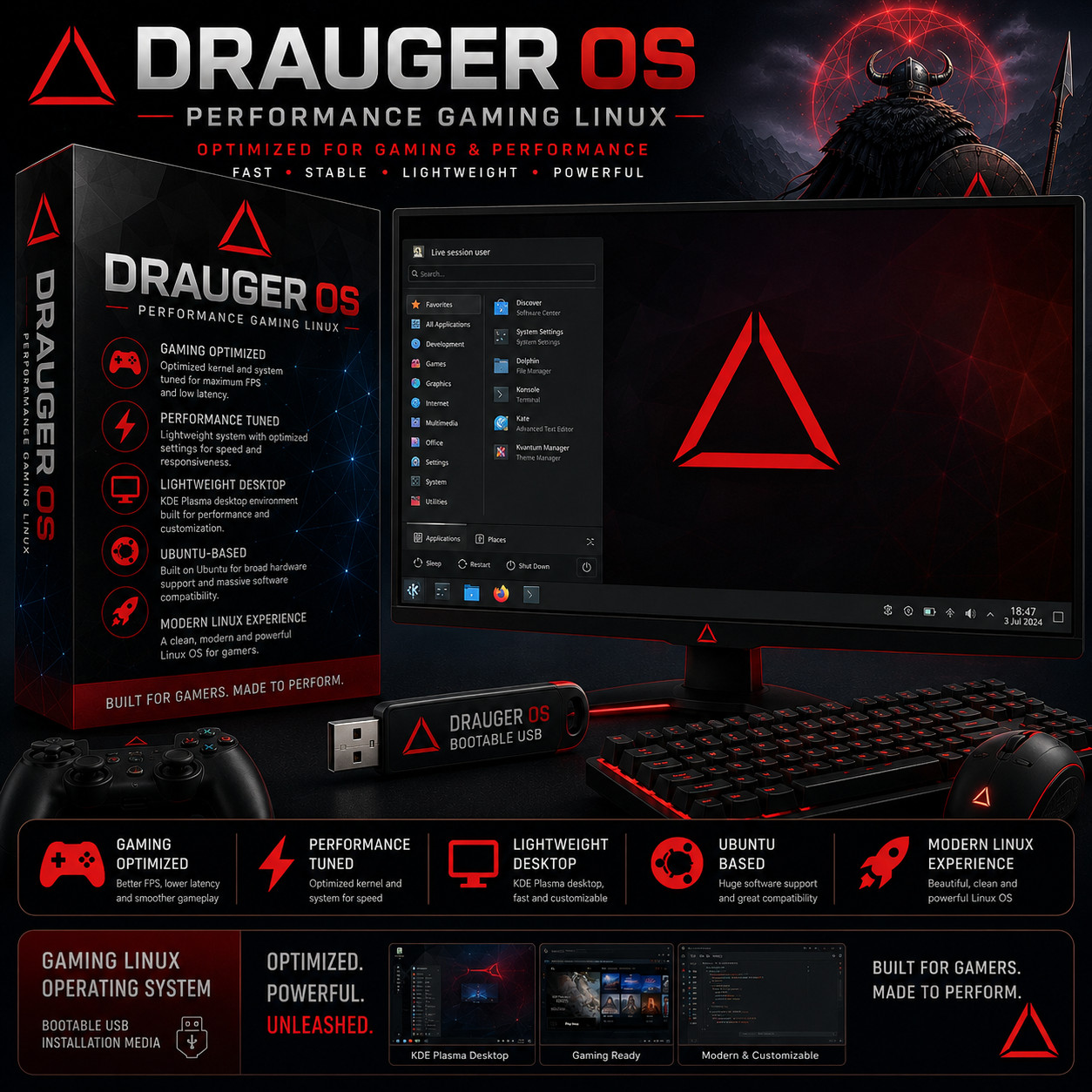
Performance Gaming Linux DRAUGER OS FAST · STABLE · LIGHTWEIGHT · POWERFUL Optimized for gaming & performance — built for gamers, made to perform. No Subscription Gaming-Tuned Kernel Ubuntu LTS Base Bootable USB Live Boot from USB — no Windows install required Plug the USB in, reboot, and try Drauger OS as a live session before deciding to install. Same disk, same partition, same machine you already use — your existing Windows stays untouched until you decide to install.
Drauger OS is a desktop Linux distribution built from the ground up for gaming. Based on Ubuntu LTS for rock-solid driver support and software compatibility, then heavily modified for performance: a kernel compiled in-house with gaming-friendly scheduling, KDE Plasma in place of GNOME for a lighter touch on system resources, PipeWire replacing PulseAudio for low-latency audio, and a dark Qt theme by default. The result is a Linux desktop that runs Steam, Lutris, Heroic Games Launcher, and Wine titles smoothly on the same hardware Windows is bogging down on.
Drauger OS vs the alternatives Feature Drauger OS Windows 11 (gaming) SteamOS (Steam Deck) Stock Ubuntu Gaming-tuned kernel out of the box Yes Generic Yes Generic Runs on standard desktop / laptop hardware Yes Yes Steam Deck only Yes No telemetry, no ads in Start menu Yes Both included Yes Some telemetry PipeWire low-latency audio by default Yes N/A Yes Recent only Live-boot to try before installing Yes No No Yes Ubuntu LTS package compatibility Yes No Arch-based Yes (is Ubuntu) KDE Plasma desktop (modern, customizable) Yes N/A KDE in desktop mode GNOME default Install on unlimited computers — one purchase Yes License per PC N/A Yes Built for performance 🎮 Gaming-optimized kernel A custom in-house compiled kernel with gaming-friendly scheduler tuning — designed to keep your frame rates steady and your input latency low, especially in competitive titles where every millisecond matters. Better FPS, lower latency, smoother gameplay on the same hardware Windows runs. ⚡ Performance-tuned from the ground up Stripped of bloat by default: no telemetry, no background telemetry uploaders, no "Tips and tricks" pop-ups. The system stays out of your way so your CPU and GPU can stay focused on the game. 🖥️ KDE Plasma desktop, dark Qt theme A polished, modern desktop environment — KDE Plasma — with a dark theme set as the default. Highly customizable, multi-monitor friendly, with system-level scaling that handles 4K and ultrawide displays without drama. 🎬 Stream-ready hardware tuning PipeWire replaces PulseAudio for sub-10ms audio latency — perfect for streaming, monitoring, and live performance. Hardware-accelerated video paths help capture tools like OBS encode without dragging your framerate down. Bring your own creator stack — Drauger stays lean. 🐧 Ubuntu LTS base Built on Ubuntu LTS — the most widely supported Linux desktop platform in the world. That means broad driver support, the largest software catalog in Linux, security updates rolling in automatically, and any tutorial / answer you find for "Ubuntu" works here too. 🚀 Modern Linux experience Designed by gamers, for gamers — a clean, modern desktop that respects your hardware and your time. Install Steam, Lutris, Heroic Games Launcher and Wine in minutes, then play Windows games on Linux through Proton compatibility. Plus more under the hood 🎮 Ready for Steam & Proton Install Steam from the package manager and let Proton handle Windows-only titles. The vast majority of Steam's catalog plays on Linux through Valve's Proton compatibility layer. 🏪 Lutris, Heroic, Bottles Run Epic Games Store titles via Heroic Games Launcher. Run GOG, Battle.net, and Ubisoft Connect titles via Lutris. Bottles handles arbitrary Wine prefixes for everything else. 🛡️ Live session — try before you install Boot from USB into a full live session — desktop, browser, terminal, package manager — without touching your hard drive. Try Drauger OS on your hardware first, install only when you're sure. 💾 In-house installer Custom installer purpose-built for Drauger OS — guided partition setup, dual-boot Windows alongside, or full-disk install. Friendly defaults, advanced options when you want them. 🔋 Wakes up old hardware Lean enough to give an aging desktop or laptop a second life as a dedicated couch-gaming PC, retro emulator station, or home media box. 🔧 GPU drivers from the start Ubuntu LTS base means broad NVIDIA, AMD, and Intel GPU driver coverage. Most modern GPUs work out of the box; older or exotic cards have well-documented install paths. 🛠️ Active community Discord, Telegram, Reddit, and the official wiki — active community channels for support, mod sharing, and game-specific tuning advice. 📦 Massive software catalog Anything in the Ubuntu repositories installs cleanly — tens of thousands of apps from a single command or click. Add Flatpak and Snap for even more. Who it's for 🎮 PC gamers You want the most FPS you can squeeze out of your rig — and you're tired of Windows updates rebooting you mid-match. 🐧 Linux curious You've considered switching to Linux and want a gaming-first distribution that doesn't feel like a school project. 🔧 Tinkerers You like to tune, theme, and customize. KDE Plasma + the gaming-focused base give you a sandbox to make your own. 🕹️ Retro / couch-gaming Build a dedicated retro emulator or living-room HTPC out of an old desktop — Drauger's lean footprint shines on older hardware. What you receive in the mail
- 1 × Bootable USB flash drive preloaded with the latest stable Drauger OS — boot straight into a live session or run the installer to commit to disk
- Step-by-step boot & install guide with screenshots — open the "Read Me First" PDF on the USB
Hardware requirements Component Minimum Recommended Best results CPU Dual-core 1.8 GHz, 64-bit Quad-core 2 GHz, 64-bit 12-core 4 GHz+, 64-bit RAM 4 GB 8 GB DDR4 3200 MHz 8 GB+ DDR5 5000+ MHz GPU Integrated graphics NVIDIA GTX 1050 / AMD RX 550 or equiv. AMD RX 6800 or better Storage 32 GB 256 GB NVMe SSD 500 GB NVMe 4.0 SSD Display 1024 × 768 @ 30 Hz 1080p @ 60 Hz 1080p @ 120 Hz USB ports 3 × USB 2.0 (boot USB + keyboard + mouse) 2 × USB 2.0 + 1 × USB 3.0 for boot drive 2 × USB 2.0 + 1 × Thunderbolt 4 for boot Architecture x86_64 (64-bit) only. Any modern Intel or AMD processor from the last ~10 years. How it works (3 steps) 1 Plug in the USB & reboot Insert the Drauger OS USB into your PC and reboot. Tap your motherboard's boot key (commonly F12, F10, Esc, or Del — included tips sheet covers the common brands). 2 Try the live session Drauger OS boots into a full live desktop — browse, test your hardware, see how it feels on your machine. Your existing OS and disk stay untouched. 3 Install when ready Double-click "Install Drauger OS" on the live desktop. Choose dual-boot alongside Windows or a clean full-disk install. The guided installer walks you through partitioning and user setup. Optimized. Powerful. Unleashed. No subscription. No Microsoft account. No "Windows 11 update" interrupting your raid. Drauger OS lives on your machine — your kernel, your desktop, your hardware. Install once, run forever, install on every gaming rig in the house. The Drauger from Norse legend stood watch over its hoard; this one stands watch over your frame rates. Frequently asked questions 🐧 I've never used Linux before — should I start here? Drauger OS is purpose-built for gaming, not a full daily-driver desktop. If you're new to Linux and want the absolute gentlest landing, stock Ubuntu or Linux Mint may be a better entry point. Drauger is for the gamer who's comfortable doing some tuning, asking on Discord, and reading wiki pages. If that doesn't scare you, jump in — the live session lets you bail without committing. 🎮 Will my Steam games run? Most of them, yes. Install Steam from the package manager and turn on Steam Play (Proton) — the vast majority of Windows-only Steam titles play on Linux through Valve's compatibility layer. ProtonDB.com tracks per-game compatibility ratings. Multiplayer titles with kernel-level anti-cheat (some Call of Duty, Valorant, etc.) may not run; everything else generally does. 📱 Can I keep Windows installed alongside? Yes — Drauger OS's installer supports dual-boot setups. Pick "Install alongside Windows" during install and choose how much disk to give Drauger. At boot, you'll get a menu to pick which OS to run. 🔍 Will my graphics card work? NVIDIA, AMD, and Intel GPUs from the last ~10 years are well-supported by the Ubuntu LTS driver base. NVIDIA cards may need the proprietary driver installed via the package manager (one click in the GUI). The live session is the easiest test — boot it, see if your screen lights up at native resolution. 🛠️ How is this different from SteamOS or Bazzite? SteamOS is purpose-built for the Steam Deck (Arch-based, Big Picture only by default). Drauger OS runs on any standard PC, uses Ubuntu as a base for broader compatibility, and presents a full KDE Plasma desktop instead of a console-style launcher. Bazzite is Fedora-based; Drauger is Ubuntu-based. Pick the family whose ecosystem you prefer. 💻 Can I install it on more than one computer? Yes — install on as many computers as you like. Unlimited installs. 🔑 Does it need a product key, activation, or account? No. There is no product key, no activation, and no registration of any kind. 🔁 Do future updates cost anything? No. Drauger OS updates are released at no cost by the project — both regular package updates and major version upgrades stay on your machine indefinitely. 📦 We ship as soon as paid Built for Gamers. Made to Perform. Optimized. Powerful. Unleashed. Have a question? Please do not hesitate to message us before purchasing.