- Store
- New Arrivals
- Add to Favorite
- View response
- Contact
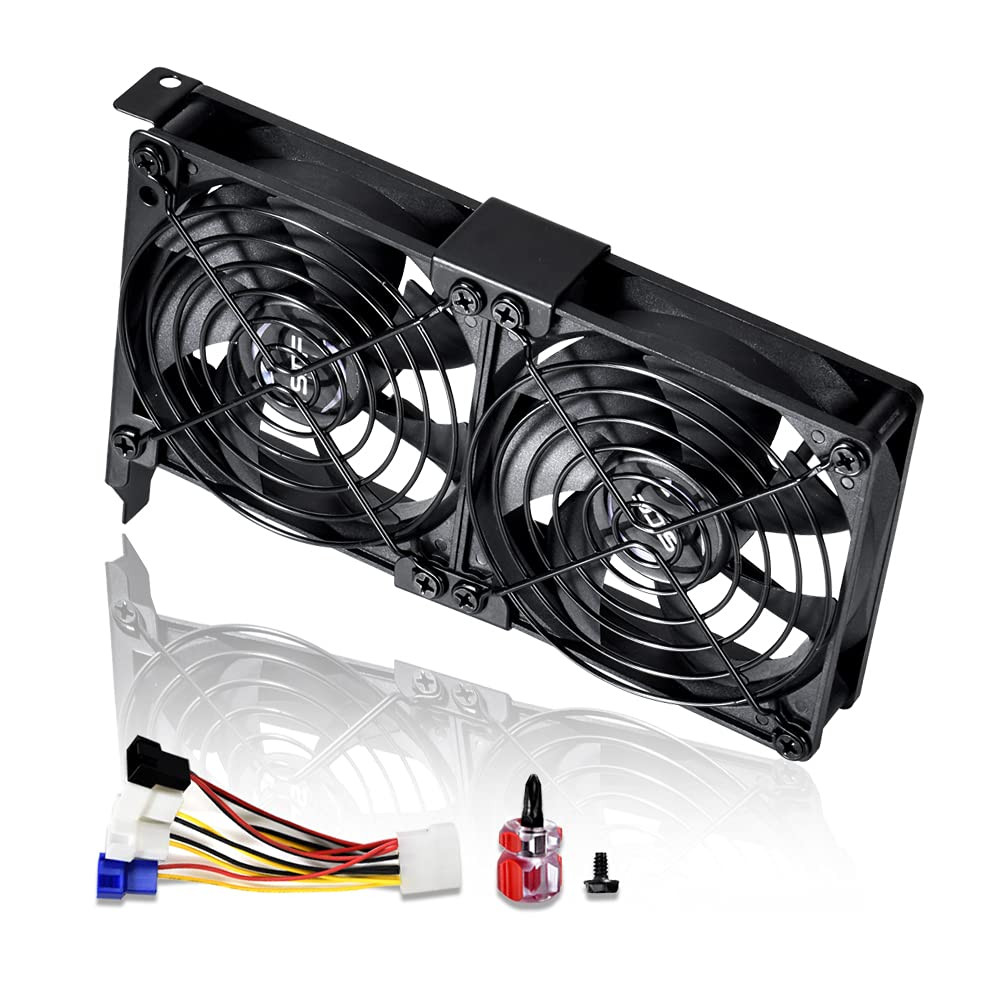
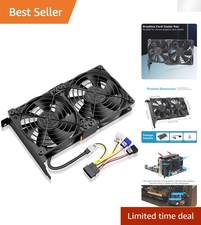
Dual 92mm Graphic Card Fans, Graphics Card Cooler VGA CoolerDescription Item model number GPU-XKZJX2 Power Connector Type 2-Pin Cooling Method Air Noise Level 35 dB Wattage 5.4 watts Material Polybutylene Terephthalate Compatible Devices Desktop Voltage 12 Volts (DC) Maximum Rotational Speed 3000 RPM Product Dimensions 7.36"L x 4.72"W x 1.18"H
- 2 x 92mm fans combined into one interface, can be connected to the motherboard's 3-pin or 4-pin interface and you only need to access one interface to run all the fans
- This cooling fan's total size is 7.36in(L) x 4.72in(W) x 1.18in(H), designed for most universal graphic card video card VGA cooling,just please check the size to make sure your pc has enough space
- D-type interface cable included four interfaces, three voltages: 5V, 7V and 12V; different voltages with different airflow, speed and noise. You can select the appropriate voltage interface to start the fan
- The double ball bearing has a service life of 65,000 hours, and the 7 blades produce strong airflow to keep the computer case cool
- packing list: 2 x 92mm fans (PCI bracket screwed), 1 x multi-voltage cable ,1 x mini screwdriver,1 x fixing screw
Product description Universal GPU Cooler(Check Size Carefully)
It is universal GPU Cooler,can fit for most of the market graphic cards.
Size: 7.36 * 4.72*1.18inch.
Please check the size and make sure it can fit your pc perfectly.
Double Ball Bearing
The double ball bearing has a service life of 65,000 hours
Metal Fan Grill
Protect Fan Blades.
Prevent wires or foreign objects touching the blades,
Causing interruption or obstruction.
Two Power Supply Methods
1. Connect to the motherboard power
2. Connect to the computer power supply with D-type interface
Easy to Install
You can easily install it on your computer with the supplied tools, and one screw can complete the fixation.
Power D-type Interface
Four interfaces, three voltages.
Different voltages with different airflow, speed, and noise.
You can select the appropriate voltage interface to start the fan.
5V interface: (1500RPM) Small airflow, very quiet.
7V interface: (2000RPM) Moderate airflow, relatively quiet.
12V interface: (3000RPM) The fan working at full speed, big airflow.
Installation Notes
Step 1
Open the side panel of the chassis, find the PCI location at the tial of the chassis
Installation Notes
Step 2
Remove the PCI baffle under the graphics card location
Installation Notes
Step 3
Screw the graphics card fan to the chassis PCI location
Installation Notes
Step 4
After the installation is complete, plug in the power to cool the graphics card