Product description
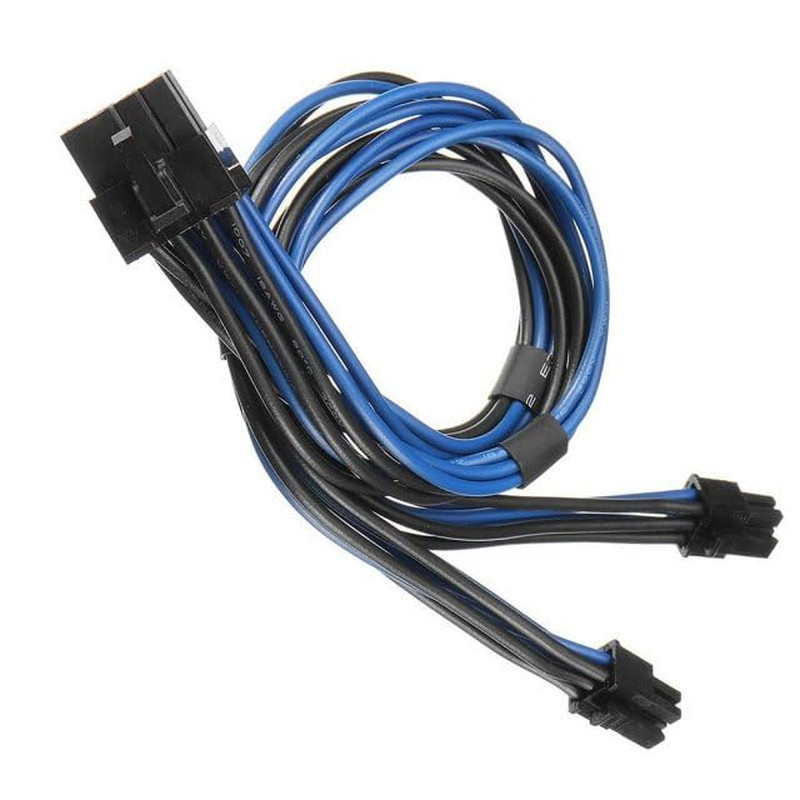
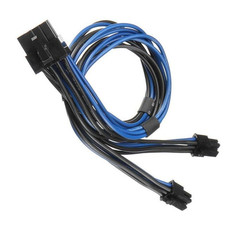
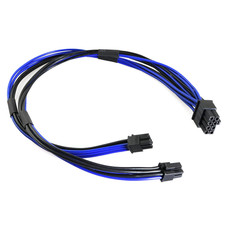
Are you looking to upgrade the graphics card in your Mac Pro or Power Mac G5, but your new GPU requires an 8-pin PCIe power connector that your Mac‘s logic board doesn’t directly support? This Dual Mini 6 Pin to 8 Pin PCI Express Power Adapter Cable is the solution.
Apple‘s Mac Pro and Power Mac G5 towers use a proprietary Mini 6-pin power connector on the logic board, which is physically smaller than standard PCIe 6-pin connectors-1. This adapter cable bridges that gap, converting two Mini 6-pin outputs from your Mac‘s motherboard into a single standard 8-pin PCIe connector for your graphics card-.
Whether you‘re installing a newer NVIDIA or AMD GPU, this cable provides the clean, reliable power connection you need to breathe new life into your classic Mac tower-.
Please verify your Mac model before purchasing. This cable is only compatible with the following systems:
Compatible Mac Models:
- Mac Pro (1,1) – 2006
- Mac Pro (2,1) – 2007
- Mac Pro (3,1) – 2008
- Mac Pro (4,1) – 2009
- Mac Pro (5,1) – 2010-2012
- Power Mac G5 – All PCIe-based models--1-3
NOT Compatible With:
- Standard PC motherboards (non-Apple)
- Mac laptops or iMacs
- Mac Pro models after 2012 (6,1 “trash can” Mac Pro uses different power connectors)
- Any system without Mini 6-pin power ports on the logic board
Note: The connectors on the Mac motherboard end are Mini 6-pin, which are physically smaller than standard 6-pin PCIe connectors-1. This cable is designed for Mac Pro and Power Mac G5 logic boards ONLY-1. If you connect this cable to incompatible motherboards, it will burn or damage the motherboards or graphics card-1.
Step 1: Identify Your Mac‘s Power Ports – Locate the two Mini 6-pin power connectors on your Mac Pro or Power Mac G5 logic board. These are typically located near the PCIe slots.
Step 2: Connect the Cable to Your Mac – Plug the dual Mini 6-pin male ends into the corresponding Mini 6-pin ports on your Mac‘s logic board. The connectors are keyed to fit only one way – do not force them-.
Step 3: Connect to Your Graphics Card – Plug the standard 8-pin PCIe male end into the 8-pin power port on your graphics card. Ensure the connector is fully seated – you should hear or feel a slight click.
Note: If your graphics card requires a 6-pin (rather than 8-pin) connection, you can use the 6+2 pin configuration on the 8-pin connector.
Technical Specifications Specification Details Connector A (Input) 2x Mini 6 Pin Male (Mac Pro / Power Mac G5 proprietary) Connector B (Output) 1x PCIe 8 Pin Male (Standard) Cable Length 15 inches / 38 cm (including connectors) Wire Gauge 1007-18AWG Tin-Coated Copper Maximum Power 300W Voltage 12V DC Compatible Models Mac Pro (1,1 – 5,1) 2006-2012, Power Mac G5
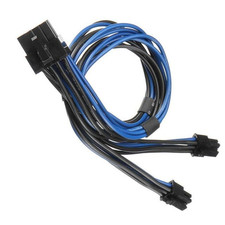
- 🔹 CONVERT MAC MINI 6-PIN TO STANDARD PCIe 8-PIN – UPGRADE YOUR GRAPHICS CARD – This adapter cable features dual Mini 6-pin male connectors on one end (to plug into your Mac Pro or Power Mac G5 motherboard) and a standard 8-pin PCIe male connector on the other (to plug into your graphics card). It allows you to use modern PCIe video cards that require an 8-pin power connection in older Mac Pro and Power Mac G5 towers.
- 🔹WIDE COMPATIBILITY – MAC PRO (1,1 – 5,1) & POWER MAC G5 – Compatible with all Mac Pro models (1,1), (2,1), (3,1), (4,1), (5,1) covering years 2006 through 2012, as well as Power Mac G5 models. The dual Mini 6-pin connectors are specifically designed for the proprietary power ports found on Mac Pro and Power Mac G5 logic boards.
- 🔹PREMIUM 18AWG CONSTRUCTION – 300W POWER RATING – Built with high-quality 1007-18AWG tin-coated copper wire for stable power delivery and minimal voltage drop. Rated for 300W of continuous power, providing sufficient power for a wide range of modern graphics cards. The 15-inch (38cm) length provides flexible routing inside the Mac Pro tower chassis.
- 🔹CRITICAL COMPATIBILITY WARNING – MINI 6-PIN NOT STANDARD 6-PIN – The connectors on the Mac motherboard end are Mini 6-pin, which are physically smaller than standard 6-pin PCIe connectors. This cable is exclusively designed for Mac Pro and Power Mac G5 logic boards. DO NOT attempt to use this cable with standard motherboards or non-Apple systems – it will not fit and may cause damage.
- 🔹PLUG-AND-PLAY – SECURE CONNECTION LATCH – Easy installation with secure latch connectors designed to prevent accidental disconnections during use. Simply connect the dual Mini 6-pin ends to your Mac‘s logic board and the 8-pin end to your graphics card. No drivers or software required.