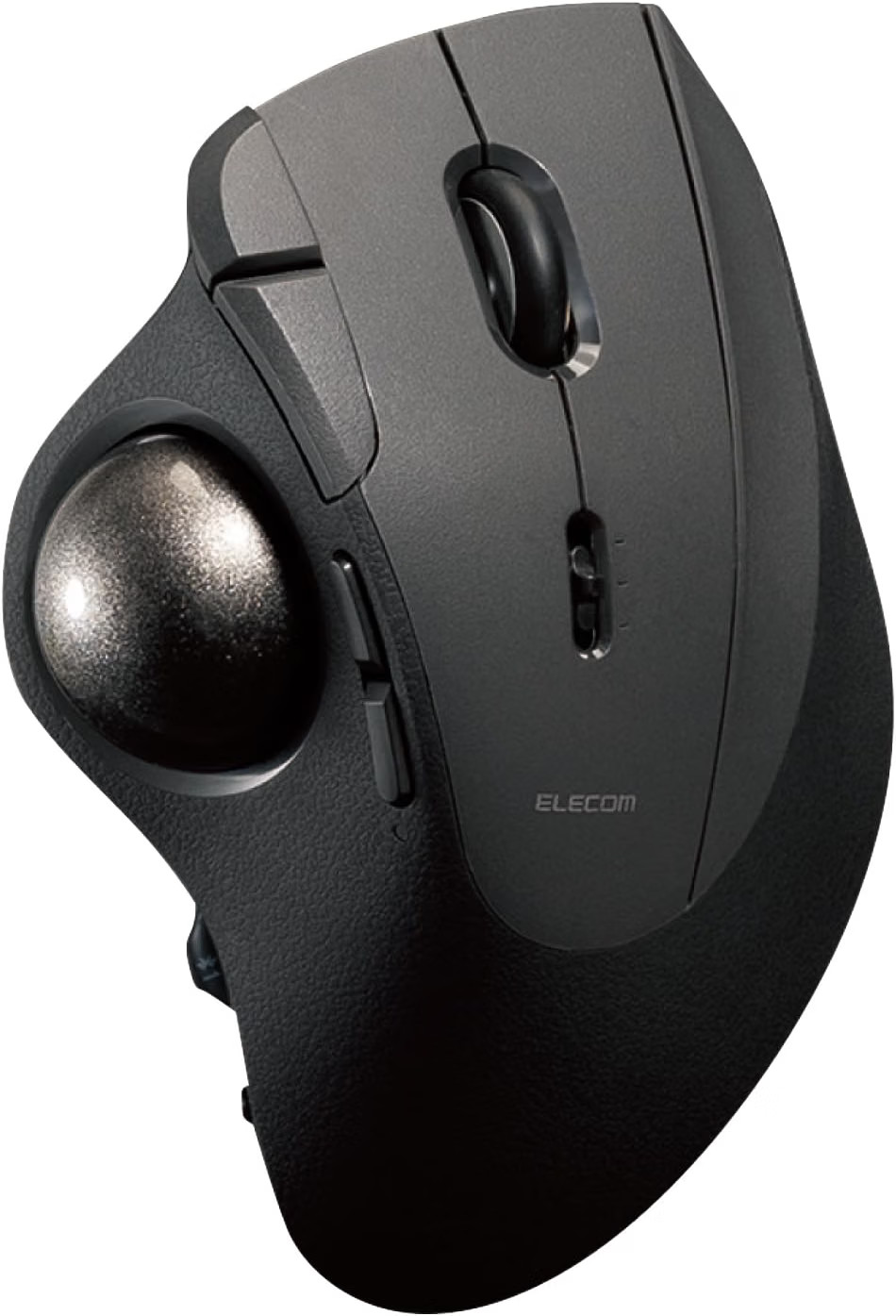
ELECOM IST PRO M-IPT10MRSBK Trackball - Ball Bearings, 10 ball sits on bearings, not on studs.
Every other thumb trackball rests the ball on small static supports -usually ceramic or ruby beads. The ball slides across them, which meansfriction, and it means the ball's surface rubs the supports all day.
Two consequences follow. Debris - skin, dust, whatever is on your desk -collects at the contact points and has to be cleaned out periodically. Andthe resistance you feel is sliding friction, which is what produces theslight stickiness at the start of a movement that trackball users learn towork around.
The IST PRO uses rolling bearings from Minebea Mitsumi. The ball rolls onthem rather than sliding, and ELECOM's description of the result is a ballthat feels as though it is floating.
Because nothing rubs the ball's surface, debris does not accumulate the sameway. ELECOM's claim is long-term maintenance-free operation.
The support unit lifts out. Bearings are replaceable, and so is thealternative: ELECOM sell an artificial ruby unit for anyone who preferssliding supports after all. The ball comes out through a hole in the base.
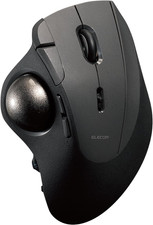
36 mm ball, which is large for a thumb trackball. A larger ball moves thepointer further per rotation and resolves finer movement within it.
Ten buttons. Left, right, middle, forward, back, three function buttons anda tilt wheel. The function button beside the right button falls under thering finger, which is a position most trackballs do not use at all.
ELECOM's Mouse Assistant software assigns any function to any button, andthe trackball stores up to three profiles internally - so the assignmentsfollow the device rather than the computer.
Three connection methods: Bluetooth, USB 2.4 GHz wireless, and USB wired.Up to six devices registered. Windows, macOS, ChromeOS, iPad, iPhone andAndroid.
Wired mode also charges. A wireless trackball that runs flat mid-sessionbecomes a wired trackball rather than a paperweight.
The shape is ergonomic in the specific sense: it is not held. The hand restson it in its natural position, at an angle that keeps the wrist : ELECOMSeries : IST PROModel : M-IPT10MRSBKColour : BlackType : Thumb-operated trackballBall diameter : 36 mmSupport unit : Minebea Mitsumi ball bearings, removable and replaceableButtons : 10, including tilt wheelProfiles : 3 stored on the deviceConnection : Bluetooth USB 2.4 GHz wireless USB wiredPaired devices : up to 6OS support : Windows, macOS, ChromeOS, iPadOS, iOS, AndroidCharging : While connected by USBSoftware : ELECOM Mouse AssistantJAN code : 4549550333986Japanese price : 24,980 yen including taxRelease : January 2025
OPTIONS (not included) M-BS10 Replacement bearing unit M-RS10 Artificial ruby support unit M-B10SV Replacement Minebea Mitsumi ball bearings - the ball rolls rather than slides- Debris does not collect the way it does on static supports- Support unit removable; bearings or artificial ruby, user's choice- 36 mm ball, removable through the base- 10 buttons including a tilt wheel and a ring-finger function button- 3 profiles stored on the device- Bluetooth, 2.4 GHz and wired, up to 6 devices- Charges while used wired- Ergonomic shape - the hand rests rather than work over long sessions, CAD and design, editing, and any setup wheredesk space is limited or wrist movement is to be SOFTWARE IS WHAT MAKES TEN BUTTONS USEFUL
Ten buttons without assignment is eight buttons you do not use.
ELECOM's Mouse Assistant assigns functions to each, and the three storedprofiles mean the assignments move with the trackball between computers.
WINDOWS and macOS: Mouse Assistant available from ELECOM. iPad, iPhone, Android, ChromeOS: the trackball works, but the configuration software does not run on these platforms. Assign your profiles from a computer first - they are stored on the device and will apply.
That last point is the reason the on-device profiles matter.
AN HONEST NOTE ON FIT
From a Japanese comparative review where twenty trackball users tested it:
"The ring finger and little finger sit slightly raised. Over a long session the little finger might tire."
"The ball goes where you intend, but there is a little play and it feels slightly slow to start moving."
Both are fair observations about a thumb trackball of this shape, and bothare matters of hand size and preference rather than faults.
If you can try one before committing, do. Trackball ergonomics arepersonal in a way mouse ergonomics are not.
BEARINGS OR RUBY - YOU CAN CHANGE YOUR MIND
The support unit lifts out and ELECOM sell both types.
BEARINGS (fitted): rolling, low friction, minimal debris accumulation. ARTIFICIAL RUBY (M-RS10, optional): sliding, which some long-term trackball users prefer for the feel and the slight damping.
Neither is objectively correct. That the choice exists on one device isunusual.
THE BALL COMES OUT THROUGH THE BASEPush it out through the hole underneath for cleaning.
Even with bearings, clean the ball and the unit occasionally - wipe the ballwith a dry cloth and check the bearings turn freely.
THREE CONNECTIONS - WHICH TO USE
WIRED: lowest latency, no battery concern, and charges the device. 2.4 GHz USB: near-wired responsiveness, needs a USB-A port for the receiver. BLUETOOTH: no receiver, no port used - the one for tablets and laptops short of ports.
All three are available on the same device, switched as needed.
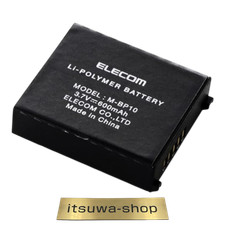
BATTERY - SHIPPINGContains a built-in rechargeable battery, declared and packed in accordancewith UN3481.
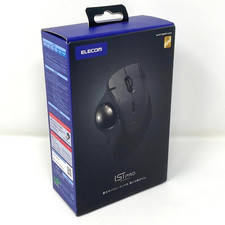
JAPANESE PACKAGINGJapanese retail packaging. ELECOM publish drivers and software in English,and the device works without software on all supported platforms.
SHIPPED FROM JAPANDispatched from Tokyo with tracking.