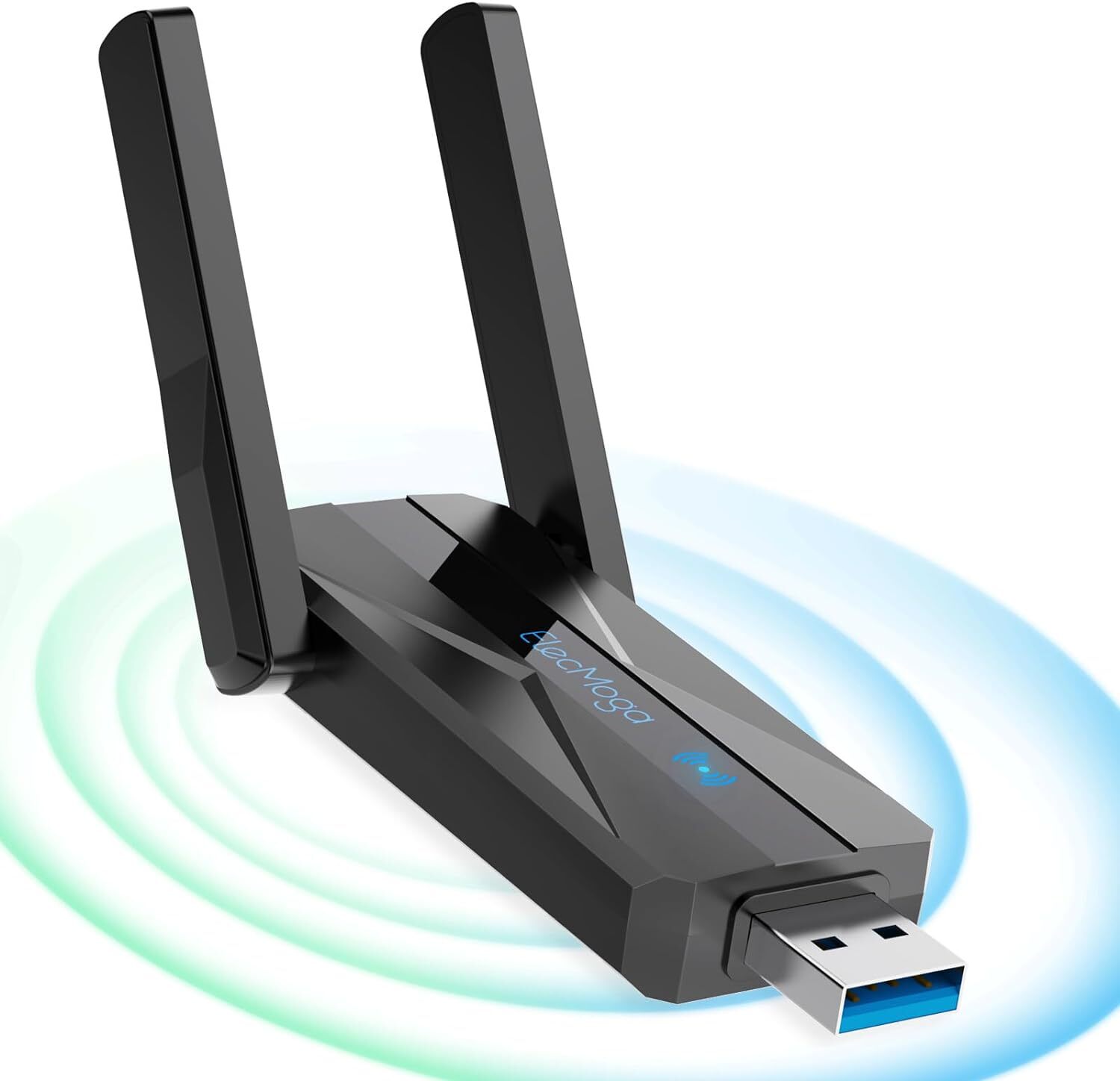
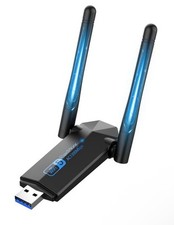
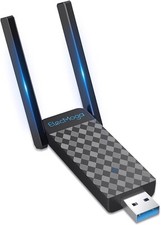
Product DescriptionOne-click connection, Enjoy the Internet – Your exclusive WiFi accelerator
Equipped with the latest Wi-Fi technology standards (higher versions), it offers faster download and upload speeds,
ensuring a seamless and uninterrupted networking experience, effortlessly handling tasks like HD video streaming, online gaming, and large file transfers
Information Security, Smooth Internet Speed, Lightweight and Convenient Quick installation and Easy operation,Enjoy wireless freedom
𝐒𝐨𝐦𝐞 𝐝𝐞𝐯𝐢𝐜𝐞𝐬 𝐫𝐞𝐪𝐮𝐢𝐫𝐞 𝐝𝐫𝐢𝐯𝐞𝐫𝐬, 𝐚𝐧𝐝 𝐭𝐡𝐞 𝐐𝐑 𝐜𝐨𝐝𝐞 𝐚𝐧𝐝 𝐥𝐢𝐧𝐤 𝐨𝐧 𝐭𝐡𝐞 𝐦𝐚𝐧𝐮𝐚𝐥 𝐰𝐢𝐥𝐥 𝐡𝐞𝐥𝐩 𝐲𝐨𝐮 𝐪𝐮𝐢𝐜𝐤𝐥𝐲 𝐨𝐛𝐭𝐚𝐢𝐧 𝐭𝐡𝐞𝐦
Dual-Band Intelligence, Embracing Blazing Speeds & Wide Coverage
Intelligent Switching: This dual-band WiFi adapter intelligently assesses the network environment, automatically switching to
the optimal frequency band based on the device's signal strength and distance. This ensures that you enjoy the best network experience in various scenarios
Rock-Solid Stability – A Stable Connection for Effortless Networking Enjoyment
-
𝐂𝐚𝐧 𝐈 𝐮𝐬𝐞 𝐭𝐡𝐢𝐬 𝐩𝐫𝐨𝐝𝐮𝐜𝐭 𝐰𝐢𝐭𝐡𝐨𝐮𝐭 𝐂𝐃/𝐃𝐕𝐃?
𝐖𝐢𝐭𝐡𝐨𝐮𝐭 𝐚 𝐂𝐃/𝐃𝐕𝐃, 𝐮𝐭𝐢𝐥𝐢𝐳𝐞 𝐭𝐡𝐞 𝐥𝐢𝐧𝐤 𝐩𝐫𝐨𝐯𝐢𝐝𝐞𝐝 𝐢𝐧 𝐭𝐡𝐞 𝐦𝐚𝐧𝐮𝐚𝐥 𝐭𝐨 𝐪𝐮𝐢𝐜𝐤𝐥𝐲 𝐝𝐨𝐰𝐧𝐥𝐨𝐚𝐝 𝐭𝐡𝐞 𝐚 𝐂𝐃/𝐃𝐕𝐃, 𝐮𝐬𝐞 𝐭𝐡𝐞 𝐝𝐢𝐬𝐜 𝐭𝐡𝐚𝐭 𝐜𝐚𝐦𝐞 𝐰𝐢𝐭𝐡 𝐢𝐭
-
𝐖𝐡𝐲 𝐜𝐚𝐧'𝐭 𝐈 𝐜𝐨𝐧𝐧𝐞𝐜𝐭 𝐭𝐨 𝐭𝐡𝐞 𝟓𝐆 𝐧𝐞𝐭𝐰𝐨𝐫𝐤?
𝐑𝐞𝐚𝐬𝐨𝐧 𝟏: 𝐘𝐨𝐮𝐫 𝐫𝐨𝐮𝐭𝐞𝐫 𝐢𝐬 𝐧𝐨𝐭 𝐚 𝟓𝐆 𝟐: 𝐓𝐡𝐞 𝐝𝐞𝐯𝐢𝐜𝐞 𝐲𝐨𝐮 𝐚𝐫𝐞 𝐮𝐬𝐢𝐧𝐠 𝐝𝐨𝐞𝐬 𝐧𝐨𝐭 𝐬𝐮𝐩𝐩𝐨𝐫𝐭 𝟓𝐆 id="faq-qa-pair-2">
𝐈𝐬 𝐢𝐭 𝐰𝐢𝐭𝐡 𝐦𝐲 𝐝𝐞𝐯𝐢𝐜𝐞?
Compatible devices: Desktop computer, laptop, notebook, computer
Compatible systems: Windows 11/10/8.1/8/7/Vista/XP, Linux Kernel (2.6.24-4.7), Mac OS 10.9-10.15
Compatible network standards: IEEE 802.11ac/a/n/g/b
-
𝐖𝐡𝐲 𝐝𝐨𝐞𝐬 𝐭𝐡𝐞 𝐖𝐢𝐅𝐢 𝐮𝐧𝐬𝐭𝐚𝐛𝐥𝐞 𝐧𝐞𝐭𝐰𝐨𝐫𝐤
1: Signal interference. Large appliances can conflict with WiFi signals (Inspect and remove any nearby sources of interference)
2: Router. Outdated version or overheating (Upgrade router's version, or purchasing a new router. Prevent overheating)
-
𝐂𝐚𝐧 𝐚 𝐰𝐢𝐫𝐞𝐥𝐞𝐬𝐬 𝐖𝐢-𝐅𝐢 𝐚𝐝𝐚𝐩𝐭𝐞𝐫 𝐛𝐞 𝐮𝐬𝐞𝐝 𝐚𝐬 𝐚 𝐡𝐨𝐭𝐬𝐩𝐨𝐭?
Sure
After installing the driver, set up network sharing, configure the SSID (Service Set Identifier) and password for the wireless network adapter, and create a Wi-Fi hotspot.