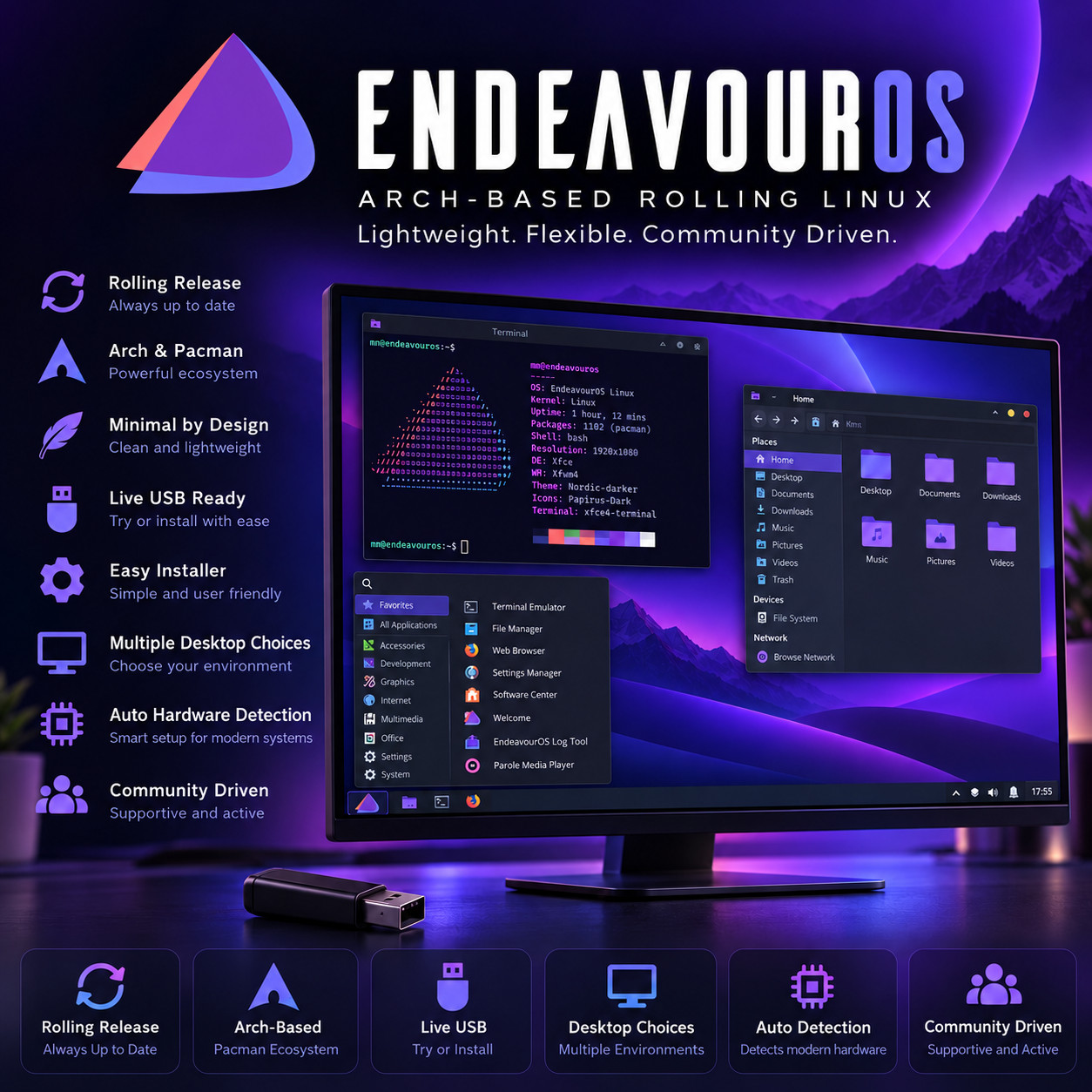
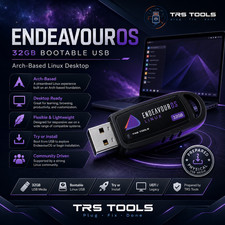
Arch-Based Rolling Release Desktop EndeavourOS Linux BOOT · TRY · INSTALL · MAKE IT YOURS The power of Arch, with a friendly installer that does the hard part for you. Try It Before Installing Choose Your Desktop Always Up To Date No Key · No Account Arch, without the manual install · A clear, point-and-click installer sets up a clean, close-to-Arch system — no wall of commands, no assembling it by hand. Try It Without Changing Anything Plug the USB in and the whole desktop runs straight from the drive — open the web browser, play some music, see how it feels on your actual machine. Nothing on your hard drive is touched until you decide to install. Take the USB out, restart, and your computer is exactly as it was.
EndeavourOS is a Linux desktop for people who want the real thing — a clean system based on Arch Linux, one of the most powerful and flexible foundations there is — without spending an evening building it from the command line. A friendly graphical installer sets everything up in a few clear screens and lets you choose the desktop you want as you go. What you end up with is close to a plain Arch system: fast, quiet, private, current, and yours to shape. It updates itself as a rolling release, so you keep getting the newest software as ordinary updates instead of reinstalling every year or two, and a huge library of programs is a search away through the Arch repositories and the community collection.
Why This Edition Stands Out 💾 Plug-in-and-boot ready USB Written, tested and verified before shipping. No downloading, no extra software to learn — plug it in, restart, and pick it from the boot menu. 🖥️ Choose your desktop at setup The installer lets you pick the look and feel you want — from full-featured to light and minimal — rather than locking you into one. Settle on whatever suits you. 🔍 Try it before you commit The live session runs a full desktop from the drive, so you can check your wifi, sound, screen and printer all behave on your own computer before anything changes. 🧭 A friendly path to Arch A point-and-click installer and a built-in Welcome app hand you a clean, close-to-Arch system without the manual setup that usually stands in the way. 📚 Step-by-step setup guide A screenshot-driven "Read Me First" guide ships on the drive — boot-menu keys for the major laptop brands, the live session, and the whole install walked through screen by screen. 🚀 Always the latest release The media is rebuilt as new versions ship — you receive the current release at order time, not a years-old copy sitting on a shelf. Your desktop, your way
When you install, EndeavourOS lets you decide how the computer looks and works instead of forcing one style on you. There are two ways to set it up, and the guide on the drive walks through both:
🌐 Online setup — pick from a wide range of desktops Connected to the internet during install, you choose the desktop you want from a generous list — a full-featured one with a taskbar and start menu, a clean and modern one, a light and quick one for older machines, or one of the minimal keyboard-driven layouts enthusiasts favour. It is fetched fresh and set up for you. 💽 Offline setup — a ready-to-go Xfce desktop No internet handy? The offline option installs a tidy, pre-themed Xfce desktop straight from the drive — light, quick and steady, and a great starting point you can build on later. Ideal for a laptop that has been feeling its age. What makes it easy to live with 🧭 A point-and-click installer, not a command line Language, keyboard, time zone, disk and account are handled across a handful of clear screens. The part that usually keeps people away from Arch — assembling it by hand — is simply done for you. 🛒 An enormous software library The Arch repositories plus the huge community collection put office suites, photo and video editors, games, music and development tools all within reach — searched for and installed from one place, rather than hunting down installers on random websites. 🔄 Up to date, without the reinstall day New versions of your programs and of the system itself arrive as ordinary updates you accept when convenient. There is no numbered upgrade to dread and nothing to reinstall — the computer you set up today simply keeps becoming the current one. 👋 A Welcome app that helps you settle in A built-in Welcome screen gathers the useful first steps — updating the system, tidying up, and handy tips — into clearly labelled buttons, so getting comfortable does not mean memorising commands. 🪶 Light and close to the metal EndeavourOS keeps the system lean and close to plain Arch, without a pile of extras you did not ask for. You add what you want and nothing more, which keeps the machine quick and out of your way. 🔐 Quiet, private and yours No advertising built into the desktop, nothing tracking what you open, and no account to sign into before your own computer will let you work. It starts quickly, stays out of your way, and does what you asked it to. Plus more inside 🧬 Recent hardware supported A current system core means newer processors, graphics chips, wifi adapters and laptops are recognised properly rather than left half-working. 🧑💻 Keep it alongside what you have The installer can set EndeavourOS up next to the system already on the machine, so you pick which one to start each time and move across at your own pace. 🛟 Handy when a computer won't start Because the live session is a complete working desktop, it is a practical way to read a drive and copy important files off a machine whose own system has stopped booting. 🖨️ Printing and devices Printers, scanners, drawing tablets, Bluetooth and shared network folders are all catered for, with detailed guides on the project's help site for the fiddlier ones. 💬 A friendly, active community A long-running, welcoming forum and a detailed wiki mean that when you have a question, there is almost always a clear answer already written by someone who has been there. 🔑 No product key, no activation Nothing to type in, no account needed before you can use your own computer, and no limit on how many of your machines you put it on. Who it's for 🧗 Curious about Arch You have heard Arch is powerful but heard it is hard to install. This is the friendly way in — the clean system, without the manual assembly. 🛠️ People who like to tinker A lean, close-to-Arch base you build up exactly how you want, with a vast software collection and a helpful community when you go deeper. 💻 Laptops that feel slow The light offline Xfce setup gives a tired laptop a real second wind, without a heap of background extras weighing it down. 🔄 Tired of reinstalling A rolling release means the machine you set up keeps itself current as ordinary updates, instead of a big reinstall every year or two. What you receive in the mail
1 × USB flash drive preloaded with the current EndeavourOS release — bootable as a live session you can try and as a full installer - Choice of desktop during setup — the online installer lets you pick the desktop you want, or the offline installer sets up a ready-to-go Xfce desktop without needing the internet
- Step-by-step setup guide with screenshots — open the "Read Me First" guide on the drive
- Quick reference card — boot-menu keys for the major laptop brands and a one-page tour of your new desktop
Compatibility Requirement Supported Computer A 64-bit Intel or AMD PC or laptop — practically every desktop and laptop built in the last fifteen years. Memory 4 GB of RAM is a comfortable starting point. The light Xfce setup is the happiest on machines with less to spare. Storage Around 25–30 GB of disk space suits an installation with plenty of room for your files. Nothing is written to your disk if you only run the live session. Display 1024 × 768 or higher, including modern high-resolution laptop screens Firmware Boots on both UEFI and older BIOS systems. The included guide covers the firmware settings worth checking before you boot the drive. Internet Needed for the online setup that lets you pick your desktop. The offline setup installs a ready Xfce desktop with no internet required. Either way, a connection afterwards lets you take updates and add more programs. Drive A USB port How it works (3 steps) 1 Plug in & start up Insert the USB, restart the computer, and choose it from the boot menu. The included guide lists the right key for each laptop brand. 2 Have a proper look round The full desktop runs from the USB. Open the browser, play a video, check the wifi and the printer — all without touching your hard drive. 3 Install it when you're ready Open the installer on the desktop, choose your desktop and a few simple options, and keep your current system alongside it or give EndeavourOS the whole machine. Owned, not rented No product key. No activation. No subscription, and no account to create before your own computer will let you work. Put it on as many machines as you like, keep using it for as long as the hardware lasts, and take the updates the project publishes at no cost — they arrive as ordinary updates rather than a new version you have to buy. Frequently asked questions 🖥️ Which desktop should I choose? You decide at install time, so there is no need to commit before buying. As a starting point: a full-featured desktop with a taskbar and start menu feels familiar from the first second; a clean, modern one gives you an uncluttered screen; and a light one is the quickest on older machines. The offline setup gives you a tidy Xfce desktop you can always change later. 💾 What's on the USB? The current EndeavourOS release, bootable as a live session you can try and as a full installer, plus a step-by-step setup guide and a one-page quick-reference card. 🌐 What's the difference between the online and offline setup? The online setup connects to the internet during install and lets you pick your desktop from a wide range, fetched fresh. The offline setup needs no internet and installs a ready-to-go Xfce desktop straight from the drive. Both leave you with the same EndeavourOS underneath. 🛟 Will this change what's already on my computer? Only when you choose to. Booting the USB and using the live desktop leaves your hard drive completely untouched. When you do install, the installer asks whether to keep your existing system alongside EndeavourOS or use the whole disk, and tells you plainly which you have picked. Back your important files up first, as you would before installing any operating system. 🛒 How do I install programs? Through the system's software tools you reach the Arch repositories and the large community collection — office software, photo and video editing, music, games, development tools and much more — all from one place, with updates handled the same way. 🔄 How do updates work? EndeavourOS is a rolling release, so new versions of your programs and of the system arrive as ordinary updates you install when it suits you. There is no separate upgrade to buy and nothing to reinstall — the system you set up keeps becoming the current one. 🧭 I'm new to Linux — is this a good place to start? EndeavourOS is friendlier than installing Arch by hand, and the live session lets you try it safely first, without changing your computer. It does lean a little towards people who enjoy learning their system, so the guide on the drive and the welcoming community forum are there to help you find your feet. 💻 Can I use it on more than one computer? Yes — boot it and install it on as many machines as you own. There are no activation limits of any kind. 🔑 Does it need a product key, activation, or account? No. There is no product key, no activation, and no account registration required to install or use the desktop, and future updates are published at no cost. 📦 We ship as soon as paid Plug it in. Try it. Make it yours. The power of Arch, with the hard part done for you. Have a question? Please do not hesitate to message us before purchasing.
This listing is for professionally prepared physical media. Your USB arrives preloaded with the operating system, setup guide, and quick-reference card, ready to use. You are paying for the prepared media and the sourcing, organisation, packaging, and shipping that goes into it, not for software licenses.
Condition: brand new prepared USB drive. Professionally assembled, tested, and verified before shipping.
Important notes: this is a prepared physical USB device. Includes software released under its applicable licenses, prepared and organised for ease of installation. No product keys or paid software licenses are included or required to use the software. For use on systems you own or are authorized to service. Installing an operating system can overwrite existing data — please back up anything important before you begin. The purchase price reflects the cost of the prepared media, the sourcing and organisation of the contents, packaging, and shipping, not a license to the underlying software. Only items shown or described are included.