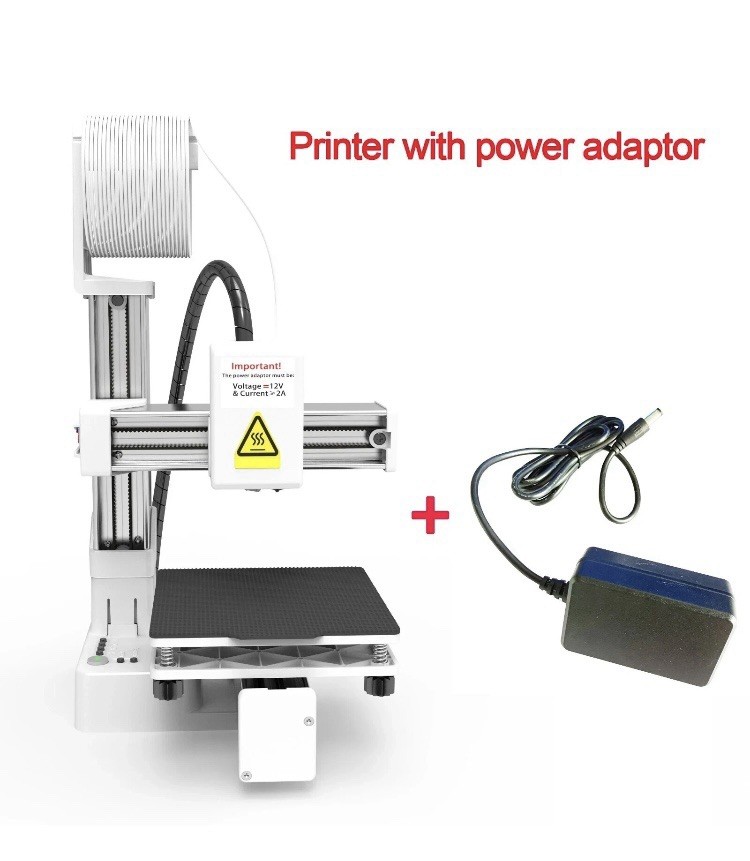
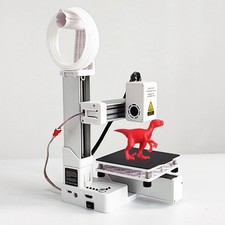
Entry Level K10 3D Printer Compatible with PLA/TPU 1.75mm Filament + Power Adapter
Available Colours: White or Black
Everything you need to get started – ideal for beginners and hobbyists!
Product Description:
Discover the K10 Mini 3D Printer – your compact and beginner-friendly solution to bring creative ideas to life! With its easy assembly, intuitive software, and strong build, this printer is perfect for kids, students, hobbyists, and anyone curious about 3D printing.
Plug & Play – No complex setup
Includes TF Card with software, video guides & ready-to-print models
Supports Windows 7/10/11 and macOS (min. version 10.13)
Compact & lightweight – perfect for desks or home use
Supports STL & GCODE formats
Print Volume & Specs:
Printing Technology: FDM
Build Size: ~100 x 100 x 100 mm
Nozzle Diameter: 0.4 mm
Layer Resolution: ~0.1-0.3 mm
Materials: PLA (Recommended)
Connection Method: TF card only
Software: EasyWare, Cura (included on TF card)
Power Supply: 12V / ≥2A (USB Type-C or plug, use only one at a time)
Beginner-Friendly Slicing Levels (as shown on the TF card):
Simplest Level – Use GCODE models from EasyThreed’s own library
Entry Level – Convert STL to GCODE with EasyWare slicer
Intermediate Level – Use CURA slicer to convert STL to GCODE
Advanced Level – Design your own 3D models and convert to GCODE
Leveling Instructions:
If:
Filament doesn’t stick to platform
Or print peels off or tears platform after removal
Then:
Perform platform levelling using a sheet of paper:
Insert paper between nozzle and platform at 1 2 3 4 point
Adjust screw nuts until you feel slight friction when moving the paper.
Repeat process at all four corners.
Full levelling tutorial video included on TF card
Feeding Filament for First Use:
Trim filament tip straight.
Insert gently with light pressure until gear grabs and nozzle begins spinning.
Blinking light = nozzle heating. When steady = feeding begins.
Failure to feed? Ensure filament is straight & keep light pressure applied.
Print Effects – What You Can Create:
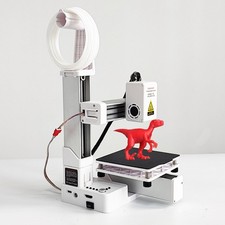
From toys to ornaments, geometric vases to character models, the results speak for themselves! Perfect starter printer for educational projects or artistic creations.
What’s Included:
3D Printer (white or black)
All modular components (X/Y/Z axis, print head, base etc.)
Filament holder (supports up to 250g)
TF Card (with models, software, instructions & videos)
User Guide
Power Cable