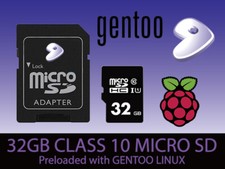
GENTOO LINUX OS
MINIMAL | QCOW2 | LIVEGUI
PERFECT FOR OLD & NEW DEVICES!
64-Bit(Live Boot, Full Installation)Brand New Bootable USB & DVD Drive
🙂 GIVE A NEW LIFE TO YOUR DEVICE!
What is GENTOO LinuxOS?Gentoo is a free operating system based on Linux that can be automatically optimized and customized for just about any application or need.
Extreme configurability, performance, and a top-notch user and developer community are all hallmarks of the Gentoo experience.
- BUILD VERSION25-in-1 LINUX MASTER COLLECTION, ARM64-MINIMAL, ARM64-QCOW2, AMD64-LIVEGUI, AMD64-MINIMAL, AMD64-QCOW2
- MEDIA TYPEBOOTABLE DVD, BOOTABLE USB, USB + DVD COMBO
🔥 What Linux Distros are in the Master Collection?▸ Antix OS (sysVinit full) ▸ Arch OS (2025) ▸ Cachy OS (desktop) ▸ Endeavour OS (Mercury) ▸ Fedora OS (Workstation) ▸ Garuda OS (Cinnamon) ▸ Haiku OS ▸ Kali OS (Installer) ▸ KDE Neon OS (user) ▸ Linux Lite OS (xfce) ▸ Lubuntu OS (LTS Desktop) ▸ Manjaro OS (KDE Plasma) ▸ Mint OS (Xia-Cinnamon) ▸ MX Linux OS (xfce) ▸ Nix OS (gnome) ▸ Nobara OS (Official) ▸ Peppermint OS (Debian) ▸ Pop!_OS ▸ Proxmox OS VE ▸ Puppy OS (BookwormPup64) ▸ Rocky OS (gnome) ▸ Tails OS ▸ TinyCore OS ▸ Void OS (xfce) ▸ Zorin OS
Give it a try. You’ll Love it!⭐️ How to Boot Linux OS from USB?✅ Steps for Windows PC & Chromebooks
Follow these easy steps:
- Turn-off your computer
- Insert the USB into any available USB port
- Switch on your computer
- Press the key that allows your computer to boot to an alternate device (ESC on many HPs, F12 on many Dells, F8 on many custom builds, yours may vary, see your computer's documentation)
- At the Book-up screen, select Boot from USB Interface option, press enter.
- Follow on-screen links for initiate OS.
- Wait for system to boot into LinuxOS.
- That's it! Enjoy!
✅Step for Apple Macs Devices
Follow these easy steps:
- Turn-off your computer
- Insert the USB into any available USB port
- Switch on your computer
- Press the Option keyon your keyboard to go the boot menu
- Select EFI Book
- Follow on-screen links for initiate OS.
- Wait for system to boot into Linux OS.
- That's it! Enjoy!
⭐️LOOK AT MY AWESOME response, BUY WITH 100% CONFIDENCE!