GLOTRENDS PA41 Quad M.2 NVMe to PCIe 4.0 X16 Adapter Without PCIe Bifurcation... For Sale
When you click on links to various merchants on this site and make a purchase, this can result in this site earning a commission. Affiliate programs and affiliations include, but are not limited to, the eBay Partner Network.
GLOTRENDS PA41 Quad M.2 NVMe to PCIe 4.0 X16 Adapter Without PCIe Bifurcation...
Price: US $50.83
GLOTRENDS PA41 Quad M.2 NVMe to PCIe 4.0 X16 Adapter Without PCIe Bifurcation, Setup Soft M.2 NVMe RAID via OS Tool (Support 22110/2280 Size), (PCIe Bifurcation Motherboard is Required) Product Details Size: 4-slot Brand: GLOTRENDS MPN: PA41 UPC: Does not apply EAN: Does not apply
Brand: GLOTRENDS
Hardware Interface: PCI Express x16
Product Dimensions: 6.77"L x 2"W x 4.7"H
Style: Quad M.2 NVMe to PCIe 4.0 X16 Adapter without PCIe Bifurcation Function
Item Weight: 0.14 Kilograms
Brand: GLOTRENDS
Model Number: PA41
Manufacturer: glotrends
Mfr Part Number: PA41
Warranty Description: 30 Day Warranty Against Manufacturer Defects
Item Type Name: Quad M.2 PCIe Host Adapter
Hardware Interface: PCI Express x16
Compatible Devices: PC/Server (PCIe Slot support PCIe Bifurcation: X4X4 or Hyper M.2 X16 mode), Not support Mac Pro
Operating System: Linux, Windows, Mac OS (Not support Windows 7/ Mac Pro 5.1)
Item Dimensions L x W x H: 6.77"L x 2"W x 4.7"H
Item Weight: 0.14 Kilograms
Style Name: Quad M.2 NVMe to PCIe 4.0 X16 Adapter without PCIe Bifurcation Function
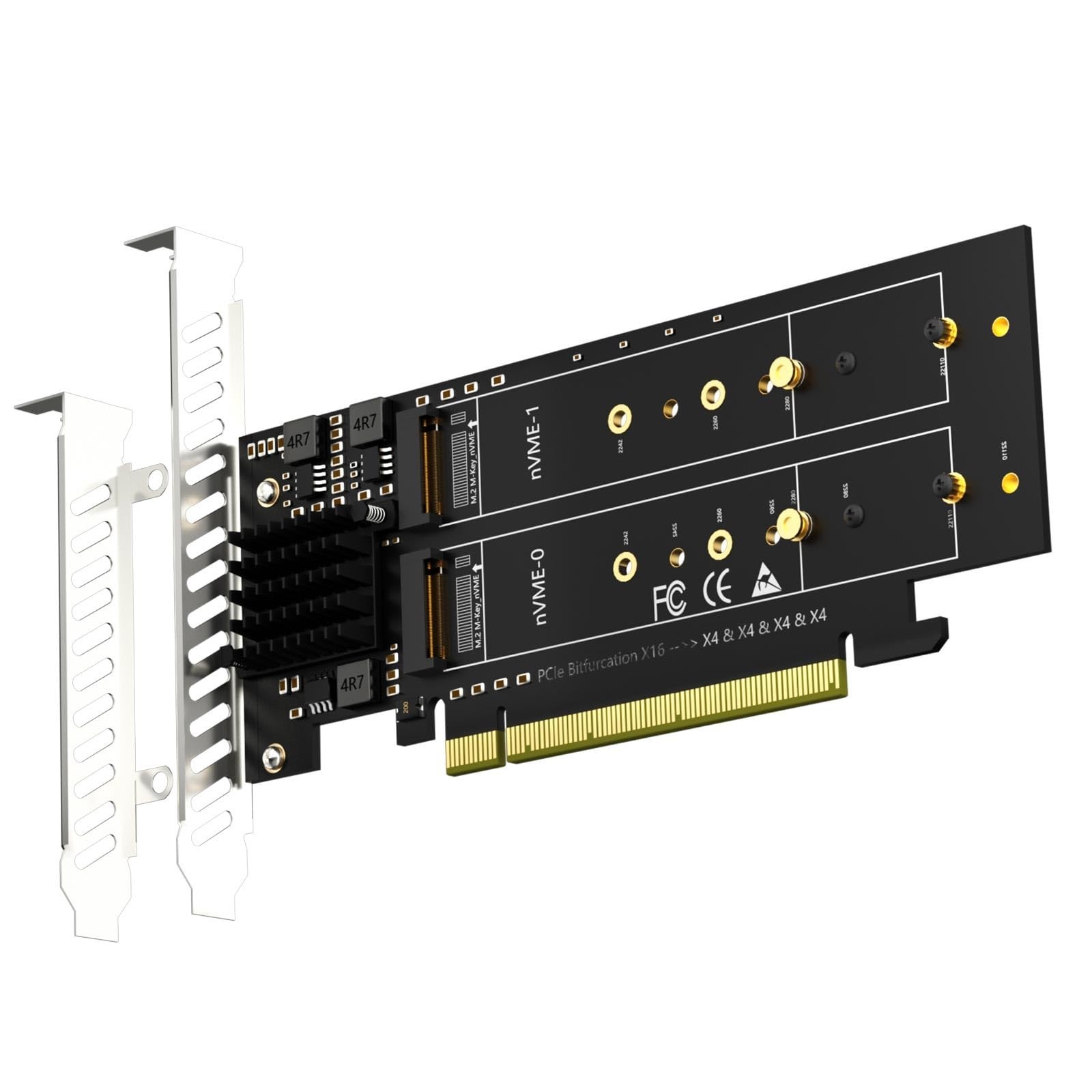
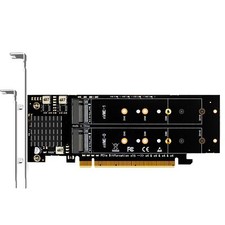
Quad M.2 NVMe to PCIe 4.0 X16 Adapter: By installing 4 M.2 NVMe SSDs (Support 22110/2280/2260/2242/2230 M.2 NVMe SSD) on this PCIe 4.0 X16 adapter, your computer will be able to access 4 M.2 NVMe SSDs at the same time
Hardware Platform: Support Soft RAID in Intel/AMD platform, not support Mac Pro 5.1 (Note: To set up Intel's RAID-on-CPU (VROC), you need to purchase your license)
Set the PCIe Bifurcation mode of the corresponding PCIe slot in the BIOS, support X4X4X4X4 or Hyper M.2 X16 mode (Note: X8X4X4 or X4X4X8 mode can only recognize 3 NVMe SSDs.)
To reach PCIe 4.0 X4 (64Gbps) full speed, the CPU and motherboard PCIe slot and PCIe M.2 SSD should all be PCIe 4.0 features (Note: PCIe 4.0 is not supported on Intel CPUs below 11th generation)
Support OS Booting: Reinstall the OS, and set up BIOS/UEFI boot from this M.2 NVMe SSD (Note: Some motherboards are too old to support OS booting. In this case, M.2 NVMe SSDs can be used as storage disks)
OS compatibility: Plug-and-play in Windows 11/10/8/Linux/Mac OS (Note: Not support Windows 7). The new M.2 NVMe SSD needs to be initialized and formatted before it can be recognized by the computer host.