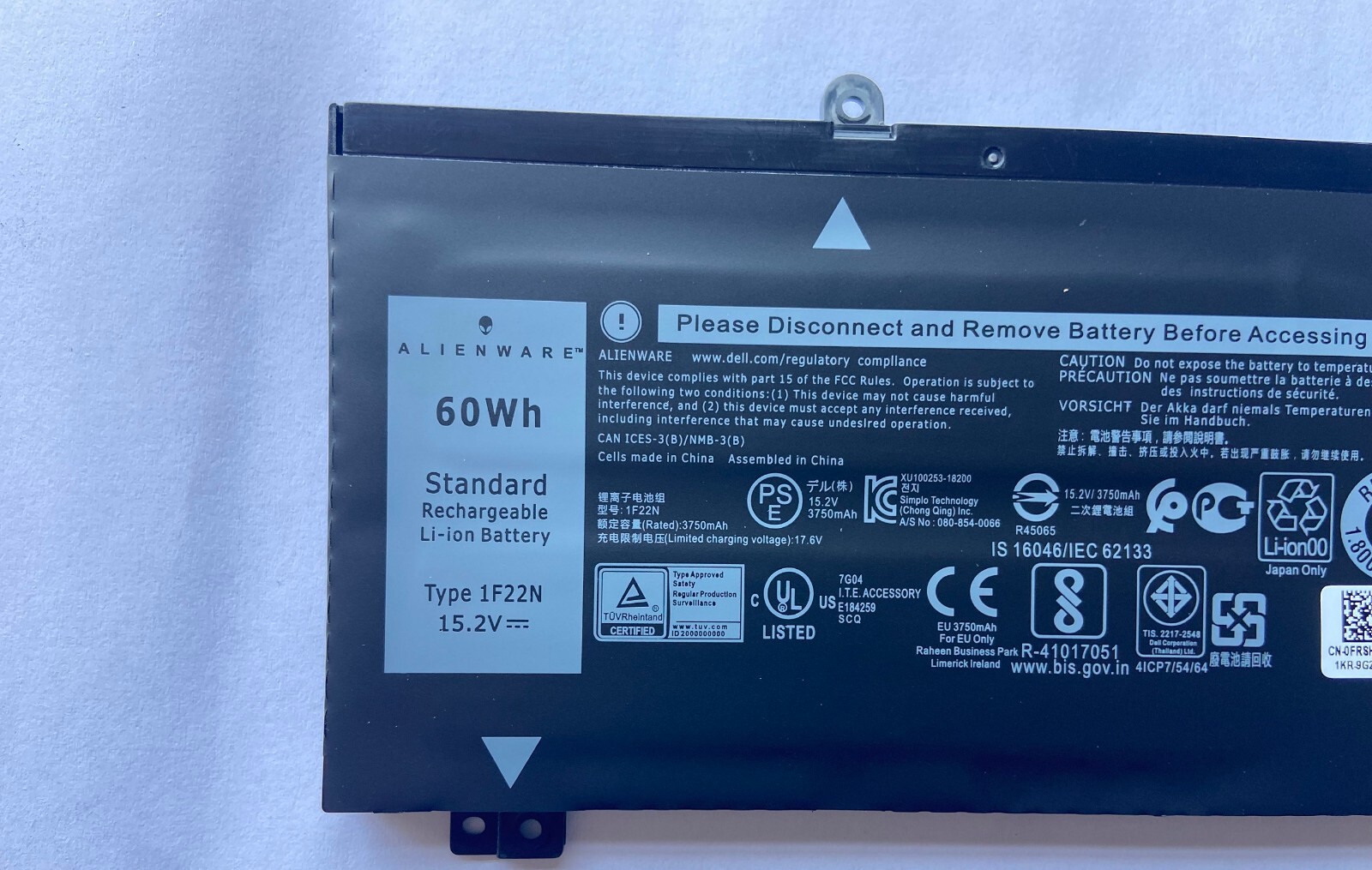
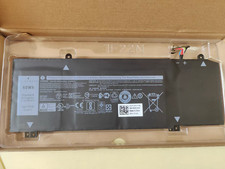
Genuine 1F22N 60WH Battery For Alienw M15 2018 M17 G5 5590 G7 7590 7790 8622MSpecifications:
Battery Type: Li-ion
Battery Condition: Brand New
Battery Voltage: 15.2V
Battery Capacity: 60Wh/4Cell
Compatible Part Numbers:
1F22N 01F22N JJPFK 0JJPFK HYWXJ 0HYWXJ
Compatible Models (use "Ctrl+F to find your model quickly")
Fit for Dell G7 7590 7790 Series
Fit for Dell G5 15 5590-D2783W Series
Fit for Dell G5 15 5590-D2743B Series
Fit for Dell G5 15 5590-D2865B Series
Fit for Dell G5 15 5590-D2863W Series
Fit for Dell G5 15 5590-D2842W Series
Fit for Dell G5 15 5590-D2843W Series
Fit for Dell Alienware M15 R1 2018 Serie
Fit for Dell Alienware M17 R1 2019 Series
Q/A:
1.Q:why battery don't hold a charge, how to fix it?
A:this is new battery,for first use, we suggest buyer:
Remove the battery for a while
Install battery and full charge it by ac adapter
Leave charger and let the battery drain to shut off
Repeat above charging and discharging at least 2 times.
you charge the battery when power lower than 20%. If available, connect ac charger when doing computer work.
If run the battery shut down often, it will shorten the battery life.2.Q:battery can't charge fully,how to fix it?
A: Remove the battery for a while
Install battery and full charge it by ac adapter
Leave charger and let the battery drain to shut off
Repeat above charging and discharging at least 2 times.
3.Q:Battery can't be recognised by my laptop, do i need exchange a new one,
A:we met this issue before, maybe beacuse of your laptop system, we suggest you can:
Remove all battery drivers
Remove battery
Connect laptop using AC charger, double check no battery drivers installed
Connect battery
Drivers will install automatically
Full charge the battery by ac adapter
Leave charger and let the battery drain to shut off
Repeat full charge and full discharge about 2 times.
if still not be solved, please contact us and exchange a new one.
4:Q:Battery dies suddenly at about 20%, do i need to recalibrate?
A:Kindly check the battery settngs and BIOS,do reset something,
then:
Remove the battery for a while
Install battery and full charge it by ac adapter
Leave charger and let the battery drain to shut off
Repeat above charging and discharging at least 2 times.
1. Please confirm whether it fits your vehicle before purchasing.
2. Please review the notes in the description and Compatibility.
PaymentWe offer all payment methods accepted by and all payments are made through .
You don't need to worry about giving out money or personal information.Shipping
1. Continental U.S. 48 States - Free Standard Shipping.
2. USA average transit time is from 2 ~ 5 business days.
3. Tracking numbers will be sent to you once your order has been shipped.
Return1. Defective products can be returned for exchange or full refund within 30 days from the date you receive the item.
2. The item price and shipping fee will not be refunded when a bad address leads to a package being lost or abandoned. Contact usPlease feel free to contact us anytime and we will give you a reply within 24 Hours. Custom BundleNoCompatible BrandFor DellColorBlackCompatible ModelDell Alienware M15 M17 R1 G7 G5MPN1F22N 01F22N JJPFK 0JJPFK 06YV0V, HYWXJ 0HYWXJ 08622M P37E P37E001, 1F22N, 8622M, HYWXJBattery TypeLi-IonCompatible Product LineDell Alienware M15 R1 2018, Alienware M17 R1 2019BrandDellTypeLaptop BatteryBattery Capacity60WHManufacturer Warranty1 YearVoltage15.2VNumber of Battery Cells4Unit Quantity1Unit TypeUnit
On Sep 4, 2026 at 02:27:00 PDT, seller added the following information: