 When you click on links to various merchants on this site and make a purchase, this can result in this site earning a commission. Affiliate programs and affiliations include, but are not limited to, the eBay Partner Network. When you click on links to various merchants on this site and make a purchase, this can result in this site earning a commission. Affiliate programs and affiliations include, but are not limited to, the eBay Partner Network.
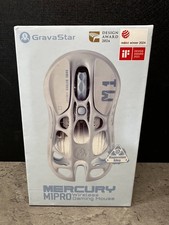
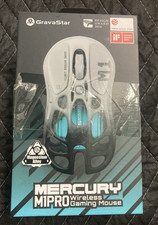
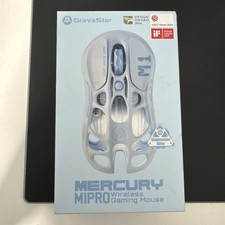
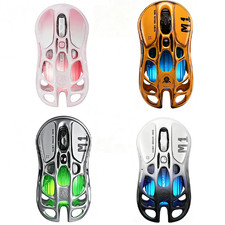
🖱️ GravaStar Mercury M1 Pro / Battle-Worn Edition Wireless Gaming Mouse ✅ Compatible Product - OS: Windows 10/11 (full Control HUB: macros, DPI, LOD, RGB, 4K polling), macOS (web Control HUB basic settings), iOS/iPadOS + Android (Bluetooth basic cursor, no macros) ✅
- Mercury M1 Pro 4K Dongle: only for M1 Pro / Battle-Worn M1 Pro ✅
❌ Not compatible with Mercury M2 mouse, other brand mice, PS5 / Xbox consoles, Linux custom drivers. 📦 Package Contents - Ships by selected variant
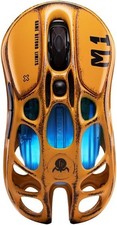
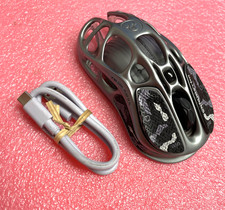
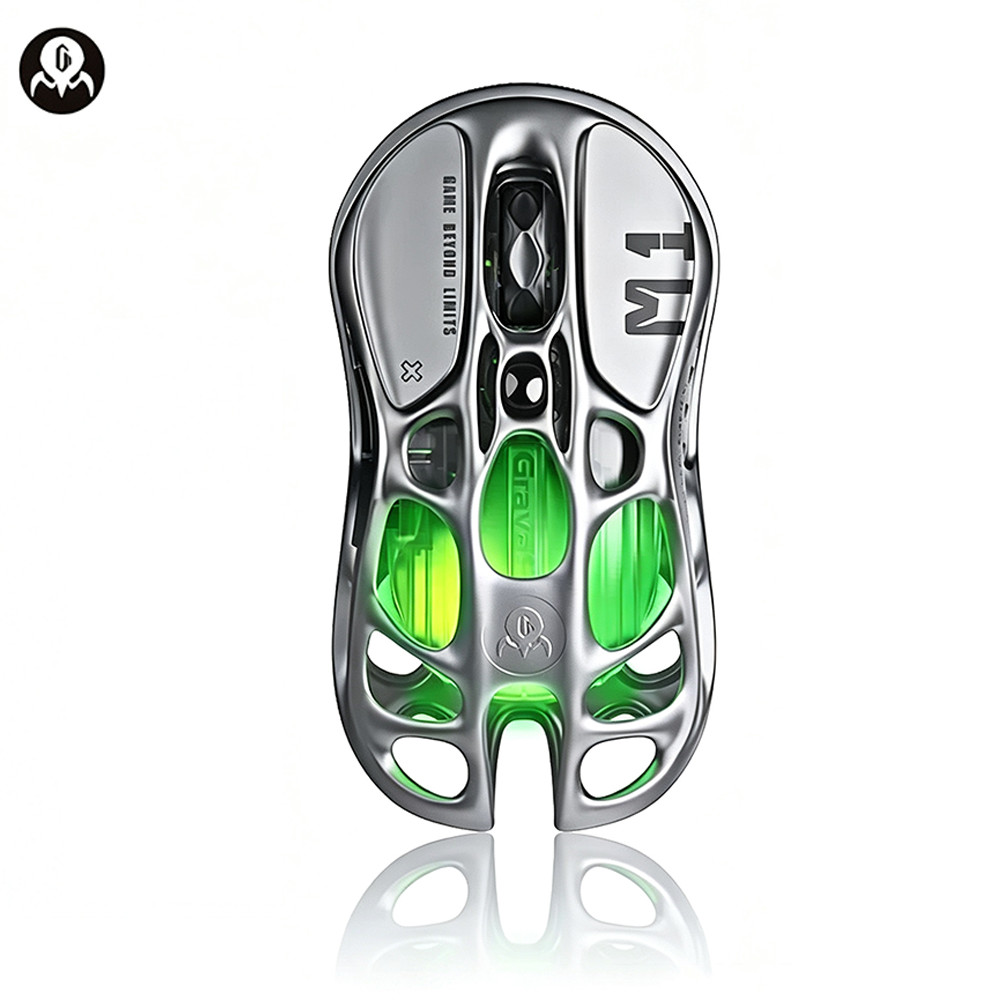
🔍 Product Overview The GravaStar Mercury M1 Pro is a 2024 Red Dot-winning mecha mouse: aerospace-grade magnesium-alloy skeletal frame with hollow cutouts for airflow and sweat control, 88g body, PAW3395 flagship optical sensor (26,000 DPI / 650 IPS / 50G), Nordic NRF52833 MCU, Omron Blue-Point switches rated 50M clicks. It runs wired / 2.4GHz / Bluetooth 5.1 and switches across 3 devices. Standard polling is 1000Hz; with the Mercury M1 Pro 4K Dongle (TUROSPEED 2.4G) it hits 4000Hz / 0.25ms for competitive FPS/MOBA. The Battle-Worn Edition keeps identical hardware but adds hand-distressed paint and semi-transparent shell so the RGB glows through every scratch. 400mAh battery → up to 200h Bluetooth, 146h 2.4GHz 1K, ~36h 2.4GHz 4K. ✨ Key Features - 🦾 Magnesium Skeletal Body: 29-hole / cutaway frame, 88g, cool palm, rigid under flick shots.
- 🎯 PAW3395 Flagship: 26,000 DPI, 650 IPS, 50G accel — pixel-perfect aim, no smoothing.
- 🔀 Tri-Mode: Wired USB-C + 2.4GHz + BT5.1, one-button device switch (up to 3 devices).
- ⚡ 4K Upgrade Path: 1K out of box; 4K dongle lifts wireless report rate to 4000Hz / 0.25ms.
- 🌈 GLOWSYNC RGB: 5 modes, 16.7M colors, Battle-Worn shell shows internal glow.
- 🖱️ Omron 50M Clicks: crisp tactile response, 6 buttons (L/M/R + forward/back + DPI), macros via Control HUB.
- 🪫 Long Battery: 400mAh, ~1.5h charge, 200h BT / 146h 2.4G 1K / 36h 2.4G 4K.
⚙️ Technical Specifications 💡 Usage Tips - Max FPS: plug 4K dongle into PC USB-A + extender, mouse to 2.4G mode, hold L+M+R 3s → pair, confirm 4000Hz in Control HUB.
- Battery saver: use Bluetooth for office, 2.4G 1K for casual gaming, 4K only for ranked FPS.
- Mac users: web Control HUB adjusts DPI/RGB; full macro/LOD only on Windows.
- Sweaty hands: skeletal cutouts + optional anti-slip stickers; swap PTFE feet when glide gets gritty.
- Battle-Worn care: distressed paint is intentional; don’t buff it — each unit’s wear pattern is unique.
⚠️ Important Notes - M1 Pro only — 4K dongle does not work with Mercury M2 or other mice.
- Console blocked — PS5/Xbox cannot use this mouse; Bluetooth on iPad/Android is cursor-only, no macros.
- 4K needs Windows — macOS can run the mouse but full 4000Hz polling is Windows-only in practice.
- Lithium + wireless — charge via 5V source; avoid cheap hubs that sag under 450mA.
 |
|