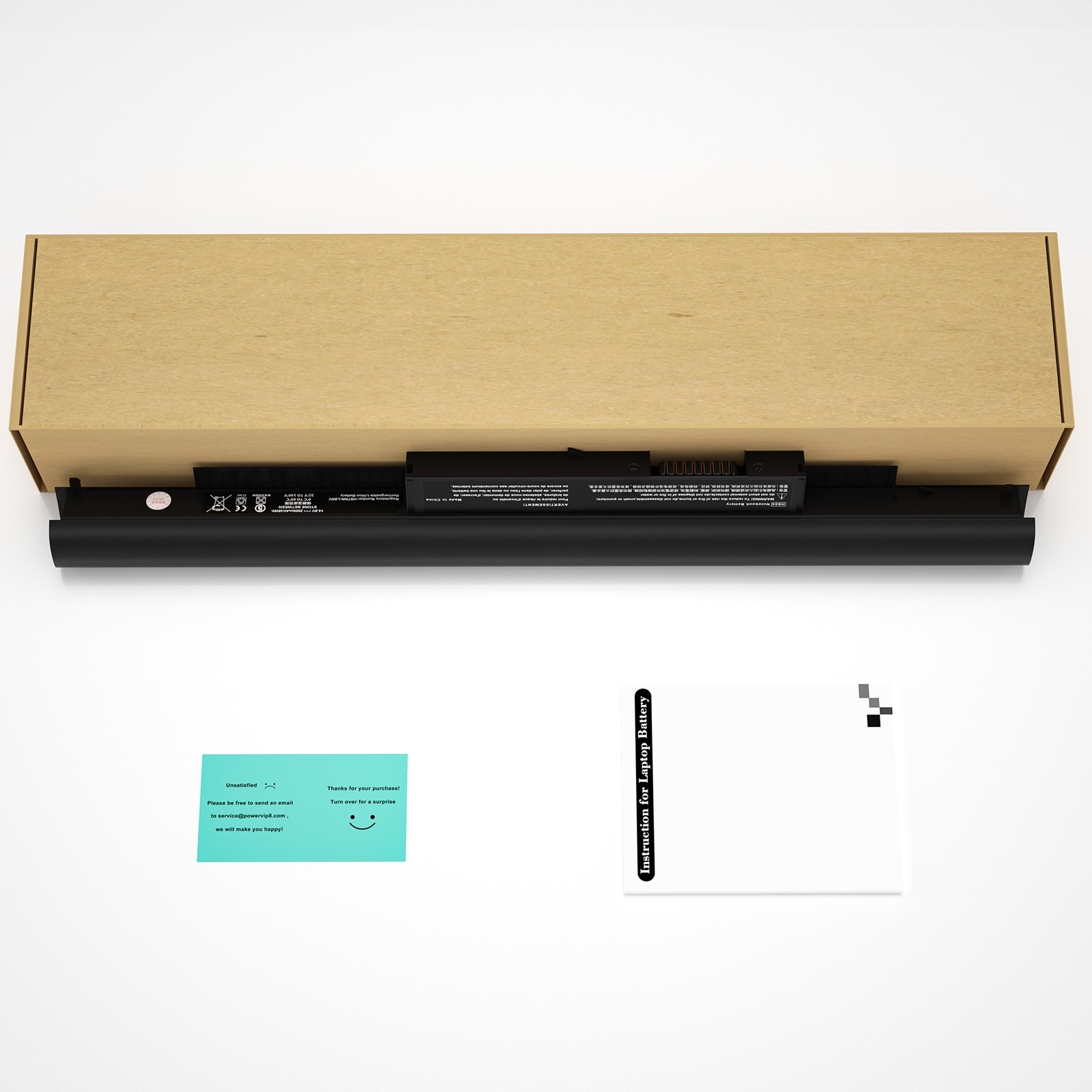
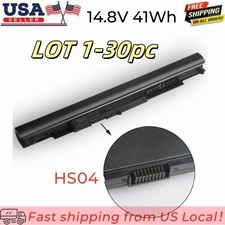
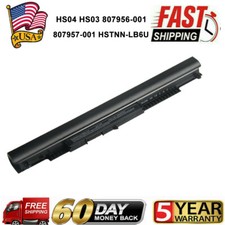
Compatible HP Part Numbers:
807611-131, 807611-141, 807611-221, 807611-241, 807611-251, 807611-421, 807611-831, 807612-131, 807612-141, 807612-221, 807612-241, 807612-251, 807612-421, 807612-422, 807612-831, 807956-001, 807957-001, 843532-851, 843533-851, HS03, HS03031-CL, HS04, HS04041, HS04041-CL, HSTNN-DB7I, HSTNN-LB6U, HSTNN-LB6V, HSTNN-PB6S, HSTNN-PB6T, HSTNN-PB6V, M2Q95AA#ABA, M2Q95AA, MT245, N2L85AA#ABB, N2L85AA, TPN-C125, TPN-C126, TPN-I119, TPN-I120, TPN-I124
Compatible HP Models:
240 G4, 240 G5, 245 G4, 245 G5, 246 G4, 246 G5, 250 G4, 250 G5, 255 G4, 255 G5, 256 G4, 256 G5, 340 G3, 346 G3, 348 G3, 348 G4
Pavilion 14 Series:
14-AC000NA, 14-AC000ND, 14-AC000NE, 14-AC000NF, 14-AC000UR, 14-AC001NO, 14-AC001TU, 14-AC001TX, 14-AC002ND, 14-AC002NJ, 14-AC002TU, 14-AC002TX, 14-AC002UR, 14-AC003NE, 14-AC003NF, 14-AC003NIA, 14-AC003TU, 14-AC003TX, 14-AC004NE, 14-AC004NF, 14-AC004NIA, 14-AC004NP, 14-AC004TX, 14-AC005NE, 14-AC005NX, 14-AC005TU, 14-AC005TX, 14-AC006NE, 14-AC006NL, 14-AC006NX, 14-AC006TU, 14-AC006TX, 14-AC007NL, 14-AC007NX, 14-AC007TU, 14-AC007TX, 14-AC008NX, 14-AC008TU, 14-AC008TX, 14-AC009NX, 14-AC009TU, 14-AC009TX, 14-AC010TU, 14-AC010TX, 14-AC011TU, 14-AC011TX, 14-AC012NE, 14-AC012TU, 14-AC013TU, 14-AC014NE, 14-AC014TX, 14-AC015NE, 14-AC015TU, 14-AC015TX, 14-AC016NE, 14-AC016NX, 14-AC016TU, 14-AC016TX, 14-AC017NE, 14-AC017TU, 14-AC017TX, 14-AC018TU, 14-AC018TX, 14-AC019TU, 14-AC019TX, 14-AC030TX, 14-AC031TU, 14-AC034TU, 14-AC034TX, 14-AC035TU, 14-AC036TU, 14-AC037TU, 14-AC038TU, 14-AC039TU, 14-AC040TU, 14-AC041TU, 14-AC042TU, 14-AC053TU, 14-AC054TU, 14-AC055TU, 14-AC056TU, 14-AC057TU, 14-AC063TU, 14-AC067TU, 14-AC068TU, 14-AC151NR, 14-AF110NR, 14-AM029TU, 14-AM029TX, 14-AM030NA, 14-AM030NF, 14-AM030TX, 14-AM031NF, 14-AM031NG, 14-AM031TU, 14-AM031TX, 14-AM032NF, 14-AM032TU, 14-AM032TX, 14-AM052NR
Pavilion 15 Series:
15-AC000NC, 15-AC000NE, 15-AC000NF, 15-AC000NIA, 15-AC002NH, 15-AC002NIA, 15-AC002NJ, 15-AC002NK, 15-AC002NL, 15-AC002NM, 15-AC002NQ, 15-AC002NT, 15-AC002NV, 15-AC002NZ, 15-AC002TX, 15-AC002UR, 15-AC003NC, 15-AC003NF, 15-AC003NJ, 15-AC003NM, 15-AC003NQ, 15-AC003NS, 15-AC003NT, 15-AC003NV, 15-AC003TX, 15-AC003UR, 15-AC004NC, 15-AC004NF, 15-AC004NH, 15-AC004NK, 15-AC004NL, 15-AC004NM, 15-AC004NQ, 15-AC004NS, 15-AC004NV, 15-AC004TX, 15-AC004UR, 15-AC005NA, 15-AC005NE, 15-AC005NIA, 15-AC005NK, 15-AC005NL, 15-AC005NP, 15-AC005NS, 15-AC005NT, 15-AC005NU, 15-AC005NV, 15-AC005TU, 15-AC005UR, 15-AC006NC, 15-AC006NE, 15-AC006NJ, 15-AC006NK, 15-AC006NL, 15-AC006NM, 15-AC006NQ, 15-AC006NS, 15-AC006NT, 15-AC006NU, 15-AC121DX, 15-AC151DX, 15-AC163NR, 15-AF067SA, 15-AF112NR, 15-AF113CL, 15-AF123CL, 15-AF131DX, 15-AY009DX, 15-AY039WM, 15-AY041WM, 15-AY052NR, 15-AY061NR, 15-AY068NR, 15-AY071NR, 15-AY163NR, 15-BA009DX, 15-BA015WM, 15-BA016NR, 15-BA018WM, 15-BA027NR, 15-BA037CL, 15-BA051WM, 15-BA053NR, 15-BA057NR, 15-BA079DX, 15-BA113CL
Pavilion 17 Series:
17-X047NA, 17-X047NG, 17-X047UR, 17-X049NG, 17-X050NG, 17-X051NG, 17-X051NR, 17-X052NG, 17-X053NF, 17-X053NG, 17-X053NW, 17-X054NF, 17-X055NF, 17-Y094NG
How to confirm that the battery is suitable for your laptop?
Method 1: Use System Information to find your laptop model
Step 1: Press Windows + R to open Run window.
Step 2: Input "msinfo32" in the empty box and click OK to open System Information.
Step 3: Keep in the System Summary section, and you will find the System Model item in the right pane.
Method 2: Remove Battery from Laptop to find your laptop battery part number
Step 1: Switch off the laptop and unplug the power cable in case of electric shock
Step 2: Remove the back panel with the screwdriver. You should to this with care avoiding any harm to the laptop components.
Step 3: Disconnect the cable connected to the battery and then take out the battery. After that, you can check the specifications of your battery.
Install A New Battery:
- You need to turn off your laptop and disconnect the power.
- Disconnect the connection between the old battery and the motherboard to avoid unnecessary damage caused by disassembling the battery. Then unscrew the old battery screws one by one and carefully save each screw.
- Remove the old battery, carefully install the new battery on the battery case, screw in the screw, and connect the wiring of the new battery.
- If you don't understand the above steps, you can search for the video about laptop battery installation on YouTube. Maybe it will help you
Laptop Battery Instructions:
- Discharge the new battery to 10% (not 0%), then charge(100%) and cycle 3-5 times to wake up the new battery.
- It can calibrate the state of the battery by performing a complete and effective charging and discharging of the battery once a month.
- Charge it to around 50% when you store it long term.
- Do not keep your battery below 5% or deep discharge state (long time 0%), may turn on battery protection and cause the battery to fail to charge.
- Please feel welcomed to notify us of any inconvenience or fault in our battery.
The following are troubleshooting methods:
- Turn off the laptop.
- Unplug AC power.
- Remove the battery.
- Replace AC power.
- Turn on laptop,allow OS to boot.
- Once logged into the machine, perform a normal shut down.
- Unplug AC power.
- Replace battery.
Notice:
1、If you can give us positive response as soon as you receive the goods, we would be very grateful.
2、Because your response is very important to the development of our business. If you are satisfied with our products and services, we sincerely invite you to leave us positive response.
3、If you are not satisfied, you really want to leave us negative response, please wait a moment, please contact us first, we will definitely solve your problem and make you satisfied.
4、Even if something is beyond our control, we will do our best to solve it. We don't want to give you a bad buying experience.
Returns:
1、30 days warranty from the purchased date. Please contact us via email before returning the defective item.
2、Our warranty does not extended to any product that are physically damaged or that are not under normal operating conditions as result of misuse or improper installation on the buyer/user's part.
3、Return items should include the original packaging and all accessories. buyers MUST contact us for the returning address.
4、In all cases, buyers pay shipping fees at their own cost to return products for exchange or refund. We will be responsible for the postage of replacements. Refund will be made upon receipt of the returned item.
Please make a note in a paper with your User ID, purchased date and details of the issue you are experiencing.