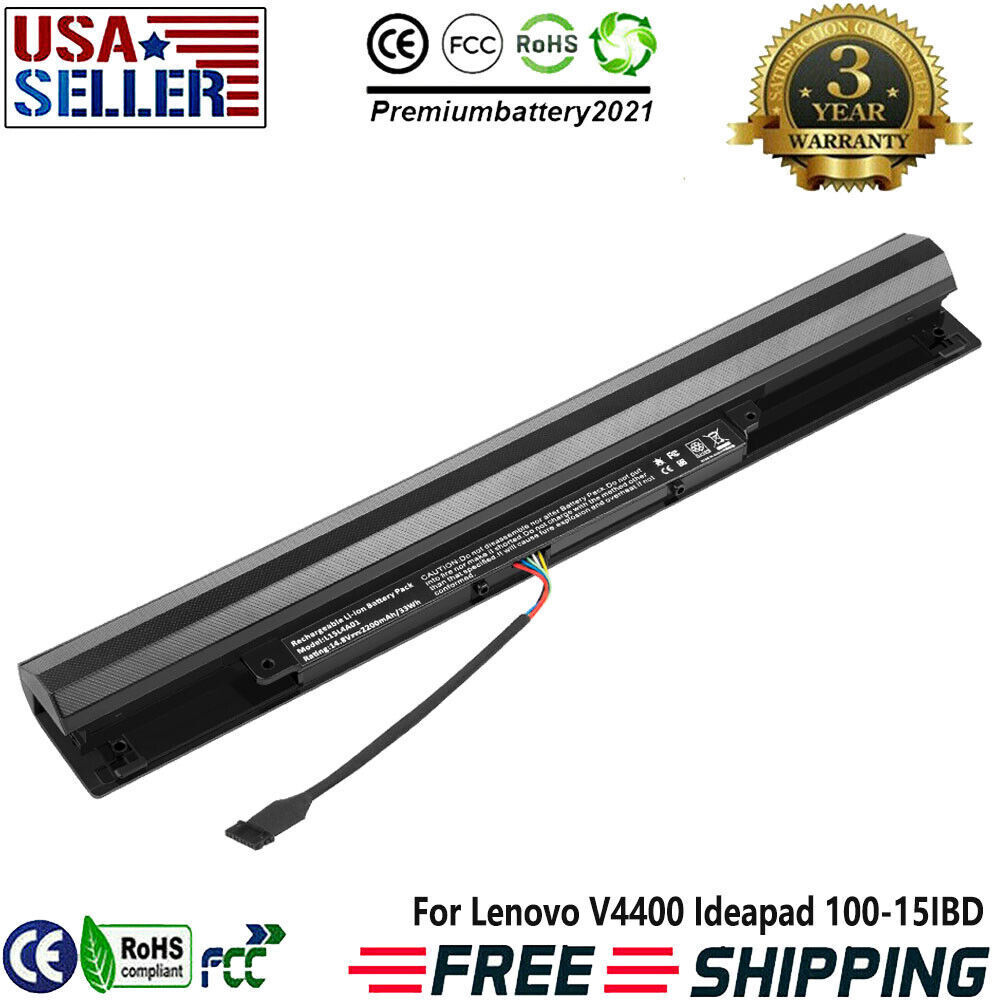
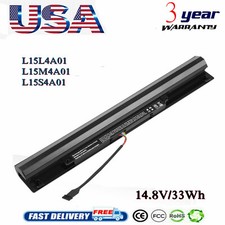
L15S4A01 L15L4A01 Battery For Lenovo Ideapad 100-15IBD 110-15ISK 100-14IBD PCSpecification:Battery type: Li-ionVoltage: 14.8V (Compatible with 14.4V )Capacity: 2200mAh/33WhCell:4 Cellsrecharge cycles: 500Operation time: Around 1-2.5hoursCompatible Part Number:L15L4A01 L15M4A01 L15S4A01 L15L4E01 L15M4E01 L15S4E01 Model:For Lenovo IdeaPad 100 Lenovo IdeaPad 110 series
110-14IBR / 14ISK / 14IKB
110-15IBR / 15ISK / 15IKB
110-17ACL / 17IKB
For Lenovo IdeaPad 300 series
300-14IBR
300-15IBR / 15ISK / 15IKB
For Lenovo TianYi 310 series
310-14ISK / 14IKB
310-15ISK / 15IKB
Additional Business & Entry-Level Laptop Models
B50-50
V4400 (V4400A/V4400U)
How to Check If This Battery Fits Your Laptop
Compatible battery models (choose 1 – Check inside Windows (3 easy ways)
1) Battery report (CMD)
-Press Win + R→ typecmd→ press Enter.
-Type: powercfg /batteryreport→ press Enter.
-Open the generated HTML file (it's saved in your user folder).
-Under Installed batteries, look just aboveDesign Capacity– you'll see your battery model number.
2) Device Manager
-Press Win + X→ selectDevice Manager.
-Expand Batteries→ right‑clickMicrosoft ACPI‑Compliant Control Method Battery→Properties.
-Go to the Detailstab → in thePropertydropdown, selectHardware IdsorBattery Information– the model number will appear in the string.
3) Lenovo software
-Open Lenovo Computer Manageror installLenovo Vantage(from Microsoft Store).
-Go to Hardware Information→Battery – you'll see the battery model, voltage, capacity, and serial number.
Method 2 – Check on the laptop bottom + Lenovo website
Turn your laptop over. Look for a white label near the center of the bottom cover or near the battery compartment.
FindModel / Product Number(or "P/N").
Also find theSerial Number (SN).
Go to theLenovo support website→ enter your SN.
The parts list will show your battery model number and FRU number.
Method 3 – Physical check (open the back cover)
Shut down, unplug the power cord, and remove the battery if possible.
Unscrew and remove the back cover.
Look at the label on the battery itself – it clearly shows themodel number,voltage, andcapacity.
Method 4 – Windows Settings (quick look)
-Press Win + Ito openSettings.
-Go to System→About.
-You'll see Device nameandSystem model– this helps confirm your laptop series, but for the exact battery model, use one of the methods above.
💡 Final check:
Once you find your battery model number, compare it with the list at the top. If it matches any of the six numbers, this battery is compatible with your laptop.
If you're still unsure, simply message us your laptop model or serial number – we'll help you find the right battery!
PaymentDelivery detailsReturn PolicyAbout usWarranty PolicyPayment1.We accept payment via PayPal, Visa, Mastercard, Apple Pay, Google Pay etc.
2. All payments must be prepaid.Delivery details1. Items are generally shipped out within 24 hours after your payment has been cleared (Sat. & Sun. excluded.)
2. Orders from the United States will all be shipped out via UPS/USPS/Fedex/UNIUNI. The shipment usually takes 1-4 business days( Exclude public holiday), if you need the item urgently, please contact us for detail before purchase.
3. We ship to US ONLY and do not support Collection.
4. All items will be shipped to buyer's paypal address. Please check your paypal address before place the order.
5. We are not responsible for wrong or undeliverable address. We reserve the right to charge the shipping fee again for returned items due to wrong address.Return Policy1. We provide 90 days free replacement ,30 days money back on non-defective, undamaged, unused and resalable products. Product is not eligible for refund after the 30-day refund period has expired.
2. Our warranty does not extended to any products that are physically damaged or that are not under normal operating conditions as a result of misuse or improper installation on the buyer/user's part.
3. For all returned products, Please contact us for the returning address.
4. In all cases, buyers pay shipping fees at their own cost to return products for exchange or refund. We will be responsible for the postage of replacements. Refund will be made upon receipt of the returned item.
About us
We are a store, mainly run laptop accessory. Such as battery , ac adapter etc.All item passed FCC / CE / ROHS certificates. Help buyer reduce the risk of damage, fire, dangerours mostly.We work with a good quality OEM supplier and factory. Help you and us save money greatly.Warranty Policy
About Warranty - You don't need to pay for for getting covered by our warranty policy.- There is a warranty label on our products like batteries and adapter chargers, please keep it safe and sealed.- We don't cover the failure or damage caused by misuse, accident, modification, inappropriate physical or operating environment, natural disaster, power surge, and improper maintenance or storage.- If you misuse the Return Policy, our warranty to your purchase will be revoked.- Please contact us via message if you have any problem and please allow us 24 hours to reply, we will do our best to help you solve it.
BrandUnbrandedTypeAC & DCCompatible BrandFor LenovoCompatible Product LineFor Lenovo IdeaPadCompatible ModelFor Lenovo V4400 Ideapad 100-15IBDVoltage14.8VBattery Capacity2200mAh/33WhNumber of Battery Cells4 CellsColorBlackMPNDoes Not ApplyBattery TypeLi-IonCalifornia Prop 65 WarningChemicals inside battery may cause cancerManufacturer Warranty3 years
On Jun 9, 2026 at 10:40:27 PDT, seller added the following information: