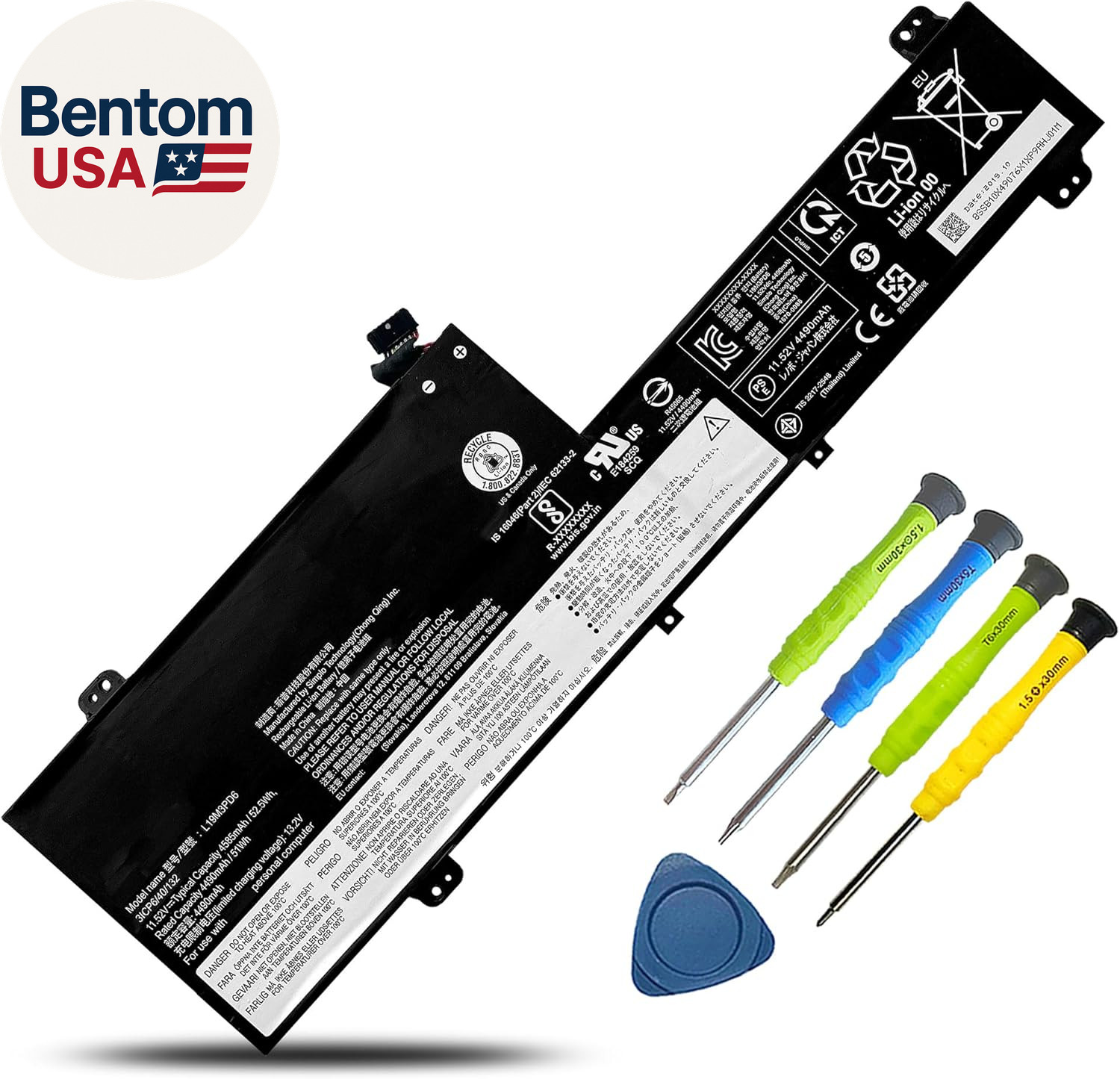
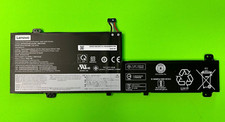
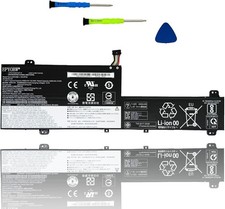
- 【Specifications】Battery Model :L19M3PD6 , Voltage: 11.52V; Capacity:52.5Wh 4585mAh 3-Cell || Color: Black. Type: Li-ion Battery || Up to 1000+ recharge cycles over the life of the battery. Package include: 1*battery 1 set matching installation tools. 1*Instructions. All our products are 100% brand-new from manufacturer.
- 【Compatible Models】for Lenovo ideapad Flex 5-14IIL05 81WS 81X1 Series; for Lenovo ideapad Flex 5-14ITL05 82HS 82LT Series; for Lenovo ideapad Flex 5-14ARE05 81X2 Series; for Lenovo ideapad Flex 5-14ALC05 82HU Series; for Lenovo ideapad Flex 5-15IIL05 81X3 Series; for Lenovo ideapad Flex 5-15ALC05 82HV Series.
- 【Replacement for Part Number P/N】L19L3PD6/ SB10X49074/ 5B10X49077/ L19M3PD6/ SB10X49076/ 5B10X49072/ L19C3PD6/ SB10X49078/ 5B10X49073/ L19D3PD6/ SB10X49071/ 5B10X49075/ 3ICP6/40/132, 3ICP6/40/133
- 【Return Policy-After sale warranty】①Rest assured 30 days full refund.②12 months free replacement for Non-human factors.③Email reply within 24 hours. **Note: Amazon return windows will be closed after one month. After that, you can click on seller store name on right corner, you can see "Ask a question" on the page and contact directly for any problem.
- 【Quality Assurance】BOWEIRUI battery meets CE/FCC/ROHS/UL certified standards. Strict guidelines for compatibility, Use of built-in circuit protection to ensure safety and stability. For assistance with the battery, please visit our product detail page OR please contact us by email at any time, our professional technical team is standing by to provide you with assistance and service.
Product description Welcome to BOWEIRUI
We are a professional laptop/tablet battery provider, dedicated to providing different types of high-quality batteries for our customers to bring their laptops back to life again. Thanks for your choice and trust, Enjoy your shopping!
How to choose the correct battery?
Method 1: Use System Information to find your laptop model
- Step 1: Press "Windows + R" to open the Run window.
- Step 2: Type "msinfo32" in the empty box and click OK to open System Information.
- Step 3: Keep in the "System Summary" sectionand you will find the "System Model " itemin the right pane.
Method 2: Open the back cover of the laptop and confirm the battery type and capacity, as well as the model of the laptop.
- Step 1: Turn off the laptop and unplug the power cord (to prevent electric shock)
- Step 2: Remove the back panel with a screwdriver. (Please proceed with care to avoid damage to the laptop's components.)
- Step 3: Disconnect the cable connected to the battery and remove it. After that, you can check the specifications of your battery.
Battery Specification L19M3PD6 L19C3PD6 For lenovo laptop battery
- Model Name: L19M3PD6
- Battery Type: Li-ion
- Battery Voltage: 11.52V
- Battery Capacity: 52.5Wh 4585mAh 3-Cell
- Certification: CE UL FCC RoHS
- Condition: 100% New from Manufacturer, Grade A Cell
- Package Included:
- 1 X Battery
- 4+1 Installation tools
- 1 X Instruction manual
Replacement for Part Number:
- L19L3PD6 / SB10X49074 / 5B10X49077
- L19M3PD6 / SB10X49076 / 5B10X49072
- L19C3PD6 / SB10X49078 / 5B10X49073
- L19D3PD6 / SB10X49071 / 5B10X49075
- 3ICP6/40/132, 3ICP6/40/133
Attention Please:
- L19L3PD6, L19M3PD6, L19C3PD6, L19D3PD6 are compatible each other though the voltage is different
Compatible Models (Use "Ctrl+F” to find your model quickly) Compatible Laptop Models: Lenovo ideapad Flex 5-14IIL05 81WS Series Compatible Laptop Models: Lenovo ideapad Flex 5-14IIL05 81X1 Series Compatible Laptop Models: Lenovo ideapad Flex 5-14ARE05 81X2 Series Compatible Laptop Models: Lenovo ideapad Flex 5-15IIL05 81X3 Series Compatible Laptop Models: Lenovo ideapad Flex 5-14ALC05 82HU Series Compatible Laptop Models: Lenovo ideapad Flex 5-15ITL05 82HT Series Compatible Laptop Models: Lenovo ideapad Flex 5-15ALC05 82HV Series Compatible Laptop Models: Lenovo ideapad Flex 5-14ITL05 82HS Series Compatible Laptop Models: Lenovo ideapad Flex 5-14ITL05 82LT Series
Fit for Lenovo IdeaPad Flex 5 Series Laptop
- 1. Lenovo ideapad Flex 5-14IIL05 81X1 Series
IdeaPad Flex 5-14IIL05 81X100AGAU, IdeaPad Flex 5-14IIL05 81X1002GAU, Flex 5-14IIL05-81X1CTO1WW, IdeaPad Flex 5-14IIL05 81X1CTO1WW, Flex 5-14IIL05-81X1002FAU, Flex 5-14IIL05-81X100CTAU, IdeaPad Flex 5-14IIL05 81X100GWAU, IdeaPad Flex 5-14ILL05 81X100CJGE
- 2. Lenovo ideapad Flex 5-14ARE05 81X2 Series
IdeaPad Flex 5-14ARE05 81X2009HAU, IdeaPad Flex 5-14ARE05 81X2009EAU, IdeaPad Flex 5-14ARE05 81X2009EAU, IdeaPad Flex 5-14ARE05(81X2009GGE), IdeaPad Flex 5-14ARE05(81X20069GE), IdeaPad Flex 5-14ARE05 81X2CTO1W,
- 3. Lenovo ideapad Flex 5-15IIL05 81X3 Series
IdeaPad Flex 5-15IIL05 81X3005EAU, IdeaPad Flex 5 15IIL05 81X3008WRA, IdeaPad Flex 5 15IIL05 81X3003WIV, IdeaPad Flex 5 15IIL05 81X3004DIV, IdeaPad Flex 5 15IIL05 81X3004WSC, IdeaPad Flex 5 15IIL05 81X3005HMZ, IdeaPad Flex 5 15IIL05 81X30004US, IdeaPad Flex 5 15IIL05 81X30061JP, IdeaPad Flex 5 15IIL05 81X3000RMX, IdeaPad Flex 5 15IIL05 81X3006JMH, IdeaPad Flex 5 15IIL05 81X30018UK, IdeaPad Flex 5 15IIL05 81X30071FR, IdeaPad Flex 5 15IIL05 81X3001TTA, IdeaPad Flex 5 15IIL05 81X30078FR, IdeaPad Flex 5 15IIL05 81X3002AHV, IdeaPad Flex 5 15IIL05 81X3007QPB, IdeaPad Flex 5 15IIL05 81X3002STW, IdeaPad Flex 5 15IIL05 81X3008CIN, IdeaPad Flex 5 15IIL05 81X3003EGM, IdeaPad Flex 5 15IIL05 81X3003PIV, IdeaPad Flex 5 15IIL05 81X30096RK, IdeaPad Flex 5 15IIL05 81X30046IV, IdeaPad Flex 5 15IIL05 81X3004PMH, IdeaPad Flex 5 15IIL05 81X30056UK, IdeaPad Flex 5-15IIL05 81X3007XGE, IdeaPad Flex 5 15IIL05 81X3005TJP, IdeaPad Flex 5 15IIL05 81X3000JUS, IdeaPad Flex 5 15IIL05 81X3006BMZ, IdeaPad Flex 5 15IIL05 81X30011FR, IdeaPad Flex 5 15IIL05 81X3006TMB, IdeaPad Flex 5 15IIL05 81X3001HHH, IdeaPad Flex 5 15IIL05 81X30023RU, IdeaPad Flex 5 15IIL05 81X3007HSA, IdeaPad Flex 5 15IIL05 81X3002KMJ, IdeaPad Flex 5 15IIL05 81X30085CK, IdeaPad Flex 5 15IIL05 81X30036GE, IdeaPad Flex 5 15IIL05 81X3008NSB, IdeaPad Flex 5-15IIL05 81X3008SAU, IdeaPad Flex 5 15IIL05 81X3008YRA, IdeaPad Flex 5 15IIL05 81X3003YIV, IdeaPad Flex 5 15IIL05 81X3004FIV, IdeaPad Flex 5 15IIL05 81X3004YSC, IdeaPad Flex 5 15IIL05 81X3005LMZ, IdeaPad Flex 5 15IIL05 81X30009US, IdeaPad Flex 5 15IIL05 81X30063JP, IdeaPad Flex 5 15IIL05 81X3000TMX, IdeaPad Flex 5 15IIL05 81X3006LMH, IdeaPad Flex 5 15IIL05 81X3001AUK, IdeaPad Flex 5 15IIL05 81X30073FR, IdeaPad Flex 5 15IIL05 81X3001VSB, IdeaPad Flex 5 15IIL05 81X3007AFR, IdeaPad Flex 5 15IIL05 81X3002CHV, IdeaPad Flex 5 15IIL05 81X3007SPB, IdeaPad Flex 5 15IIL05 81X3002UKR, IdeaPad Flex 5 15IIL05 81X3008FKR, IdeaPad Flex 5 15IIL05 81X3003GHV, IdeaPad Flex 5 15IIL05 81X3003RIV, IdeaPad Flex 5 15IIL05 81X30098FR, IdeaPad Flex 5 15IIL05 81X30048IV, IdeaPad Flex 5 15IIL05 81X3004RMB, IdeaPad Flex 5 15IIL05 81X30058CY, IdeaPad Flex 5 15IIL05 81X3005VJP, IdeaPad Flex 5 15IIL05 81X3000LMX, IdeaPad Flex 5 15IIL05 81X3006DJP, IdeaPad Flex 5 15IIL05 81X30013FR, IdeaPad Flex 5 15IIL05 81X3006VMB, IdeaPad Flex 5 15IIL05 81X3001KHH, IdeaPad Flex 5 15IIL05 81X30025KR, IdeaPad Flex 5 15IIL05 81X3007KPB, IdeaPad Flex 5 15IIL05 81X3002MKR, IdeaPad Flex 5 15IIL05 81X30087MZ, IdeaPad Flex 5 15IIL05 81X30038MH, IdeaPad Flex 5 15IIL05 81X3008QID, IdeaPad Flex 5 15IIL05 81X3003JCK, IdeaPad Flex 5 15IIL05 81X30091RK, IdeaPad Flex 5 15IIL05 81X30041IV,
- 4. Lenovo ideapad Flex 5-15ITL05 82HT Series
IdeaPad Flex 5-15ITL05(82HT), IdeaPad Flex 5 15ITL05 82HT0021JP, IdeaPad Flex 5 15ITL05 82HT002KIV, IdeaPad Flex 5 15ITL05 82HT0032IV, IdeaPad Flex 5 15ITL05 82HT003SML, IdeaPad Flex 5 15ITL05 82HT004GFR, IdeaPad Flex 5 15ITL05 82HT004ESA, IdeaPad Flex 5 15ITL05 82HT000BHH, IdeaPad Flex 5 15ITL05 82HT000YTA, IdeaPad Flex 5 15ITL05 82HT001RGE, IdeaPad Flex 5 15ITL05 82HT0028JP, IdeaPad Flex 5 15ITL05 82HT002SIV, IdeaPad Flex 5 15ITL05 82HT003ASC, IdeaPad Flex 5 15ITL05 82HT0040MZ, IdeaPad Flex 5 15ITL05 82HT000MTW, IdeaPad Flex 5 15ITL05 82HT001JAU, IdeaPad Flex 5 15ITL05 82HT0008GE, IdeaPad Flex 5 15ITL05 82HT000WMJ, IdeaPad Flex 5 15ITL05 82HT001PMZ, IdeaPad Flex 5 15ITL05 82HT0026JP, IdeaPad Flex 5 15ITL05 82HT002QIV, IdeaPad Flex 5 15ITL05 82HT0037IV, IdeaPad Flex 5 15ITL05 82HT003XMZ, IdeaPad Flex 5 15ITL05 82HT004NSB, IdeaPad Flex 5 15ITL05 82HT000KTW, IdeaPad Flex 5 15ITL05 82HT0016SB, IdeaPad Flex 5 15ITL05 82HT001YJP, IdeaPad Flex 5 15ITL05 82HT002HIV, IdeaPad Flex 5 15ITL05 82HT0030IV, IdeaPad Flex 5 15ITL05 82HT003QGE,
- 5. Lenovo ideapad Flex 5-14ITL05 82HS Series
IdeaPad Flex 5-14ITL05 82HS0088AU, IdeaPad Flex 5-14ITL05-82HS00DJAU, IdeaPad Flex 5-14ITL05 82HS006CGE,
- 6. Lenovo ideapad Flex 5-14ALC05 82HU Series
IdeaPad Flex 5-14ALC05(82HU008SGE), IdeaPad Flex 5 14ALC05,
IdeaPad Flex 5 80XB000SUS,
IdeaPad Flex 5-15ALC05(82HV),
IdeaPad Flex 5 81CA000BUS, IdeaPad Flex 5 81CA000CUS,
Battery Maintenance Methods for Optimal Use
- When you get the new battery, discharge the battery to 5% (not 0%), then charge it to 95%, and cycle 3-4 times to wake up the new battery.
- The important point is to perform a full discharge and charge every other month to extend the battery life.
- Do not connect the adapter for a long time while using the battery. It may damage the battery.
- Avoid artificial shocks, disassembly, crush or puncture. Do not dispose of it in fire or water.
Troubleshooting Methods
- Could be caused by a battery loss. Please remove the battery and try to install it more than once.
- This may be due to conductive material damage which the laptop motherboard and battery anode and cathode contact position, you can try to confirm it with your original battery.
- Check whether the battery drive is in normal condition, if not, download the corresponding driver software to update.
- Take out the battery and press the power button for about 15 seconds to consume the internal residual power (Do not connect the power cord), and then reinstall the battery. You can try several times.
True Capacity
- The battery capacity is designed to meet the OEM’s specifications, is stable and last longer, and provides stronger power for your laptop, not falsely labeled battery capacity.
- Problems you may encounter when installing a new battery
- Q: Battery cannot be identified by your laptop or it doesn’t seem to work. That may be caused by different situations.