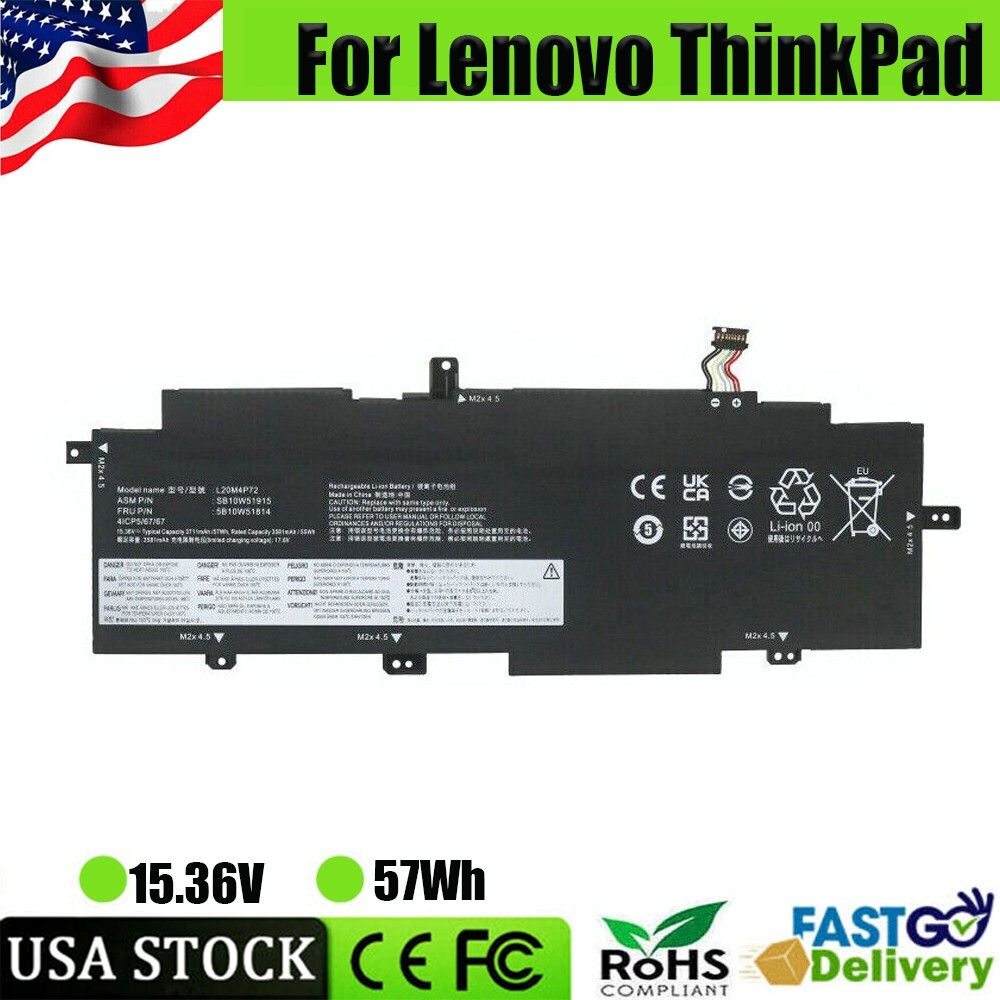
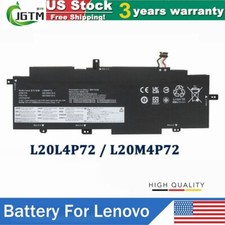
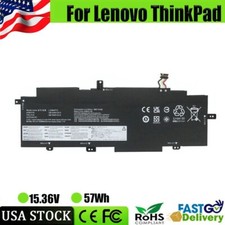
Specifications:Battery (57Wh)Condition: Brand New , 'A' grade cells, 100% Compatible!Certification: CE FCC RoHSColor: as picturesPackage including: 1× Battery (in packing box)Offer 100% Satisfied Customers Service Item location : USA StockManufacturer Warranty : 3 Years Compatible models:For LenovoThinkPad T14s G2 20WM003MMX, ThinkPad T14s G2 20XGS01100, ThinkPad T14s G2 20WM00A2PB, ThinkPad T14s G2 20WMS09800, ThinkPad T14s G2 20WM00A7GE, ThinkPad T14s G2 20WM004SIV, ThinkPad T14S G2 20WNS05900, ThinkPad T14s G2 20WM00A9GE, THINKPAD T14S G2 20WM0088AD, ThinkPad T14s G2 20WM00A4MH, ThinkPad T14s G2, Thinkpad T14s G2 20WM00BLVA, ThinkPad T14s G2 20WM009FCK, ThinkPad T14s G2 20WM003TGE, ThinkPad T14s G2 20WM00A9RT, ...
✅NEW L20M4P72 L20L4P72 L20C4P72 BATTERY FOR LENOVO THINKPAD T14S 2ND GEN 2021 USSpecifications:Battery (57Wh)Condition: Brand New , 'A' grade cells, 100% Compatible!Certification: CE FCC RoHSColor: as picturesPackage including: 1× Battery (in packing box)Offer 100% Satisfied Customers ServiceItem location : USA StockManufacturer Warranty : 3 YearsCompatible models:For Lenovo
ThinkPad T14s G2 20WM003MMX, ThinkPad T14s G2 20XGS01100, ThinkPad T14s G2 20WM00A2PB, ThinkPad T14s G2 20WMS09800, ThinkPad T14s G2 20WM00A7GE, ThinkPad T14s G2 20WM004SIV, ThinkPad T14S G2 20WNS05900, ThinkPad T14s G2 20WM00A9GE, THINKPAD T14S G2 20WM0088AD, ThinkPad T14s G2 20WM00A4MH, ThinkPad T14s G2, Thinkpad T14s G2 20WM00BLVA, ThinkPad T14s G2 20WM009FCK, ThinkPad T14s G2 20WM003TGE, ThinkPad T14s G2 20WM00A9RT, ThinkPad T14s G2 20WM007FAU, ThinkPad T14s G2 20WM00AAGE, ThinkPad T14s G2 20WM009YPB, Thinkpad T14s G2 20WM00BDVA, Thinkpad T14s G2 20WM0085US, ThinkPad T14s G2 20XF006FGECompatible part numbers:L20C4P72, L20D4P72, L20L4P72, L20M4P72Note:
Please check carefully about your laptop model name/battery part number/battery shape and size to make sure you purchase the correct battery.
How to confirm that the battery is suitable for your laptop?
Method 1: Use System Information to find your laptop model
Step 1: Press Windows + R to open Run window.
Step 2: Input "msinfo32" in the empty box and click OK to open System Information.
Step 3: Keep in the System Summary section, and you will find the System Model item in the right pane.
Method 2: Remove Battery from Laptop to find your laptop battery part number
Step 1: Switch off the laptop and unplug the power cable in case of electric shock
Step 2: Remove the back panel with the screwdriver. You should to this with care avoiding any harm to the laptop components.
Step 3: Disconnect the cable connected to the battery and then take out the battery. After that, you can check the specifications of your battery.
PaymentDelivery detailsReturn/RefundAbout us/Contact usresponsePayment1.We accept payment via PayPal, Visa, Mastercard, Apple Pay, Google Pay, Alipay etc.
2. All payments must be prepaid. Delivery details1. All items be shipped from USA Warehouse by via USPS,usually shipment takes 2-8 business days( Exclude public holiday).2. We will ship your item(s) within 2 working day.3. We only ship to your address. Please make sure your address is correct before you pay. We are not responsible for wrong or undeliverable address. Return/Refund1.60 Days Money Back or Return for New one Guarantee from the date of original purchase.
2.Product should be returned with original packages and must be returned in like-new condition with all accessories and packaging.
3.Free returns(need not pay any fee):EXCEPT If the return is due to the mistakes of buyers, for example,wrong purchase,wrong shipping address,buyers must be pay return fee.
4.Free Replacement or Full refund(If there is some problems with our items). About us/Contact us1. Supplying best quality battery for your laptop at competitive prices and proving best service to international customers! Make you 100% satisfied Customers Service.2. We are a factory store, mainly run laptop accessory. Such as battery , ac adapter charger etc.
3. All our item passed FCC / CE / ROHS certificates. Help buyers reduce the risk of damage, fire, dangerours mostly.We work with a good quality OEM supplier and factory. Help you and us save money greatly. 4. We try our best to reply to you as soon as possible,however,due to high volume of daily incoming emails and time zone difference If you are not satisfied with your purchase,5. Please give us an opportunity to try and make it right before leaving response.If you have any question, just send a message,we will help you.
6. Customer Service Hours: Monday to Friday: 9:00AM - 18:00PM(GMT+8)(Exclude Sat, Sun and Public holiday) response1. We sincerely hope you will like it and be satisfied with our customer services. If you have any questions, please feel free to contact us at anytime.
If don't mind, please take your time and leave us a positive comment and 5-star Detailed Seller Ratings (DSR) to us, which are of vital importance to the growth of our small company.
We would like to do whatever we can do to help you out. If you are not satisfied in any regard, please contact us for solution. Thanks for your understanding. 2. If there is some problem with the product, please take communication with us before leaving neutral/negative response or opening /paypal case, we will do our best to resolve your problem.offer100% refund or free replacement.so please contact us before leaving neutral/negative response or opening /paypal case,thanks.Compatible BrandFor LenovoLife Cycles (times)300-500UseLAPTOPColorBlackCell GradeA GradeCompatible Part Number 25B10W13976 5B10W51814 5B10W51815 5B10W51816Compatible ModelFor Lenovo ThinkPad L20M4P72 L20L4P72 L20C4P72MPNDoes not applyStandardOEM Standard 100% CompatibleCompatible Part NumberL20C4P72 L20L4P72 L20M4P72 L20D4P72Battery TypeLiPoCompatible Product LineFor Lenovo ThinkPadBrandBatterymasterTypeAC & DCBattery Capacity57WhUnit TypeUnitManufacturer Warranty3 YearsVoltage15.36VUnit Quantity1Number of Battery Cells4TipsPlease check your battery model, voltage, capacity before buyingWarranty3 Years Warranty + 60 Days Money BackCertificateFCC CE UL MSDS RoHS