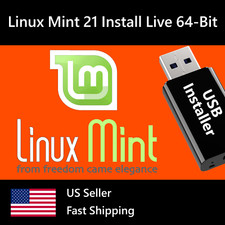
Linux Mint 22 WilmaCinnamon
64-Bit(Live Boot, Full Install)Brand New Bootable USB DriveWhat is Linux Mint?
🍥 Graphic Design
With LibreOffice's complete office suite, use the word processor, make presentations, drawings, spreadsheets or even databases. Easily import from or export to PDF or Microsoft Office documents.
🎼 Multimedia Tools
Access more than 7,800 games with Steam. Install the Heroic Games Launcher or Lutris to get even more.
Give it a try. You’ll Love it!
⭐️What are the System Requirements to run Linux Mint?✅2GB RAM (4GB recommended for a comfortable usage).✅20GB of disk space (100GB recommended).✅1024×768 resolution (on lower resolutions, press ALT to drag windows with the mouse if they don’t fit in the screen).⭐️ How to Boot Linux Mint from this USB?✅ Steps for Windows PC & Chromebooks
- Turn-off your computer
- Insert the USB into any available USB port
- Switch on your computer
- Press the key that allows your computer to boot to an alternate device (ESC on many HPs, F12 on many Dells, F8 on many custom builds, yours may vary, see your computer's documentation)
- At the Book-up screen, select Boot from USB Interface option, press enter.
- Follow on-screen links for initiate OS.
- Wait for system to boot into Ubuntu Linux
- That's it! Enjoy!
✅Step for Apple Macs Devices
- Turn-off your computer
- Insert the USB into any available USB port
- Switch on your computer
- Press the Option keyon your keyboard to go the boot menu
- Select EFI Book
- Follow on-screen links for initiate OS.
- Wait for system to boot into Ubuntu Linux
- That's it! Enjoy!