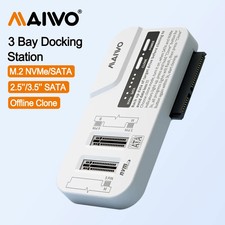
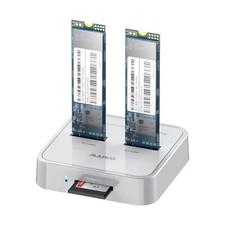
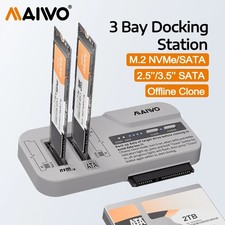
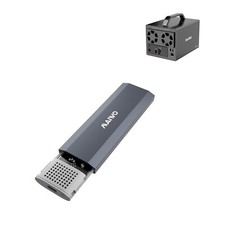
MAIWO 3-Bay HDD/SSD Docking Station 🔌💾
M.2 NVMe & SATA Offline Clone | USB-C 10Gbps
Overview
The MAIWO 3-Bay Docking Station lets you clone, back up, and access multiple drives at once without a computer. It supports M.2 NVMe, M.2 SATA, and 2.5"/3.5" SATA drives with blazing-fast USB3.2 Gen2 10Gbps Type-C connectivity.
Key Featuresofferirectional Offline Clone
Clone M.2 NVMe ⇆ M.2 SATA or M.2 NVMe ⇆ 2.5"/3.5" SATA drives without a computer or software.
Dual Drive Access
Simultaneously recognizes an M.2 NVMe SSD and one SATA drive when connected to a computer.
Extensive Compatibility
Works with M.2 NVMe, M.2 SATA, and 2.5"/3.5" SATA SSDs/HDDs — one dock for nearly all your drives.
10Gbps USB-C Speed
USB3.2 Gen2x1 Type-C interface delivers up to 10Gbps for NVMe and 6Gbps for SATA drives, with a dual USB-C/USB-A cable included.
Tool-Free Vertical Design
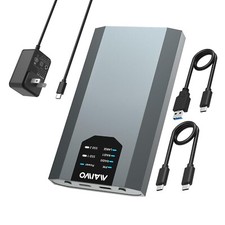
Insert drives vertically into slots without tools for quick, convenient Gen2x1 Type-C, 10GbpsCase MaterialPlasticCompatible DrivesM.2 NVMe (M-Key), M.2 SATA (B+M Key), 2.5"/3.5" SATA HDD/SSDMax CapacityM.2 up to 8TB, 3.5" up to 30TBCompatible SSD Sizes2230/2242/2260/2280mmOS CompatibilityWindows, Linux, Mac OS, Android (OTG)Package IncludesDocking Station, USB-C/USB-A Combo Cable, Power AdapterProduct ImagesFAQQ: Can it clone M.2 SATA to 2.5"/3.5" SATA directly?
A: No, this dock does not support M.2 SATA ⇆ 2.5"/3.5" SATA cloning directly.
Q: Can I use both a 2.5/3.5 SATA drive and an M.2 SATA SSD at once?
A: If both are inserted, only the 2.5/3.5 SATA drive will be recognized. Remove it to access the M.2 SATA SSD.
Q: Do I need special software to clone drives?
A: No, cloning works offline without any computer or software.
Q: What cable is included?
A: A dual-purpose USB-C/USB-A combo data cable is included for maximum compatibility.