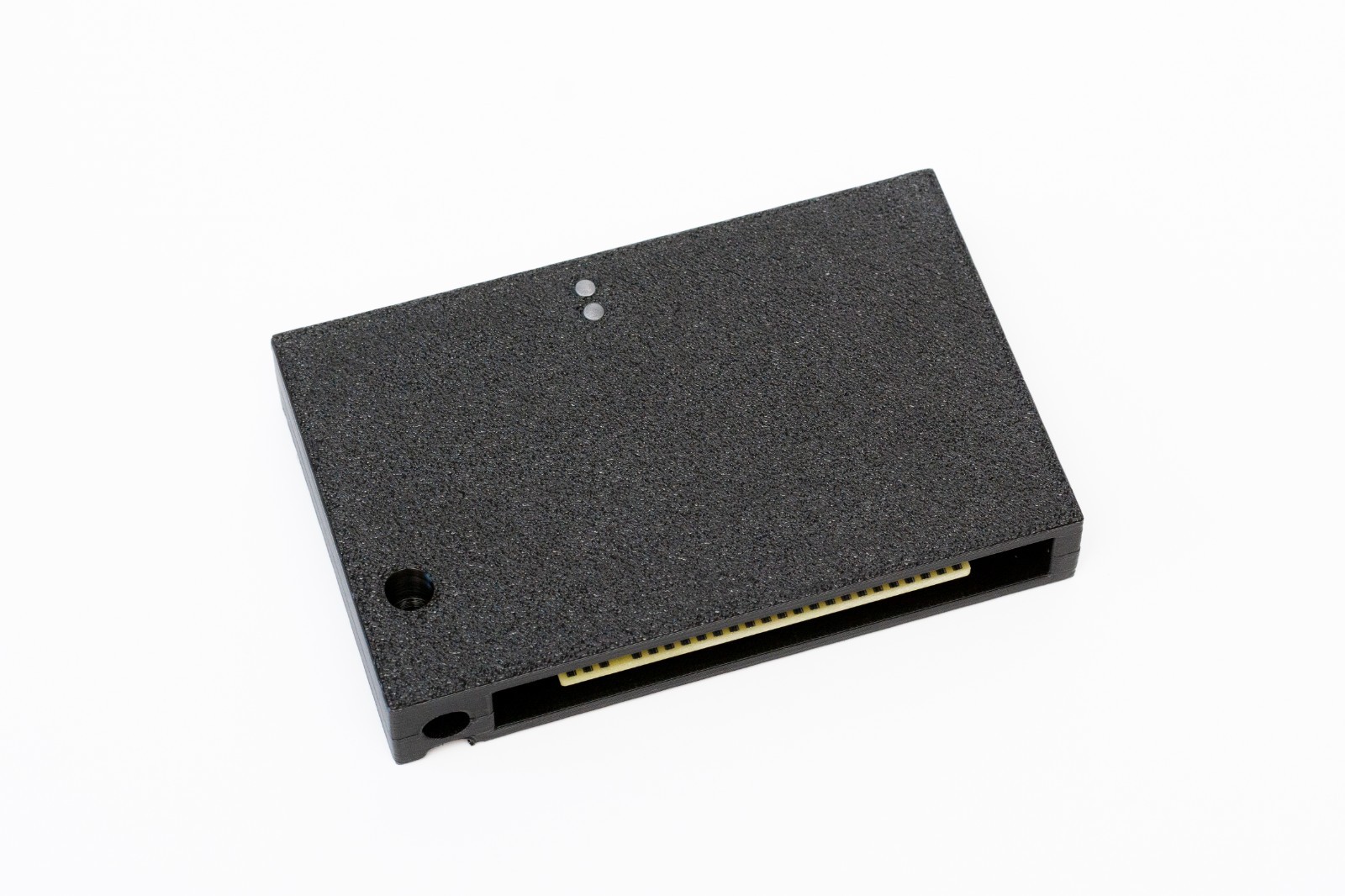
MSX SD Mapper 512Kb Expansion MSX1/2/2+/TR VER2.0 with CASE
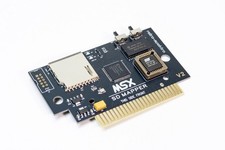
A new MSX SD-Mapper V2 Interface allows your use up to two SD cards (up to 4GB) as a mass storage media for your MSX.
The case is high-quality 3D printed using PETG material. If you need the product without the case, you can order it in our store.
Fully compatible with all MSX models, inclunding MSX1, MSX2, MSX2+, Turbo R and One Chip. Machines with less than 128k will need the 512KB on-board RAM ACTIVE and the MAPPER function selected, otherwise the interface will work in MSXDOS1 mode with limited functionality. Attention! Interface didn’t work properly at the new Zemmix mini and the original Korean Daewoo CPC-300E, It is not possible to disable the internal computer extra ROM. At Arabic Bawareth CPC-300 worked fine.
There are 2x slots for SD cards that support 4Gb, each totalizing up to 8Gb.
Original project by Belavenuto and Sturaro with latest firmware by FRS version hardware fully compatibility.We have completely redesigned and created a new printed circuit board, paying special attention to the pcb layout in the memory area, we have reduced the length of all tracks by half, unlike the original board design, into rules for the layout of high-speed memory chips circuits.
Interface uses the NEXTOR kernel to access the storage media. It supports FAT12 and FAT16 partitions.Nextor is an evolution of MSX-DOS 2 natively supporting FAT16 partitions up to 4GB, and can have 4 partitions per SD card. 128KB of Mapper is required on the minimum to use Nextor with access to sub-directories, less than 128K mapper only allows the use of the MSXDOS1 kernel, limiting partitions with FAT12 and maximum 16MB per partition.
One of the switches enables or disables the Mapper in conjunction with a slot expander. The second key allows you to select between two driver options, useful for having a backup a stable version of the driver and use it to restore a new driver update failed.
Mapper modeAdd 512Kb of Memory Mapper to your MSX machine that enables run the Nextor DOS2 even on an MSX1. On Nextor DOS2 there are many other new commands and works with sub directories to navigate on SD card as a Hard Disk in FAT16 format, so is possible exchange files with PC easily.
SD cardWe have prepared a card for you, with all system files, using PC write a folder with games or programs to it.After loading the operating system, type SR and press RETURN, in the browser select the game from your folder and follow the instructions for launching.Please note that when using a mapper without a case, to work in MSX computers, it is necessary to close the switch inside the slot where the cartridge is inserted.Sony HB-F1 - the built-in Personal Databank menu
The Sony HB-F1 does have a difference at startup: when turned on, it doesn't immediately load the cartridge, but first loads the built-in Personal Databank menu.How to start:Insert the cartridgeHold DEL button, turn on the computer until the beep, release DEL.In 90% of cases, the SD-mapper or flash-cart loads immediately.
The Sony HB-F1 does have a quirk with its slots, which causes some cartridges (especially mapper-RAM and SD cartridges) to behave differently in different slots. This is due to the slot architecture in the MSX and how Sony organized them in this model. Practical advice from HB-F1 ownersRecommend:Installing complex cartridges in SLOT 1 (left), because it most often corresponds to CS1.Many cartridges were tested there. On some revisions, it's the opposite—but generally, the left slot is more stable.
FREE GIFT - Bootable SD CARD will be included!
Go to retro-spektro site to download microSD card content and read manual.
LOT - 1pcsMSX SD-Mapper V2 with case and 1pcsmicroSD card(gift).
ATTENTION - MSX Toshiba, TRH MSX2+ not uncluded !!!
If you buy more than 1 of my item, I will do combined shipping and reduce the shipping cost.
Every device is fully tested on original hardware before shipping and carefully packed.Retro computers and vintage peripherals are over 30–40 years old. Correct operation of accessories depends on the condition of the original computer.If you have any questions or experience any difficulty after receiving your order, please contact me first. I am always happy to help with installation, setup or troubleshooting.Thank you for your purchase and for supporting classic computing!
IMPORTANT INFORMATIONInternational shipments may require additional time due to customs inspection or local postal processing. Delivery times are outside the seller's control.Tracking is provided and will remain active until delivery. In some cases, tracking updates may be delayed while the item is being processed by customs or the local carrier.If you have any questions about your shipment, please feel free to contact us before opening a case.
EU buyers:From July 2026, some EU countries may collect additional import, customs clearance, postal handling or newly introduced EU customs fees upon delivery, even if VAT has already been collected by . These charges are determined by the destination country and are not controlled by the seller.If collected VAT during checkout and your local customs or postal service requested an additional payment, please contact Customer Support or your local postal service for clarification, as the seller does not receive these payments.
ALL ITEMS ARE WELL PACKED TO AVOID DAMAGE DURING SHIPPING.ALL GOODS ARE SHIPPED BY REGISTERED MAIL WITH A TRACKING NUMBER.