Available Pad models:
Xiaomi Pad 5
Xiaomi Pad 5 Pro
Xiaomi Pad 5 Pro 5G
Xiaomi Pad 5 Pro 12.4
Xiaomi Pad 6
Xiaomi Pad 6 Pro
Please Note:
Other models of Pad will not be applicable. Please confirm your Pad model before placing an order.
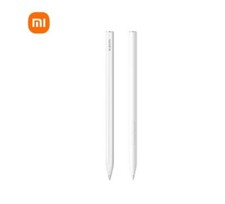
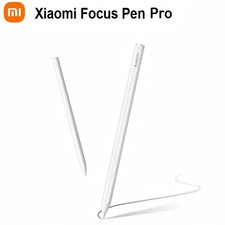
Xiaomi Smart Pen (2nd Gen)Main Features
●26-degree tapered design for a pencil-like writing experience
●Elastic and durable material for smooth and precise writing
●Super long battery life of up to 150 hours and fast charging
●Ultra-low latency and 4096-level pressure sensitivity for natural line variations
●Compatibility with Xiaomi tablets for seamless integration and a better creative experience
●Magnetic adsorption charging, accurate battery level display to 1%, charging for 1 minute, writing for 7 hours
Detailed parameters
Xiaomi Smart Pen (2nd Gen)
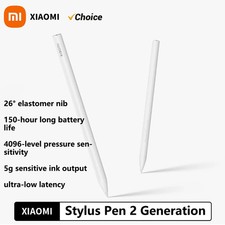
26° elastic pen tip
Up to 150 hours of battery life
4096 levels of pressure sensitivity
Ultra-low latency
Newly updated and more comfortable to use
The 26° tapered design is closer to the tip, so it won't block your view. Flexible material, 3 times more wear-resistant*. Its downward pressure simulates the experience of writing on real paper, allowing you to write smoothly and sharply.
A good partner for Xiaomi Pads Make it easy to create
A slender and delicate pen body, light to hold and smooth to the touch.
Improved performance to create freely
Only 5g of activation force* is necessary to make your mark. Ultra-low latency and 4096-level pressure sensitivity make it easier and more natural for the line thickness to change with strength.
Battery upgrade Say goodbye to power anxiety
Ultra-low latency, stable connection, smooth and natural input.
Quick operation for doubled office efficiency Primary key for taking notes
Multi-functional primary and secondary keys for complicated operations in one hand. Pattern formation in one stroke*, understanding what you want to draw. Press and hold the primary key and touch the display to open Notes. Switch between multiple brushes by tapping the primary key in the Notes' canvas.Secondary key for screenshots
Press and hold the secondary key and tap the display to take a full-screen screenshot, tap the secondary key within the Notes' canvas to easily switch commonly used colours.SpecifcationsPackage contents