When you click on links to various merchants on this site and make a purchase, this can result in this site earning a commission. Affiliate programs and affiliations include, but are not limited to, the eBay Partner Network. When you click on links to various merchants on this site and make a purchase, this can result in this site earning a commission. Affiliate programs and affiliations include, but are not limited to, the eBay Partner Network.
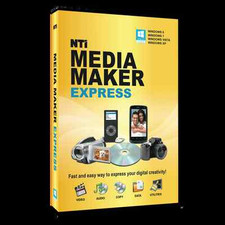
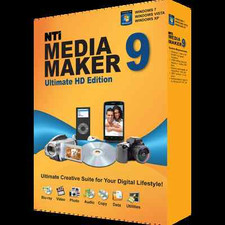
NTI Media Maker delivers an easy-to-use, yet powerful suite of digital media applications. A perfect companion software to extend your PC's capabilities. Media Maker Express supports Windows XP, Vista, 7, 8, 8.1, 10 and 11.
- New Look and Features
Our new one-click Launch Pad in Media Maker 9 makes it even easier to navigate to a desired program within our suite.
- Language available:
English, French, German, Japanese, Simplified Chinese, Spanish, Traditional id="requirements"> - What's New
- Features:
- New One-Touch launch pad for quick application navigation
- Added Favorites selection to the launch pad
- Added ability to customize the color of the launch pad
- Enhanced Disc Image and UDF support
- Media Maker Express's Feature Set
- Video
- VIDEO_TS
Burn your favorite movies to a dual layer or single layer DVDs from your VIDEO_TS folders on your hard drive. You can burn DVDs of your favorite movies from your VIDEO_TS folders to enjoy on your TV. - Music
- Audio CD
Create an audio CD with your favorite songs! Use CD-Text to label your songs and normalization to keep all songs at the same volume level for a consistent listening experience. Also, give your CD the professional DJ feel by using the crossfade feature to fade out one song and fade in the next song at the same time.
- WMA Disc
Create a WMA CD or DVD from your music collection. You can now sit back and enjoy hours of continuous music from your CD or DVD player.
- Live Audio
Record audio directly to a recordable disc or to a hard drive from your microphone or line-in jack. Live Audio is a great way to record a message or to copy your old albums and cassette tapes to your computer.
- Copy
- Copy
Fast and reliable copying of CD & DVD discs, our copy will make an exact replica of your favorite disc as fast as your drive allows. Copy also allows you copy to different media types. A perfect solution when you need to make a copy and don't have the exact media type.
- Data
- Multi-Burning Engine
Even with over 20 years of burning experience, NTI's latest burning engine is yet more powerful than ever. Turn your computer into a mini fast duplicator by burning to multiple recorders at the same time. Great for making multiple copies of the same disc in a snap!
- Data Disc
Archive or backup your data to a CD, or DVD disc as easy as possible with Data Disc. Save yourself the time from having to select a specific amount of data without going over the size limit of the disc. Just drag-n-drop the data you want to burn and Data Disc will automatically span discs and prompt you for additional discs to burn all your data.
- Utilities
- Session Explorer
This disc utility allows you to explore data sessions on a CD or DVD and to copy the data off the disc. This is great for recovering lost data on damaged discs.
- Disc Info & Tools
This utility gives you disc information about your optical media. The tools at the bottom allow you to Read and Compare data tracks. Erase, Recover, read CD-Text on the disc and to Close a Data Session.
- Erase Disc
This utility allows you to erase your rewritable optical media. You can select from either Quick Erase or Full Erase. id="requirements"> - Hardware Requirements
- IBM PC or Compatible, Pentium III 900MHz or higher
- 256MB RAM
- 500MB of available free disc space for software installation
- 10GB working space for copying or creating DVD discs.
- Graphics card capable of 1024x768 and 16-bit color.
- Software Requirements
- Windows® 11, 10, 8.1 / 8 / 7, Vista or XP SP3
- Windows Media Player 11 or higher and Microsoft .NET Framework 3.0 or higher are required for XP SP3
 |
|