Advanced Customization Web: No software to download. Configure 6 buttons, adjust DPI levels, and personalize your workflow—all from your browser without installing a single file. Create custom buttons for your favorite shortcuts, like copy/paste, Please note that the side scroll wheel cannot be customized
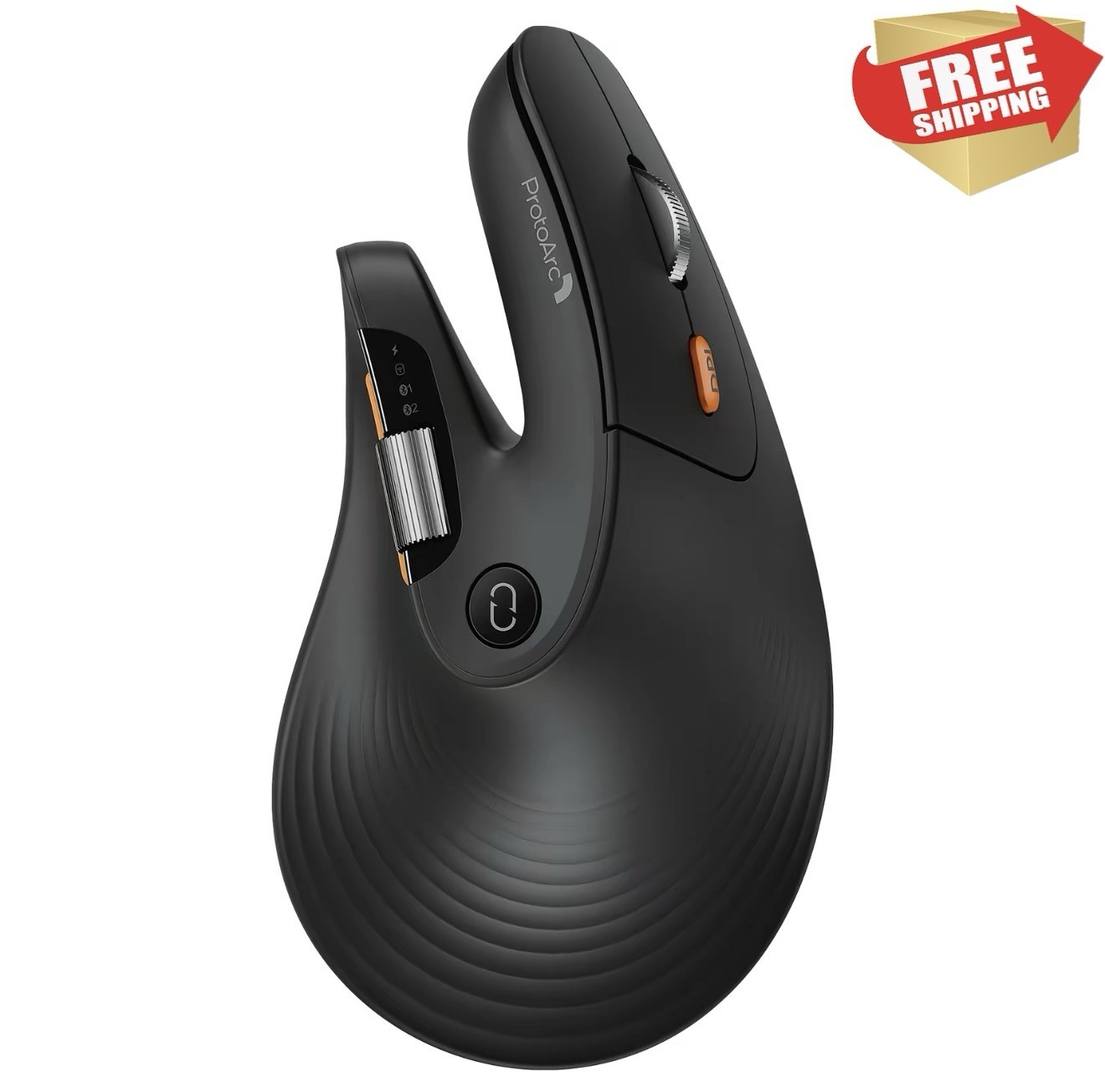
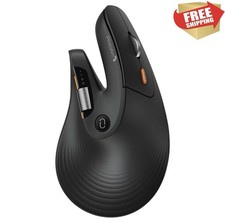
Horizontal Scroll Wheel for Ease: This ergonomic wireless mouse features a side-mounted scroll wheel that lets you pan left and right with a gentle flick of your finger. Whether you're working on wide spreadsheets, long web pages, or expansive design canvases, horizontal scrolling becomes instant and natural—saving you precious time on view adjustments to boost productivity and workflow smoothness
Ergonomic Vertical Design: Our ergonomic mouse wireless keeps your wrist naturally straight, putting your forearm and wrist in a more natural and relaxed position, which can reduce discomfort and strain, helping to improve productivity and reduce the risk of repetitive strain injuries compared to a standard mouse. Warm tips: We encourage you to relax your palm and hold the mouse naturally when using a vertical mouse
Perfect fit for Large hands: Recommended hand size: 19.0–21.5 cm (7.5–8.5"), and its ergonomic grip effectively reduces wrist fatigue. For a better fit and comfort, please measure your hand size before ordering
Connect up to 3 Devices: This ergonomic bluetooth mouse features dual Bluetooth and 2.4G USB-A connectivity modes for simultaneous connection of up to 3 different devices, and is compatible with Windows 8, Windows 10 or higher, Mac OS X 10.12 or higher, and Android 4.3 or higher
Rechargeable Vertical Mouse: The Bluetooth Ergonomic Mouse has a built-in 500mAh Li-Ion battery that can be conveniently recharged using the included Type-C cable(The Type-C cable is for charging only)
Adjustable DPI & Quiet Click : Up to 7200 DPI levels match your preferred speed and accuracy for different tasks; with the back and forward buttons, you can easily navigate websites and increase work efficiency.The silent click sound of the left and right mouse buttons help you focus on your work
Learning curve: Since it takes a learning curve to get used to the shape when using our ergonomic mouse for the first time, it may cause inconvenience to your mouse grip, We recommend that you take 1-2 weeks to get used to it, as many users find that it will help reduce the pressure and pain on your wrist caused by long-term use of the mouse and improve comfort