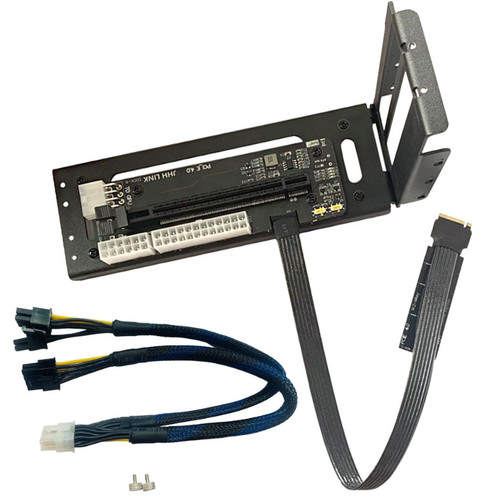
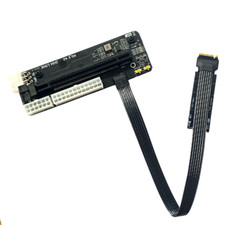
In addition to connecting the device for DIY equipment, you need to have some knowledge of hardware before you can modify.
Cautions.
1, because the power supply interface is a vertical design, compact space, the back of the graphics card vest more than 5mm please contact customer service to purchase a horizontal power interface version
2, where the DC power supply is forced to power on, the shutdown situation will still power external devices, DC supports a maximum of 120W power supply, please pay attention to the power consumption of external devices.
3, the external graphics card priority external screen, the internal screen may be limited by the CPU processing method, resulting in greater loss, the current 10 generation CPU is more friendly to the PCIE channel and Thunderbolt interface, the internal screen performance is considerable.
4, external devices to send $ 16 worth of 8pin to dual 6 + 2pin graphics card power adapter cable
Recommended solution.
Laptop or host with nvme SSD interface, can be disassembled laptop will adapter cable access, external devices can be removed, no need to disassemble the main device. NUC host (square NUC, Skull Canyon, Pluto Canyon, etc.) external adapter graphics card or gigabit 10 Gigabit network card to do soft routing, connect the network card can be powered by DC power supply. With Thunderbolt III (non-type c) laptop device (MAC) can be used Thunderbolt III hard drive box bridge to combine into an external device, Thunderbolt III or Thunderbolt IV compatibility is high and easy to operate. About compatibility, you can learn from each other, theoretically nvme interface compatibility probability is relatively high, about the system version, if the initial installation does not recognize the external device, you can download the latest Win10 system in the "I told you" website. After the external device is identified, you need to download the latest graphics card driver from the official website of the graphics card.
After this device is transferred to the external screen can maximize the performance of the graphics card 95% (PCIE X4 4.0), MAC internal screen with GPU acceleration option, can be internal screen.