 When you click on links to various merchants on this site and make a purchase, this can result in this site earning a commission. Affiliate programs and affiliations include, but are not limited to, the eBay Partner Network. When you click on links to various merchants on this site and make a purchase, this can result in this site earning a commission. Affiliate programs and affiliations include, but are not limited to, the eBay Partner Network.
OWC ATLAS DUAL CFEXPRESS + SD CARD READER/WRITER - About Us
- Payment Info
- Shipping Info
- Customer Support
- response
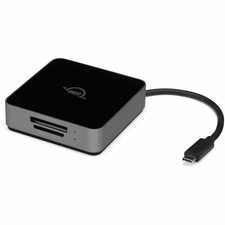
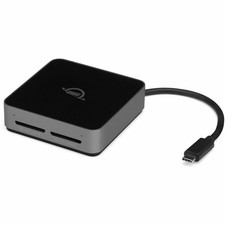
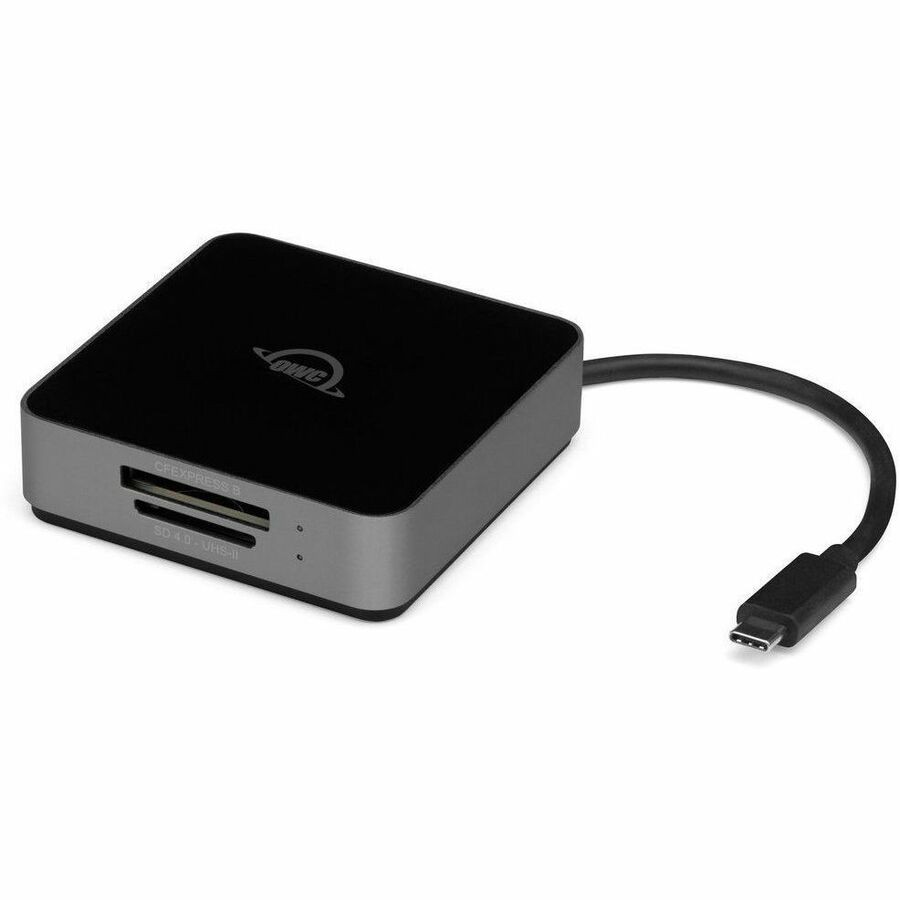
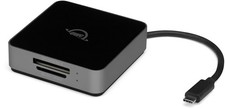
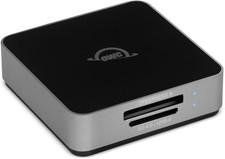
OWC Atlas Dual CFexpress Type B + SD Card Reader with USB-C 10Gb/s Brand: Other World Computing UPC: 0810100982386 Mfr Part #: OWCTCCFXBSDRDR General Information The Power of Convenient Versatility Your work and gear require the versatility of using different types of memory cards. Maybe your camera uses both CFexpress Type B and SDXC UHS-II cards or you have several cameras that use a variety of cards. Or you're a filmmaker recording separate video and audio content. Now you can empower yourself with maximum workflow efficiency by ingesting two different memory cards simultaneously with the OWC Atlas Dual CFexpress and SD Reader. With a bus-powered design and integrated cable that neatly tucks into its base, the Atlas Dual CFexpress and SD Reader is conveniently ready for portable use with USB-C equipped Macs, Windows PCs, iPads, and Chromebooks. Upgrades Your Workflow Having a card reader that can meet the demands of professional broadcast, cinema, and photography is a must to maximize your creative time. You can start working with your content faster by upgrading your workflow with a reader that can deal with any media card that your work throws at you. This compact reader is not only extremely versatile but fast too as it "eats up" data at real-world tested speeds up to 1032MB/s. When every minute counts, the OWC Atlas Dual CFexpress and SD Reader OWC Beyond Fast™ performance makes the measurable difference you need to deliver projects on time. Ready For Wherever Your Work Takes You Sized and weighing like a compact smartphone, you can easily slip the Atlas Dual CFexpress and SD Reader into a pocket or gear bag. That makes it ideal to pair with your notebook or USB-C tablet to create a lightweight yet mightily powerful capture and edit solution. Back at the studio or home office desktop, the USB-C port with OWC ClingOn support to secure a longer cable you already own lets you place the Atlas Dual CFexpress and SD Reader anywhere you desire. No worries if you accidentally connect that cable from a power supply to the USB-C port....the Atlas Dual CFexpress and SD Reader has built-in protection to prevent overpowering. Stay Safe and Informed Confidence plays a big part in working smarter and more efficiently. You can prevent accidentally overwriting/deleting your precious data or reformatting your SD card in either slot with the Atlas Dual CFexpress and SD Reader's Write Protection switch. And when you want a peace of mind update on each slot's power and activity status, separate LEDs keep you clearly informed. Effectively Cool Details Details matter when it comes to obtaining the highest performance from your memory cards. The Atlas Dual CFexpress and SD Reader is built with a heat dissipating design and non-skid rubber feet to ensure a highly effective and silent cooling airflow around the entire reader, so your memory cards won't overheat and throttle your speed. More from the Manufacturer Technical InformationMemory Card Supported:CFexpress Type BMemory Card Supported:SDXCNumber of Memory Card Slots:2 Power DescriptionPower Source Type:Bus Powered Physical CharacteristicsColor Family:Dual ColorProduct Color:BlackProduct Factor:ExternalWeight (Approximate):5.08 oz Atlas Dual CFexpress + SD Card Reader1 x Quick Start Guide for OWC Atlas Dual CFexpress + SD Card ReaderCountry of Origin:TaiwanTAA Compliant:YesEnvironmentally Friendly:YesEnvironmental Compliance:Taiwan Restriction of Hazardous Substances (Taiwan RoHS)Environmental Compliance:Waste Electrical and Electronic Equipment Directive (WEEE) Apple Products: - Mac Pro (Late 2013)
- Mac Pro (Late 2019)
- Mac Pro (Mid 2023)
- Mac Pro Rack (Late 2019)
- Mac Pro Rack (Mid 2023)
- Mac Studio (Early 2022)
- Mac Studio (Mid 2023)
- Mac mini (Early 2023)
- Mac mini (Late 2012)
- Mac mini (Late 2014)
- Mac mini (Late 2018)
- Mac mini (Late 2020)
- Mac mini Server (Late 2012)
- MacBook (12-inch, Early 2015)
- MacBook (12-inch, Early 2016)
- MacBook (12-inch, Mid 2017)
- MacBook Air (11-inch, Early 2014)
- MacBook Air (11-inch, Early 2015)
- MacBook Air (11-inch, Mid 2012)
- MacBook Air (11-inch, Mid 2013)
- MacBook Air (13-inch, Early 2014)
- MacBook Air (13-inch, Early 2015)
- MacBook Air (13-inch, Early 2020)
- MacBook Air (13-inch, Early 2024)
- MacBook Air (13-inch, Late 2018)
- MacBook Air (13-inch, Late 2020)
- MacBook Air (13-inch, Mid 2012)
- MacBook Air (13-inch, Mid 2013)
- MacBook Air (13-inch, Mid 2017)
- MacBook Air (13-inch, Mid 2019)
- MacBook Air (13-inch, Mid 2022)
- MacBook Air (15-inch, Early 2024)
- MacBook Air (15-inch, Mid 2023)
- MacBook Pro (13-inch, Mid 2012)
- MacBook Pro (13-inch, Mid 2022)
- MacBook Pro (14-inch, Early 2023)
- MacBook Pro (14-inch, Late 2021)
- MacBook Pro (14-inch, Late 2023)
- MacBook Pro (15-inch, Mid 2012)
- MacBook Pro (16-inch, Early 2023)
- MacBook Pro (16-inch, Late 2021)
- MacBook Pro (16-inch, Late 2023)
- MacBook Pro (Retina, 13-inch, Early 2013)
- MacBook Pro (Retina, 13-inch, Early 2015)
- MacBook Pro (Retina, 13-inch, Late 2012)
- MacBook Pro (Retina, 13-inch, Late 2013)
- MacBook Pro (Retina, 13-inch, Late 2016)
- MacBook Pro (Retina, 13-inch, Mid 2014)
- MacBook Pro (Retina, 13-inch, Mid 2017)
- MacBook Pro (Retina, 15-inch, Early 2013)
- MacBook Pro (Retina, 15-inch, Late 2013)
- MacBook Pro (Retina, 15-inch, Mid 2012)
- MacBook Pro (Retina, 15-inch, Mid 2014)
- MacBook Pro (Retina, 15-inch, Mid 2015)
- MacBook Pro (Retina, Touch Bar, 13-inch, Late 2016)
- MacBook Pro (Retina, Touch Bar, 15-inch, Late 2016)
- MacBook Pro (Touch, 13-inch, Late 2020)
- MacBook Pro (Touch, 13-inch, Mid 2017)
- MacBook Pro (Touch, 13-inch, Mid 2018)
- MacBook Pro (Touch, 13-inch, Mid 2019)
- MacBook Pro (Touch, 13-inch, Mid 2020)
- MacBook Pro (Touch, 15-inch, Late 2018)
- MacBook Pro (Touch, 15-inch, Mid 2017)
- MacBook Pro (Touch, 15-inch, Mid 2018)
- MacBook Pro (Touch, 15-inch, Mid 2019)
- MacBook Pro (Touch, 16-inch, Mid 2019)
- iMac (21.5-inch, Early 2013)
- iMac (21.5-inch, Late 2012)
- iMac (21.5-inch, Late 2013)
- iMac (21.5-inch, Late 2015)
- iMac (21.5-inch, Mid 2014)
- iMac (21.5-inch, Mid 2017)
- iMac (27-inch, Late 2012)
- iMac (27-inch, Late 2013)
- iMac (Retina 4.5K, 24-inch, Late 2023)
- iMac (Retina 4.5K, 24-inch, Mid 2021)
- iMac (Retina 4K, 21.5-inch, Early 2019)
- iMac (Retina 4K, 21.5-inch, Late 2015)
- iMac (Retina 4K, 21.5-inch, Mid 2017)
- iMac (Retina 5K, 27-inch, Early 2019)
- iMac (Retina 5K, 27-inch, Late 2014)
- iMac (Retina 5K, 27-inch, Late 2015)
- iMac (Retina 5K, 27-inch, Mid 2015)
- iMac (Retina 5K, 27-inch, Mid 2017)
- iMac (Retina 5K, 27-inch, Mid 2020)
- iMac Pro (27-inch, Late 2017)
- iPad Air (4th Gen, Wi-Fi Only) - Late 2020
- iPad Air (4th Gen, Wi-Fi/Cellular) - Late 2020
- iPad Air (5th Gen, Wi-Fi Only) - Early 2022
- iPad Air (5th Gen, Wi-Fi/Cellular) - Early 2022
- iPad Air (M2, 11-inch, Wi-Fi Only) - Mid 2024
- iPad Air (M2, 11-inch, Wi-Fi/Cellular) - Mid 2024
- iPad Air (M2, 13-inch, Wi-Fi Only) - Mid 2024
- iPad Air (M2, 13-inch, Wi-Fi/Cellular) - Mid 2024
- iPad Pro (1st Gen, 11-Inch, Wi-Fi Only) - Late 2018
- iPad Pro (1st Gen, 11-Inch, Wi-Fi/Cellular) -Late 2018
- iPad Pro (2nd Gen, 11-Inch, Wi-Fi Only) - Early Store Policies
Welcome to the NothingButSavings store! To make your purchase as easy as possible, NothingButSavings requires payment via PayPal at the time of purchase. We have outlined all of our store policies below, however if you have any questions, please do not hesitate to contact us at any time. Check-Out Now! Click the Pay Now button at the top of this listing to immediately proceed with our checkout and payment process. Please note that the Pay Now button is ONLY available after winning an sale or completing a Buy It Now purchase. Sales Tax Sales tax is applied for shipments to addresses in applicable States where we are required by law to collect and remit sales tax. Purchases are not tax-exempt merely because we are not required to collect a State's Sales Tax. Your State may require you to pay use tax on your purchase. For more information, please visit your State's Department of Revenue or Sales and Use Tax website. Shipping For security purposes, NothingButSavings will only ship to the address provided by at the time of the order. If for any reason this address is incorrect, please contact us as soon as possible to see if other arrangements can be made. NothingButSavings accepts no responsibility for incorrect delivery information contained in your account at the time of purchase. Customer Service If you need to reach us at any time please click here.

|
|


![OWC Atlas Dual SD Card Reader with USB-C [10Gb/s] (owctcdsdrdr) picture](/store/item/img/g/MSAAAeSw2DJqr870/s-l225/OWC-Atlas-Dual-SD-Card-Reader-with-USB-C-10Gb-s-ow.jpg)