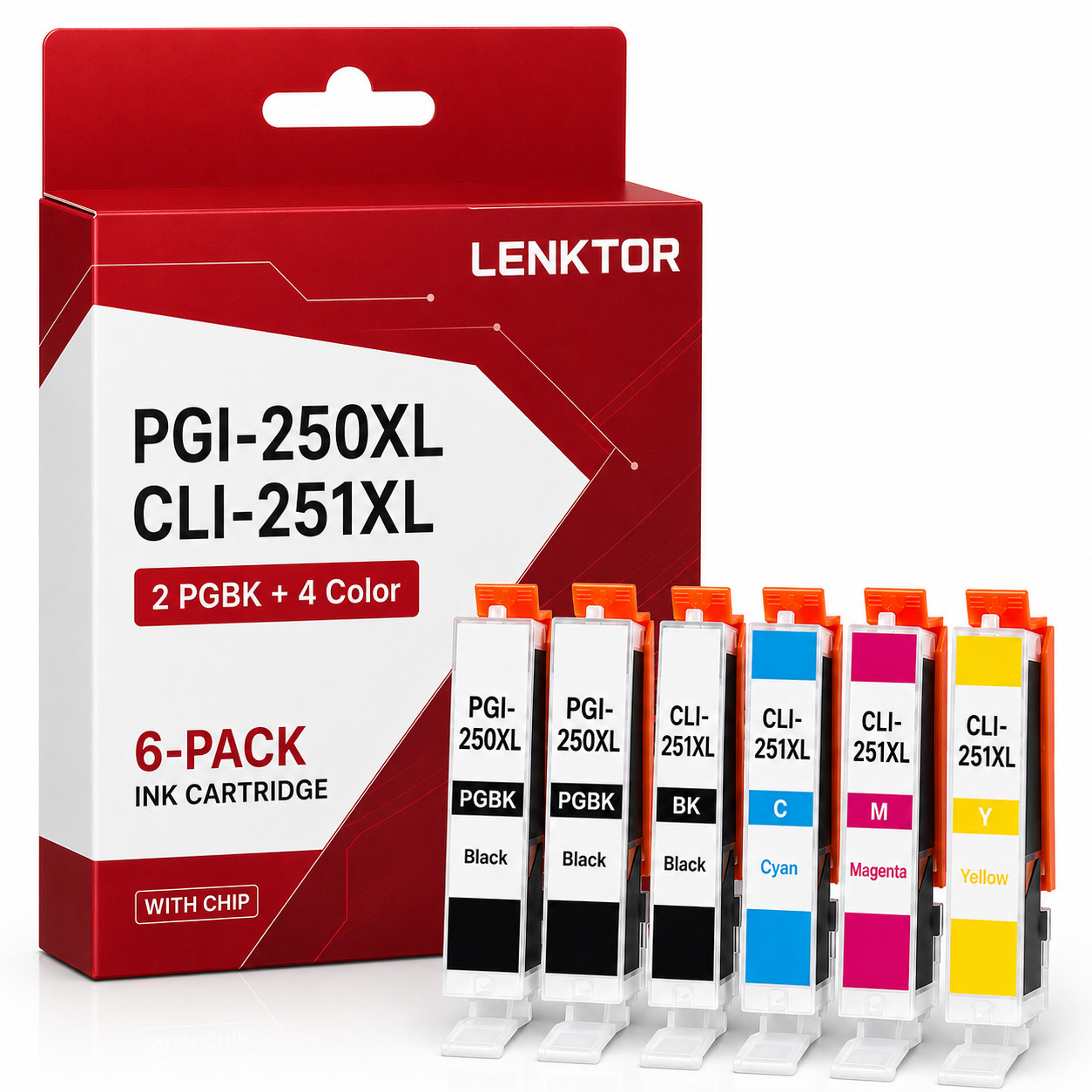
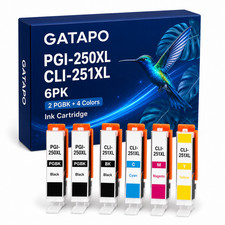
Work as OEM, Cheaper than OEM6 Pack PGI-250XL / CLI-251XL High Yield Ink Cartridge Set (2 Large Black PGBK + 1 Small Black BK + 1 Cyan + 1 Magenta + 1 Yellow):
2 x PGI-250XL Large Black (PGBK) High Yield Ink Cartridge
1 x CLI-251XL Small Black (BK) High Yield Ink Cartridge
1 x CLI-251XL Cyan High Yield Ink Cartridge
1 x CLI-251XL Magenta High Yield Ink Cartridge
1 x CLI-251XL Yellow High Yield Ink CartridgeType: Ink Cartridge
Condition: Brand New(NON OEM)
Chip: With Chip
Features: Premium high yield ink set — pigment large black (PGI-250XL) for crisp documents, dye-based small black + CMY (CLI-251XL) for vibrant photos and graphics on Canon PIXMA MG / MX / iP / iX series color inkjet printersPrinter model compatible with ink:Core Compatible Models (Canon PGI-250XL / CLI-251 Value Pack official compatibility):
PIXMA MG5420, MG5520, MG5620, MG6320, MG6420, MG6620, MG7120, MG7520
PIXMA MX722, MX922
PIXMA iP7220, iP8720, iX6820Extended Market-Verified Compatible Models:
PIXMA MG5422, MG5500, MG5522, MG5600, MG5622, MG6350, MG7150
PIXMA MX920, MX925
PIXMA iP7250, iP8750, iX6850LENKTOR offers ongoing deals and brand new products!
Why Choose us?
[Superior Printing Quality]
Our products are manufactured with advanced equipment to maintain the highest standards, providing clear and vivid content for your pages.[Strict Quality Control]
We always strive to provide you with the best products. We scrutinize our entire product line to ensure compatibility and reliability.[Safe Packaging]
We use separate vacuum sealed packaging to avoid damaging the items during transportation.
It is worth mentioning that there are differences between the product packaging in the pictures and the actual goods received.[Reliable transportation]
Once we receive your payment, your order will be shipped within 2 business days.
All items ship out as fast as possible from multiple warehouses around the country. We offer free shipping and free returns for most areas.
⚠️ Important Compatibility Note:
This 6-pack contains 2 × PGI-250XL Large Black (PGBK) + 1 × CLI-251XL Small Black (BK) + 1 × CLI-251XL Cyan + 1 × CLI-251XL Magenta + 1 × CLI-251XL Yellow. The PGI-250XL is the high yield version of the PGI-250; the CLI-251XL is the high yield version of the CLI-251 — both share the same physical slot and are fully interchangeable with the standard yield versions .Canon's official PGI-250XL / CLI-251 Value Pack (SKU 6432B017) lists compatibility as "MX722, MX922, MG6320, MG5620, MG5520, MG5420, MG7520, MG7120, MG6620, iX6820, iP7220, iP8720" . B&H Photo Video's authorized Canon listing confirms the same core compatibility: "PIXMA iP7220, iP8720, iX6820, MG5420, MG5520, MG5620, MG6320, MG6420, MG6620, MG7120, MG7520, MX922" . Inkojet's market verification extends compatibility to include MG5422, MG5450, MG5500, MG5522, MG5550, MG5622, MG6350, MG7150, MX920, MX925, iP7250, iP8750, iX6850 .This is a NON-OEM replacement product, not manufactured by Canon.🔴 This 6-pack does NOT include the CLI-251XL Gray cartridge. For PIXMA MG6320, MG7120, MG7520, and iP8720 — these printers have a 6-cartridge bay that includes a Gray slot. This 6-pack provides 2 PGBK + 1 BK + C/M/Y (no Gray). Your printer will still work with this set, but the Gray slot will remain empty (or use your existing Gray cartridge). If you require a complete 6-color set with Gray, please search for our "PGI-250XL / CLI-251XL 6PCS with Gray" listing .🔴 Installation & Firmware Notice:
Your Canon printer may display "Non-Canon Ink" or "Cartridge Problem" prompts after installing third-party ink. This is normal behavior for PGI-250XL / CLI-251XL compatible cartridges. To proceed:
1. Press OK / Continue / Accept on the printer's control panel to dismiss the prompt
2. The ink level indicator may show a question mark (?) or may not accurately track remaining ink — this is expected with non-OEM chips and does not affect print quality; check actual ink level via your computer's ink volume bar
3. If a single cartridge is not recognized, remove and reinsert it slowly into the slot until it clicks firmly
4. Do NOT touch the gold chip contacts or the ink nozzles
5. To prevent future firmware-related blocking, disable automatic firmware updates on your printer 🔴 IMPORTANT: Ink cartridge only — NOT a print head. The print head is built into your Canon PIXMA printer, not the cartridge. Do NOT attempt to remove any part of the cartridge that appears different from OEM.Please verify your exact model is one of the PIXMA MG / MX / iP / iX series printers listed above before ordering.After sales service:
We promise to provide 100% quality and satisfaction! No matter If you have any questions or encounter a defective product, Before taking any action, please contact us through . Our customer service team is committed to promptly answering all your questions.