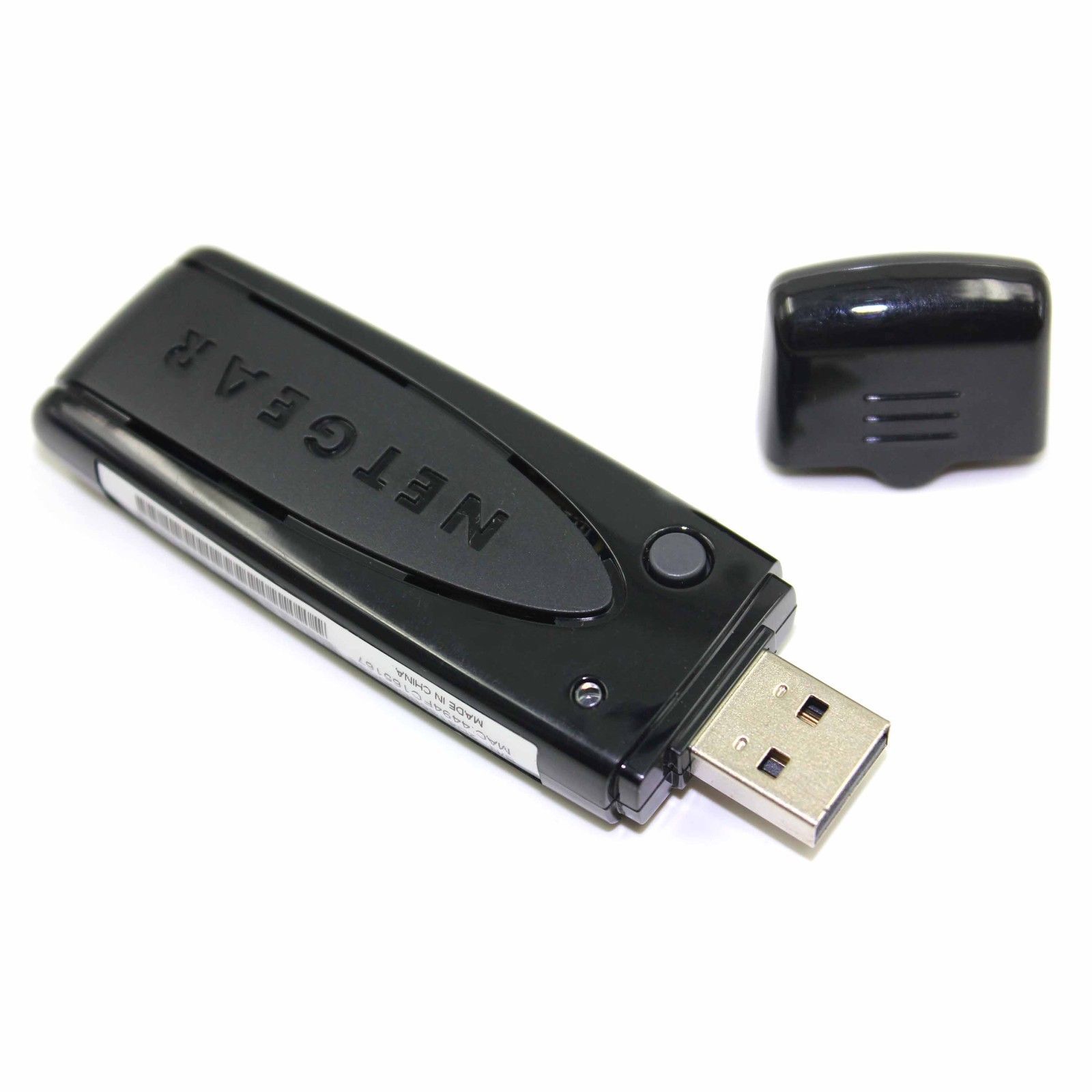
Attention:Panasonic Endorsed Netgear Built TV Version DY-WL10 Wifi Adapter (Exact Chipset as Panasonic Cube version but for TV's ONLY) .This item will NOT work with any BLU-RAY Players. there is 2 kind of DY-WL10, this list is forDY-WL10PP-K ONLY!
Description:The RangeMax Dual band wireless N Adapter allow you to stream internet content directly to your television via your homework.The NETGEAR RangeMax Dual Bang Wireless N USB Adapters are compatible with the following Panasonic TVs. Compatible with: ( United States, Canada, and Puerto Rico )TC-P65VT25 / TC-P58VT25 / TC-P54VT25 / TC-P50VT25 / TC-P50VT20 / TC-P50GT25 / TC-P42GT25 / TC-P54G25 / TC-P50G25 / TC-P46G25 / TC-P42G25 / TC-P54G20 / TC-P50G20 Europe (UK) TX-P50G20B / TX-P46G20B / TX-P42G20B / TX-L42D26B / TX-L42D25B / TX-L37D25B / TX-L32D26B / TX-L32D25B / TX-L37D28BS / TX-L32D28BS / TX-L32D28BW / TX-L32D28BP Europe (Others) TX-P50G20ES / TX-P50G20E / TX-P46G20ES / TX-P46G20E / TX-P42G20ES / TX-P42GS21 / TX-P42G20E / TX-P42GF22 / TX-PF50G20S / TX-PF46G20S / TX-PF42G20S / TX-P50GW20/ TX-P46GQ21 / TX-P46GW20 / TX-P42GN23 / TX-P42GT24 / TX-P42GW20 / TX-L42D25L / TX-L42D25E/ TX-L37D25E / TX-L32D25E / TX-L37D28ES / TX-L37D28EW / TX-L32D28EP / TX-L32D28EW / TX-L32D28ES / TX-L42G20ES / TX-L42G20E / TX-L37G20ES / TX-L37GS21 / TX-L37GT24 / TX-L37GW20/ TX-L37G20E / TX-L37GF22 / TX-L37GN23 / TX-L32GN23 / TX-L32G20ES / TX-L32GT24 / TX-L32GF22/ TX-L32GW20 / TX-L32G20E / TX-L32GS21 / TX-LF42G20S / TX-LF37G20S / TX-LF32G20S For Panasonic US models Connect it into a USB port of TV and wait a few seconds for the drivers to automatically install. On your TV remote, press Menu. From the menu on the TV, select Setup and hit OK. Select Network settings. Select Wireless Network. Select a connection method and follow the directions on screen to complete setting.Connection methods
WPS using push button: WiFi Protected Setup (WPS) using a push button. WPS using PIN number: PIN will be displayed on TV screen so you can enter on the access point. Search for wireless network: select an AP from the list and configure settings as instructed on screen. Manual settings: manually enter the SSID, security and encryption type to match the settings of the AP. Note: When connecting by 11n (5 GHz), select "AES" as the encryption type. In some cases, when you insert wireless adapter for the first time - you might see "Continue with wireless network connection setup? Yes or No" message. Select Yes and follow step 6 above
For Panasonic EU models Connect WNDA3100v2 into a USB port of TV and wait a few seconds for the drivers to automatically install. Note: Software in the WNDA3100v2 CD is not needed in this case. Select Yes to "Start wireless LAN connection setup?" Select from the following connection types and continue the directions on screen to complete settingConnection types WPS (push button) Search for access point Before you offer,please make sure it can work with your tv first.Usually you can read yout tv user manual or get help from Panasonic customer service.
Package:1 x wireless cardShipping Ways:Economy Int'I Shipping: Not with a tracking number15-45 business days to arrive (not in busy season).ePacket or Standard Int'I Shipping: with a tracking numberWe recommend to choose ePacket for the US address,it take less days to arrive.We recommend to choose the Standard Shipping way for address in Russia,Brazil,Chile,New Zealand,Mexico,South Afica,Asia countries and small countries. it help to make your package not be lost.Return PolicyPlease contact us to request a return authorization.A new replacement or refund will be made immediately when the item received back.Shipping, handling and insurance fees are non refundable.responsePlease Do Not Leave Negative response Before Contacting us about the problem.We will try our best to resolve the issue. we guarantee you a satisfaction solutionIf you are satisfied with the item, be sure to leave us a Positive response.