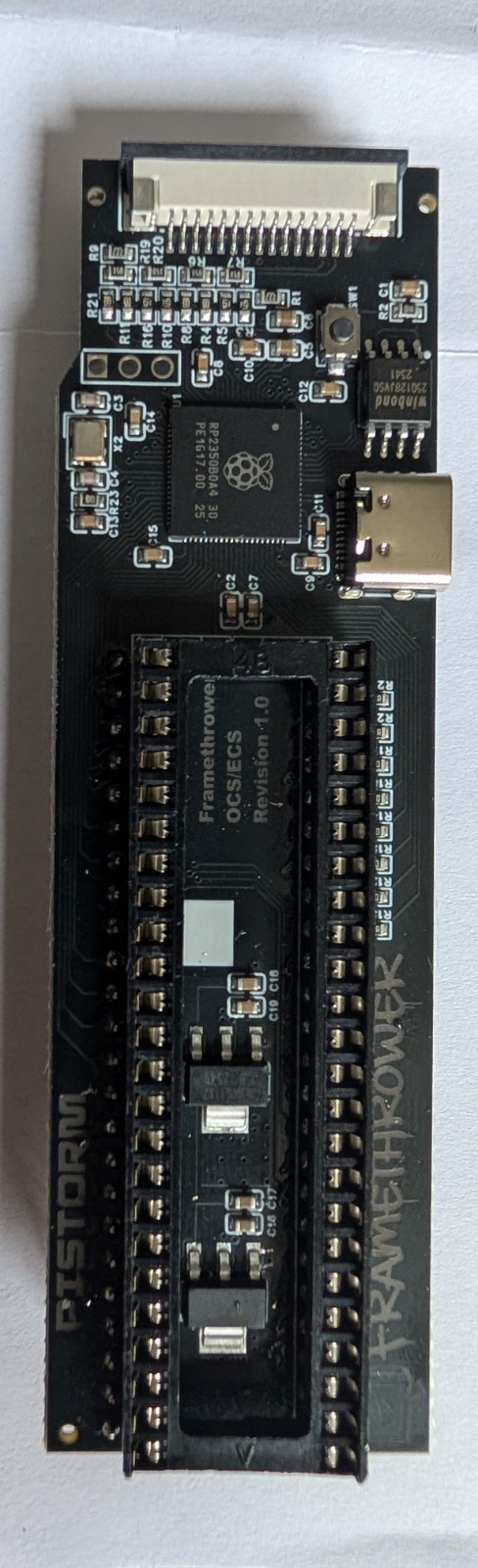
PiStorm Framethrower Black PCB Amiga 500 2000 A500 A2000 HDMI RTG Denise RP2350 For Sale
When you click on links to various merchants on this site and make a purchase, this can result in this site earning a commission. Affiliate programs and affiliations include, but are not limited to, the eBay Partner Network.
Stop juggling two monitors. The PiStorm Framethrower (Black PCB) is the must-have add-on for any PiStorm-accelerated Amiga, combining native chipset graphics and RTG output into a single, clean HDMI signal — no RGB2HDMI dongle required.
✅ WHAT THIS SOLVES
PiStorm users have always needed separate video outputs for native Amiga screen modes (games, demos, classic Workbench) and the accelerated RTG desktop. The Framethrower eliminates that entirely — everything through one HDMI port.
🔧 HOW IT WORKS
Installs into the Denise chip socket on your Amiga motherboard (OCS/ECS machines)
Your original Denise chip plugs directly into the Framethrower
A 15-pin FPC cable connects the board to the CSI port on your Raspberry Pi
The RP2350 microcontroller samples the Amiga video signal and converts it to a MIPI CSI-2 datastream
The Raspberry Pi outputs everything over its existing HDMI port — native graphics and RTG combined
📋 SPECIFICATIONS
PCB colour: Black
Microcontroller: RP2350 (dual-core ARM Cortex-M33 / RISC-V)
Interface: MIPI CSI-2 via 15-pin 1.0mm pitch FPC cable
Requires: PiStorm accelerator + Raspberry Pi (not included)
Firmware update via onboard USB-C interface (no drivers needed)
Open-source project by Claude Schwarz (@Claude1079)
📦 WHAT'S INCLUDED
1x PiStorm Framethrower Black PCB (SMD assembled)
Raspberry Pi, PiStorm board, Denise chip, and FPC ribbon cable are NOT included.
⚠️ IMPORTANT — PLEASE READ
Requires an existing PiStorm 500 or PiStorm 2000 accelerator with a Raspberry Pi 3A+ or compatible
For OCS/ECS Amigas only — AGA (A1200/A4000) version is a separate product
FPC cable not included — you will need a 15-pin 1.0mm pitch FPC ribbon cable. Note that some Raspberry Pi models use a 20-pin CSI connector and will require a 20-to-15 pin FPC adapter — please research your specific Pi model's CSI port before purchasing to ensure compatibility
Firmware configuration requires editing cmdline.txt on your Emu68 SD card
For best results, set HDMI output to 50Hz for PAL Amigas