 When you click on links to various merchants on this site and make a purchase, this can result in this site earning a commission. Affiliate programs and affiliations include, but are not limited to, the eBay Partner Network. When you click on links to various merchants on this site and make a purchase, this can result in this site earning a commission. Affiliate programs and affiliations include, but are not limited to, the eBay Partner Network.
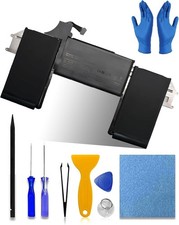
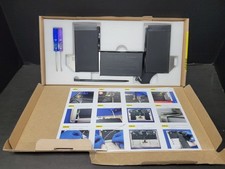
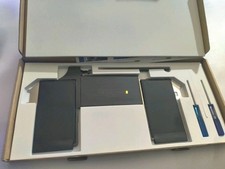
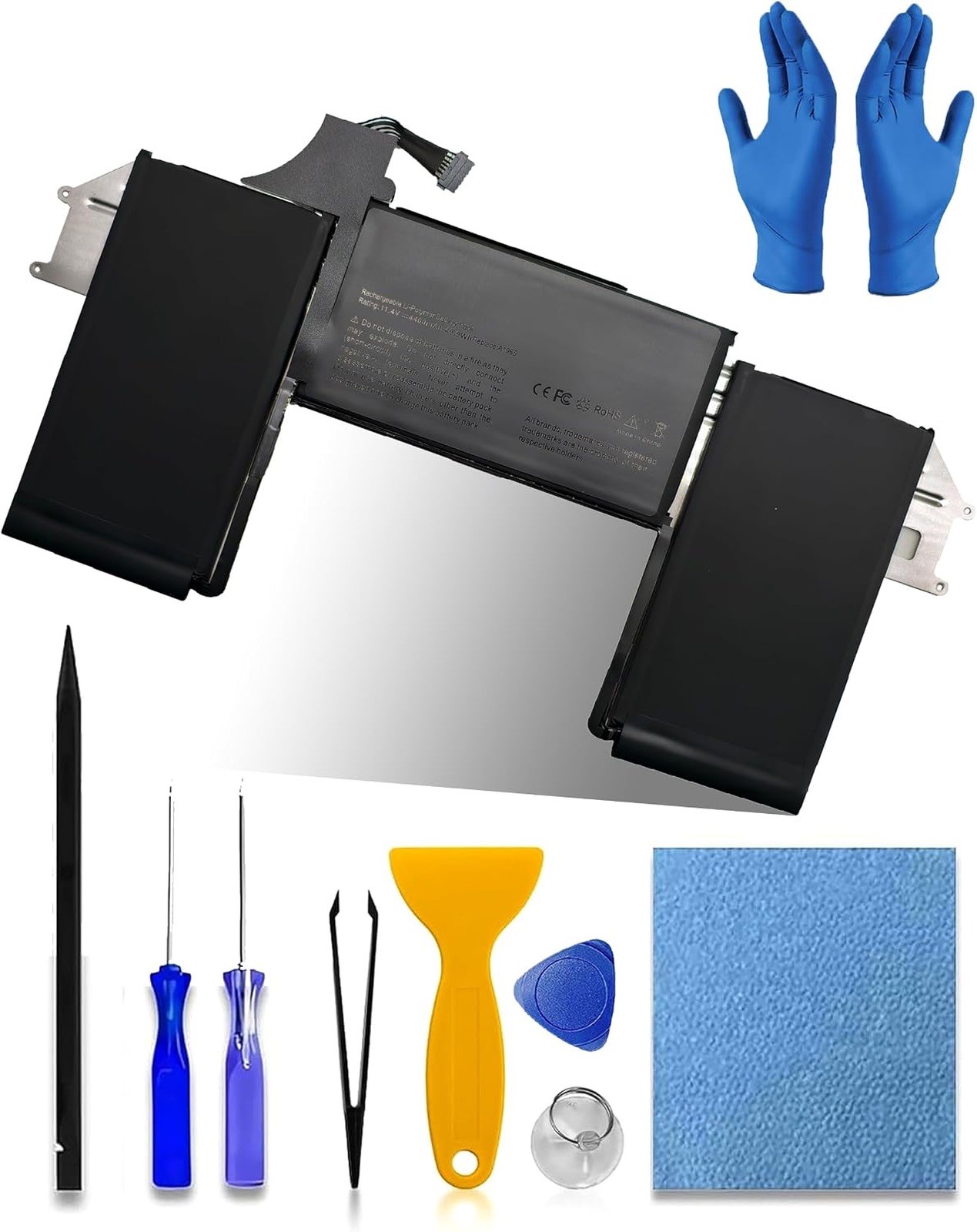
Brand new condition in original packaging, never installed, never used in any way!Please see photos of the actual item for sale right after the manufacturer's stock pictures for more details. You'll get exactly the item and accessories that are shown on the photos, nothing more and nothing less. Shipping is super fast and safe from the US, California - all products are bubble wrapped, lined with lots of packaging material, and securely boxed. I promptly pack and ship with great care to guarantee the fastest and the safest delivery of the product to you. All sales are final and returns are not accepted, please make sure to read the detailed description carefully, inspect actual photos of the product, ask all questions and clarify concerns you might have before placing your order. Thank you for looking and happy shopping :). Cheers! bossfulton A1965 A2179 A1932 Battery Replacement for MacBook Air A2179(2020) 13-inch A1965 Battery, Model A1932 EMC 3184 (Mid 2018, 2019) Model A2179 EMC 3302 (2020 Release Version) - 49.9Wh Number of Batteries1 A batteries required.BrandbossfultonBattery Cell CompositionLithium IonRecommended Uses For ProductLaptopUnit Count1 Count About this item - 【Premium A1965 Battery Specifications】①Battery Model:A1965 , ②Capacity: 49.9Wh 4400mAh , ③Voltage: 11.4V. Battery Type: Li-Polymer; 100% brand new from manufacture.④100% compatibility with the original A1965 batteries for MacBook Air 13" model A1932 A2179. Replacement for MacBook Air A2179(2020) 13-inch A1965 Battery.
- 【Compatible Battery Part Number】A1965 Battery Replacement for MacBook Air A1965 020-02459 A1932(EMC 3184) A1965(3ICP4/63/119) A2179(EMC 3302) 020-02455 661-11676 Laptop Battery
- 【Compatible Laptop Models】A2179 A1932 Battery Replacement for MacBook Air 13" 13.3" Late 2018 2019 A1932(EMC 3184), Early 2020 A2179(EMC 3302) A1965 Notebook Battery (Please verify the model number on the bottom of your notebook (A****). This product is not compatible with model A2337.)
- 【Compatible Laptop Models】Replacement for MacBook Air 13" (Model A1932 & Model A2179) Release 2018 2019 2020, fit for MRE82LL/A, MVFH2LL/A, MVFM2LL/A, MVFK2LL/A, MVFJ2LL/A, MVFN2LL/A, MVFL2LL/A, MREE2LL/A, MREC2LL/A, MREA2LL/A, MREF2LL/A, MRE92LL/A, MWTJ2LL/A, MVH22LL/A, MVH52LL/A, MVH42LL/A, MWTL2LL/A, MWTK2LL/A.
- 【Advanced Safety & Certified Protection】Backed by UL, CE, FCC, and RoHS certifications, it meets the highest global standards for performance, safety, and environmental compliance. For added protection, it features an advanced multi-protection circuit board (PCB) that safeguards against overcharging, over-discharging, short circuits, and overheating.
- 【What You Get】A complete package for easy installation: ① One Laptop Battery, One screwdriver set , One User Manual; ②For your peace of mind, we offer 30-day returns and a 12-month replacement warranty. Our customer support team (responding within 24 hours) is always ready to assist. ③Visit our product page for more details, and don't hesitate to contact us if you need help. ④Note : Please be advised that the standard return window on Amazon closes after 30 days. If you encounter any issue with your battery, please contact us directly by visiting the "Your Orders" section and selecting the "Contact Seller" option for prompt assistance.
Product Description How to Choose the Right Battery for Your Laptop? Method 1: Using System Information to Find Your Laptop Model1. Open the Run Window: Press the “Windows + R” keys simultaneously to bring up the Run window.2. Access System Information: Type “msinfo32” into the input box and click “OK” to launch the System Information tool.3. Locate the System Model: In the “System Summary” section, you will find the “System Model” item listed in the right pane. This will provide you with the exact model of your laptop, which is crucial for identifying the compatible battery. Method 2: Checking the Battery and Laptop Model Directly1. Power Off and Unplug: Before you begin, ensure that your laptop is turned off and the power cord is disconnected to avoid any risk of electric shock.2. Remove the Back Panel: Carefully use a screwdriver to remove the back panel of your laptop. Please proceed with caution to prevent any damage to the internal components.3. Disconnect and Remove the Battery: Gently disconnect the cable attached to the battery and remove it from the laptop. Once the battery is out, you can easily check its specifications, including the type, capacity, and model number.A1965 batteries for MacBook Air 13" (Model A1932 & A2179) Release 2018 2019 2020 Specifications A1932 A2179 Battery Battery Model: A1965 Battery Capacity: 49.9Wh 4379mAh Battery Voltage: 11.40V Battery Cells: 4-Cell What's in the box: 1* battery + 1* instruction manual + 1* screwdriver kit Condition: Grade "A" cells,100% brand New from Manufacturer Battery life: With a cycle at least 500+ cycles Battery Type: Rechargeable Battery Replacement Part Number: A1965 Battery Replacement for MacBook Air A1965 020-02459 A1932(EMC 3184) A1965(3ICP4/63/119) A2179(EMC 3302) 020-02455 661-11676 Laptop Battery Compatible with Laptop: Replacement for MacBook Air 13" (Model A1932 & Model A2179) Release 2018 2019 2020, Compatible with Laptop: fit for MRE82LL/A, MVFH2LL/A, MVFM2LL/A, MVFK2LL/A, MVFJ2LL/A, MVFN2LL/A, MVFL2LL/A, MREE2LL/A, MREC2LL/A, MREA2LL/A, MREF2LL/A, MRE92LL/A, MWTJ2LL/A, MVH22LL/A, MVH52LL/A, MVH42LL/A, MWTL2LL/A, MWTK2LL/A. (Please kindly check the model number at the bottom of your laptop (A****). NOT FIT FOR MODEL A2337) EMC Applicable number: EMC 8301 Maintenance tips for laptop batteries: 1. New Batteries: When using a new battery, fully activate the battery by discharging it to 5% (not 0%) and then recharging it to 95% 3-4 times.2. Overuse: Do not always use the battery at 0%, as this may damage the battery or shorten its life.3. Charging sequence: When charging, install the battery first, then turn on the power, when fully charged, cut off the power first, then unplug the power.4. Long-term storage: Please store the unused batteries fully charged (charging once a month), do not store them at low battery level, which may shorten the life of the batteries.5. Charger: Please do not change the laptop adapter arbitrarily, do not connect the adapter for a long time when using the battery, if the original adapter can not be used due to malfunction or damage, please change the model to avoid reducing the life of the battery due to incompatibility. Handle any situation easily and effortlessly!Why does my laptop not recognize this battery? - It may be caused by a missing battery. Please reinstall the battery and make sure the battery connection cable is plugged tightly with the motherboard connector.
- It may be due to damage to the conductive material at the positive and negative contacts between the laptop motherboard and the battery, you can try to confirm with the original battery.
- Check whether the battery driver is normal, if not, please download the appropriate driver software to update.
Tips for installing a new battery: - A free removal kit is included in the package, you need to turn off your laptop and disconnect the power.
- Remove the old battery, carefully install the new battery on the battery compartment and connect the wires of the new battery.
- If you still don't understand the above steps, you can go to YouTube/official website to search for videos about laptop battery installation, which may help you.
Laptop Battery Instructions: - Upon receipt of the battery, first check if the battery size is the same as the original battery. When installing the battery, please pay attention to whether the battery connecting cable is fixed firmly. If the battery connecting cable is not installed correctly, the battery may not be charged.
- If you use the battery for the first time after installing the battery, please do not charge the battery immediately, first use the battery to 10-20%, then charge the battery and cycle charging 5-6 times to activate the battery's maximum usage space.
- It is recommended that you search for battery disassembly tutorials on the Internet or seek the help of professional technicians in advance. We are not responsible for any damage caused by improper operation.
Premium Performance & Safety: - OEM-Equivalent Quality: Manufactured to meet or exceed original equipment standards for reliable, drop-in replacement.
- Grade A Lithium Cells: Built with top-tier cells for stable output, higher energy density, and extended cycle life.
- Complete Protection: Integrated circuit safeguards against overcharge, over-discharge, short circuit, and overheating.
- Optimized Power Experience: Engineered for longer runtime per charge and supported by efficient charging technology.
- Hassle-Free Installation: Designed as a direct fit for simple, tool-minimized setup within minutes.
Product ImagesProduct Information Item detailsNumber of Batteries1 A batteries required.BrandbossfultonModel Number45N1775Model Anker Weilan Technology Co.Warranty Description1 YEARASINB0G3KG9NMMFeatures & Count1 CountBattery Weight8 ouncesItem Dimensions11.42 x 5.91 x 0.16 inchesUser guideLocationLaptopAdditional detailsBattery Cell TypeLithium Ion What’s in the box - 1*A1965Laptop Battery
- 1* Screwdriver Set
- 1* User Manual
*** Important Disclaimer ***I'm doing my best to describe the product listed for sale as detailed as possible for your convenience. Please read carefully the product’s description provided by the manufacturer. The stock images that are shown before the actual product photos belong to the manufacturer of the product. I'm not a distributor, or a reseller, and not affiliated with the manufacturer of this product. The stock images and the description are based on materials provided by its original manufacturer and for information purposes only. I do not test the product to confirm its features and specifications listed by the manufacturer and I cannot provide you with product support or warranty service. If there are any discrepancies in the manufacturer’s description or stock photos of the product, I cannot be held responsible for it and will not be able to accept returns for this reason. I repeat, please read the description carefully, do your own research, inspect the actual photos of the product offered for sale, and ask any additional questions before placing an order. I will be happy to assist with any inquiries. Thank you for (GS 9.9.5 (1736))  |
|