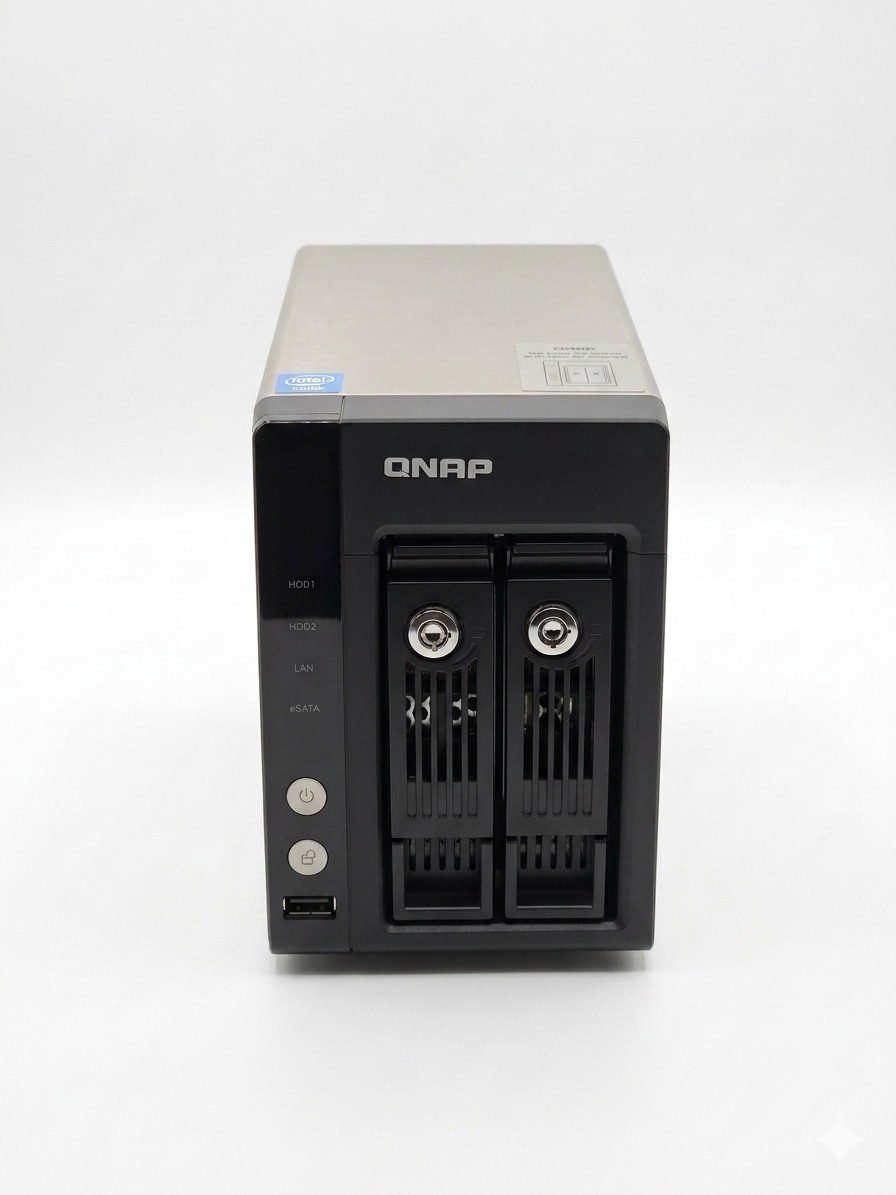
FTP/SAMBA Testing Method: Connect the TS-259 Pro+ and PC to switch, upload/download 5GB File without Jumbo Frame, FTP Tool: File Zilla
Enable this option to power on Turbo NAS remotely by Wake on LAN.HDD Stand-by ModeSave power consumption by enabling this option to make HDD enter stand-by mode if there is no access within the specific period.
Scheduled Power On/OffYou can create schedules to automatically turn on, turn off, or restart the NAS. Up to 15 schedules can bet set.
Abundant Business FeaturesTurbo NAS provides diversified server applications in the business environment.
You can set up Turbo NAS as an FTP server and share the files conveniently with your friends or customers.2Encrypted Remote Replication
The data on Turbo NAS can be backed up to or from other Turbo NAS or Rsync servers over the network.3File Server
Turbo NAS allows file sharing across Windows, Mac, Linux, and UNIX platforms. It also supportsWebDAVfor you to access the share folders via HTTP/HTTPS protocol remotely.4Printer Server
The Turbo NAS supports maximum 3 USB printers for network (LAN/WAN) printing.5Backup Server
Turbo NAS offers you the most complete backup solution with Apple Time Machine support, remote replication to an Rsync server, Windows client backup software NetBak Replicator, and third party backup software support, and so on.6Virtual Host Supported Web Server
You can host multiple websites on Turbo NAS with the built-in web server and virtual host feature. The NAS supports PHP, MySQL, HTTPS connection, and SSL authentication. It is the ideal solution for you to create your own websites, e-shops, blogs, content management system (CMS), wiki, and so on.7Surveillance Station
You can connect to maximum 2 IP cameras via Turbo NAS and set up a video surveillance system with comprehensive monitoring, recording, and playback features.8IPv6
Turbo NAS supports IPv6 (Internet Protocol Version 6) which makes your NAS a dual-stack IP host running IPv4 and IPv6 at the same time.Advanced RAID Management with Hot-swap Design
Turbo NAS offers RAID 0, 1, single, and JBOD disk configurations. It also supports hot-swap design that a failed member drive of a RAID configuration (RAID 1 or above only) can be replaced by hot swapping without turning off the server.
Online RAID Capacity ExpansionThe storage capacity of a RAID configuration can be expanded by replacing the larger hard drives. All the data will be kept and seamlessly moved to the newly installed hard drives without turning off the server.
You can upgrade the disk configuration to higher RAID level with the data retained without turning off the server.
The NAS offers complete backup solution for data protection, including cloud-based storage backup (Amazon S3,ElephantDrive),Apple Time Machine support,encrypted remote replication,Real-time Remote Replication (RTRR), third party software backup, one-touch-copy backup and QNAP exclusive Windows-based utility NetBak Replicator. You can choose different backup modes for redundant data backup.
- Cloud Storage Backup
The Turbo NAS supports Amazon S3 and ElephantDrive online backup and storage services. You can perform scheduled and real-time backup and access your data easily on the Internet. - Windows Client Backup Software - NetBak Replicator
QNAP NetBak Replicator is a utility provided for you to back up the files and folders from Windows PCs to Turbo NAS and restore the data. This software supports instant data backup and recovery, file filter, scheduled backup, and more. - Third-party Backup Software
The NAS is compatible with popular third-party backup software, for example, Acronis True Image, CA BrightStor ARCserve Backup, EMC Retrospect, and Symantec Backup Exec. - Remote Replication by Rsync
The data stored on the NAS can be remotely backed up to another QNAP Turbo NAS or to Rsync servers by Rsync over the network. - Real-time Remote Replication (RTRR)
Apple Time Machine Backup and Management
Mac users can back up data from MacBooks to the NAS via Time Machine. This feature largely saves the storage space of your MacBooks. You can also specify the storage space dedicated to Time Machine backup on the NAS and manage the backup data easily via the web-based administration interface. - You can configure the one-touch-copy button on the front of the NAS to copy the data from the NAS to an external storage device or vice versa. The NAS supports EXT3/EXT4; NTFS and HFS+ file systems for high speed data transfer and enhanced compatibility between the NAS and Windows PC or Mac OS X.
The NAS supports EXT3, EXT4, NTFS, and HFS+ file systems for high speed data transfer and enhanced compatibility between the NAS and Windows PC or Mac OS X.
File SystemQNAP NASOther NASEXT4, EXT3FAT32High-speed NTFSHFS+: Lower speed
You can integrate the NAS to an existing VLAN on a virtualization infrastructure and configure the NAS as the storage system of other VLAN devices.
By enabling VLAN on the NAS, only the devices with the same VLAN ID can access the NAS.
Wireless LANQNAP NAS supports USB wireless dongles for flexible and secure deployment in wireless network environment. You can securely connect the NAS to a wireless network with a compatible b/g/n USB Wi-Fi adapter.
Practical System and Authority Control Management ToolsInstant SMS and Email Alert
You can configure the SMTP server and SMSC server settings on the NAS in order to receive instant system warning or error messages by email and/or SMS.SNMP (Simple Network Management Protocol)
You can collect the information, warning or error of the NAS and send to maximum 3 SNMP servers for centralized management and real-time monitoring.Comprehensive Event Log System
The fan rotation speed is automatically adjusted according to the server's temperature. You can also define the system temperatures to trigger high speed or low speed fan rotation. By manually setting the fan rotation speed, the fan will rotate at the defined speed continuously.Policy-based Automatic IP BlockingTo prevent the NAS from malicious attacks, you can create an IP filter policy to allow, deny, or auto-block the IP address or network domain which attempts to connect to the NAS via Export User
The user accounts can be imported and exported in batch (BIN file) between different QNAP NAS servers.
Syslog SettingsAll the system event logs and connection logs can be saved to a remote Syslog server.
Detailed System InformationYou can view the system status, such as CPU usage, total memory, free memory, packets received, packets sent, error packets, system up time, CPU temperature, system temperature, hard disk drive temperature, and system fan speed.
AES 256-bit Volume-based Data EncryptionThe disk volume with AES 256-bit encryption can only be accessed by an authorized encryption password or key. This prevents the NAS data from unauthorized access and data breach even if the hard disk drives were stolen.
*The data encryption functions may not available in accordance to the legislative restrictions of some countries.
DOM Architecture and Fail-safe Dual OSTwo operating systems are built on the DOM of Turbo NAS for system booting alternatively upon every system startup. When one fails, the other one will be used to boot up the NAS, and the failed OS is recoverable from the other healthy OS.
Windows Active Directory (AD) AuthenticationYou can import the user accounts* from a Windows AD domain to the NAS to let the domain users access the domain and the NAS with the same login settings. The NAS also supports setup of large amount of users and user groups.
Shared Folder Aggregation
You can easily access the share folders of other servers on Microsoft Networking through the "portal folder" on Turbo NAS. This saves your time and effort to login different servers one by one.
The host-based permission control of QNAP NAS prevents unauthorized hosts (computers, servers) to access to the NAS folders via Microsoft Networking. You can specify the allowed access by host name, IP address or network.
Advanced Folder PermissionThis feature allows multiple Turbo NAS servers on the same physical network to be protected by a single UPS via receiving UPS notification about abnormal power supply.
MyCloudNAS ServiceWeb File ManagerTurbo NAS provides a web-based management interface Web File Manager for you to access and manage the server data anytime, anywhere by a web browser. Web File Manager supports intelligent data search, batch files upload and download, file extraction, and so on. With the support for encrypted data transfer and access control management on the NAS, you can access and share the data by Web File Manager securely.
ISO CD/DVD Archiving and SharingTurbo NAS supports mounting ISO images of CD and DVD discs as network shares for data archiving, storage, and sharing. This feature saves the space for storing the physical discs, reduces the risk of data loss caused by disc wearing and tearing, and enhances the performance of data sharing on a business network.
Multimedia StationQNAP offers a free multimedia application QMobile for users of iPhone and Android handsets to carry all the multimedia files on the NAS in their pocket. You can stream videos, watch and upload digital pictures, play music that are stored on the NAS over the network and share your music playlists with other iPhone or Android phones users.
Download Station&QGetQNAP NAS features Download Station for high-speed BT, HTTP (including RapidShare support), and FTP download without PC. RSS download (broadcatching) is also supported for automatic BT download.
QGet is a powerful utility which can be installed on any Windows or Mac computers to manage the download tasks of multiple Turbo NAS servers remotely (LAN/WAN).
Software Expansion viaQPKGYou can maximize the usage of Turbo NAS by installing additional QPKG software packages developed by the users and community worldwide.