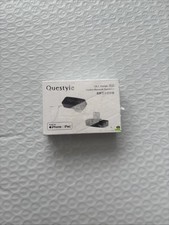
Upgrade your wireless audio setup for movies, gaming, and music on iPhone, iPad, PC, Mac, and consoles. Enjoy low latency, superior stability, and pristine sound quality.
Bluetooth 6.1 Technology: Features the latest QCC chipset for faster connection speeds, lower power consumption, and maximum signal stability with minimal dropouts, even in high-interference environments.
Broad Codec Support: Compatible with LDAC, LE Audio, LHDC, aptX Adaptive, aptX HD, aptX, and SBC codecs. Matches the optimal format for your device to deliver low latency and rich detail, with built-in LED indicators showing active working status.
Ultra-Low Latency Gaming: Supports low-latency codecs (such as aptX Adaptive and LE Audio) to minimize audio delay and provide clear, high-quality voice uplink for team chat on compatible devices.
Auracast & Multi-Device Sharing: Features Auracast capability to broadcast audio from one USB-C source to multiple compatible Bluetooth headphones or speakers simultaneously.
Official Apple MFi Certified: Guarantees seamless USB-C integration with iPhone and iPad, protecting against unverified accessory risks and ensuring steady performance without extra drivers.
Wide Compatibility: Works with iOS, Android (5.1+), Windows 10 (version 1803+), and macOS without extra driver installation.
Dedicated Mobile App: Manage connections, adjust Bluetooth codec settings, and perform one-click firmware upgrades using the Questyle App.
Please Note:
Headphone Requirement: To use low-latency modes, high-res codecs, or Auracast, your receiving headphones or speakers must also support those specific standards.
Computer/Tablet Setup: To use on Windows, iPad, or Mac, first pair the dongle with your audio device using the Questyle App, plug the USB-C dongle into your hardware, and select it as your output source in system audio settings.






![Questyle QCC Dongle Pro [MFi Certified] USB-C Bluetooth 5.4 Audio Adapter picture](/store/item/img/g/YFcAAeSwihBqxxZ2/s-l225/Questyle-QCC-Dongle-Pro-MFi-Certified-USB-C-Blueto.jpg)
![Questyle QCC Dongle Pro [MFi Certified] USB-C Bluetooth Adapter with LDAC, aptX picture](/store/item/img/g/z1IAAeSwlr9qntSr/s-l225/Questyle-QCC-Dongle-Pro-MFi-Certified-USB-C-Blueto.jpg)
