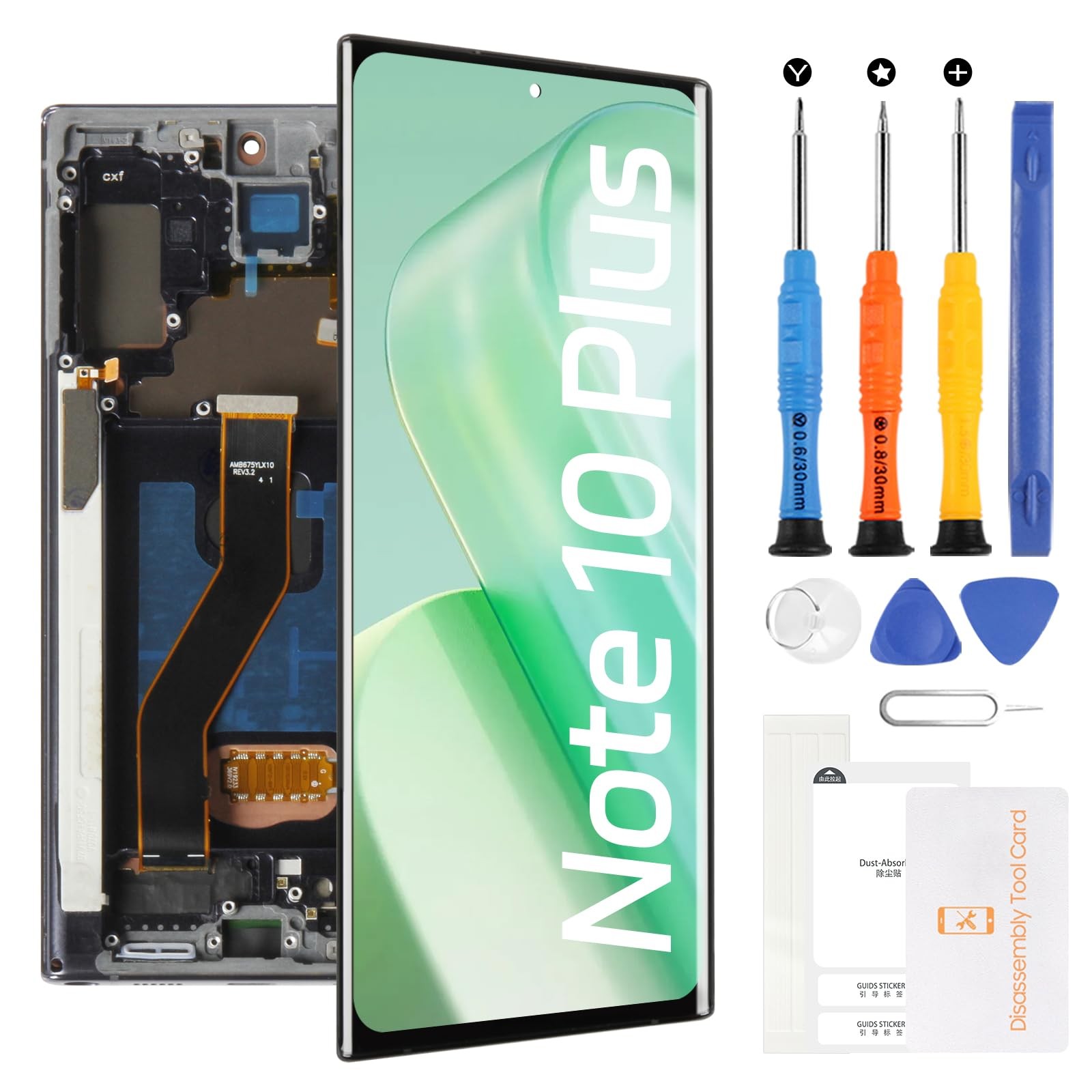
Screen Replacement for Samsung Galaxy Note 10 Plus SM-N975 SM-N976 6.8" Black
Product Details
- 【Reliable Package】:Includes 1 x LCD replacement screen.1 set of replacement tools. Our LCD screens are packed in a sturdy box, which can prevent the LCD screen from being damaged during shipping. And our package comes with all the replacement tools you need. You don't need to purchase additional replacement tools to upgrade your device with confidence.
- 【Installation Guidance Recommended】: To facilitate a smooth installation process, we strongly advise utilizing instructional videos available on platforms like YouTube. If the motherboard or power supply of the unit may be damaged due to improper installation.If this happens then you will need to replace your entire unit. So please be careful with your purchase and installation!
For Samsung Galaxy Note 10 Plus SM-N975 SM-N976 6.8" LCD Screen(Black with Frame)✨ Bring a brand-new visual experience for Samsung Galaxy Note 10 Plus SM-N975 SM-N976 6.8" LCD Screen Replacement! This high-quality LCD screen is not only the perfect solution for repairing a damaged screen but also significantly enhances display performance, making your device feel refreshed and new.High-Definition Display :Utilizing advanced LCD technology, it delivers vivid colors and high contrast, ensuring clear and bright images whether indoors or outdoors, reducing eye strain.Smooth Touch Response :Supports multi-touch with highly responsive touch sensitivity. Whether for daily tasks, gaming, or drawing, it provides a smooth and precise touch experience.Durable and Long-Lasting :Made with premium materials, offering excellent scratch resistance and durability. It ensures long-term use while keeping the screen looking new.Installation Guide :Test the Screen Performance:Before installation, be sure to test the LCD screen to ensure it functions properly. ⚠️ Do not remove the protective film or labels during testing.Anti-Static Protection ⚡:Wear an anti-static wrist strap during installation to prevent static from damaging the electronic components.Disconnect Power :First, disconnect the device's battery connector, then replace the old screen flex cable and connect the new one.Install and Test :After installation, reconnect the charging cable and power on the device. Check the display and touch functionality. If there are any issues, reconnect multiple times if necessary.Report Issues :If problems persist, promptly take photos or videos and contact us. ❌ Do not force the installation.⚠️ Important Note: LCD screen installation requires a certain level of technical skill. Improper installation may cause damage to the device’s motherboard or power system. It is recommended that a professional technician handle the installation to avoid potential risks.