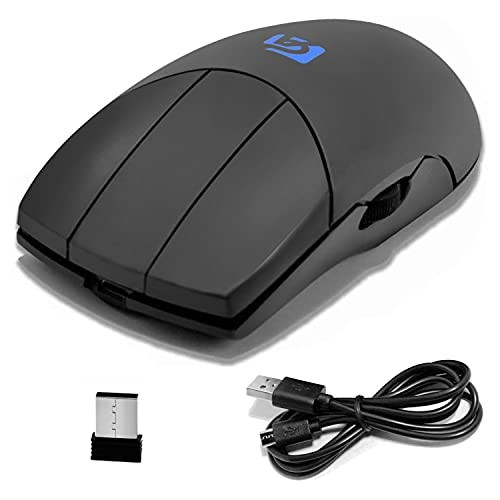
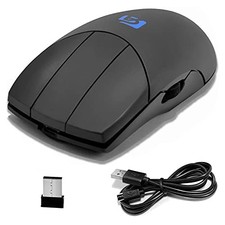
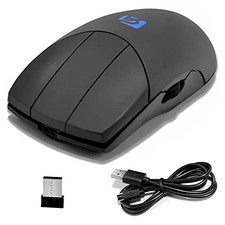
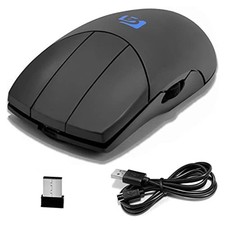
Shengshou 3Button Mouse Side Scroll Wireless 3 Button with Scroll Wheel (Black) Shengshou Description
With a scroll wheel, "scroll", which was the neck of a 3Button mouse, is now possible! Eliminates the hassle of using Excel and the Internet while working on CAD / CAM.
Furthermore, you can perform operations such as "enlarge / reduce" and "select", which are the scroll functions of CAD / CAM software.
Optical wireless 3Button with mouse and scroll wheel. A must-see 3Button mouse for those who do not want to reduce workability.
The scroll wheel is near the thumb and does not interfere with the operation of the middle button.
Among the 3 Buttons, it has a fairly high DPI and works comfortably even on a large screen.
Business description
Specifications:
Green Type: Green LED optical mouse
Connection: Wireless
Size: 120mm x 60mm Thickness 35mm
Weight: Approx. 150g
Resolution: Switch [600, 800, 1000, 1200, 1600dpi] with the button on the back
Battery: Lithium polymer battery
Can be used for 2 to 6 months after full charge
OS:
Windows 10 Windows 8 Windows 7
Windows Vista Windows XP
Windows 2000 Mac OS X
Read more
How to use:
1. Receiver Insert the mouse into the USB of your computer, and after a few seconds, operate the Button or scroll wheel to activate the mouse.
2. After that, if the LED on the back lights up, you can use the mouse normally.
3. The mouse goes into standby if it is not used for 8 minutes. In this case, it does not start by moving the mouse, but by operating the Button or scroll wheel.
4. The maximum connection distance is 15 meters. If you move it too far, the LED on the back will automatically turn off and the mouse will not function, but if you move it too close, you can use it.
5. The battery is a lithium polymer battery. Can be used for 2 to 6 months after being fully charged.
6. The battery has been charged for a trial period, but it is recommended to charge it before using it.