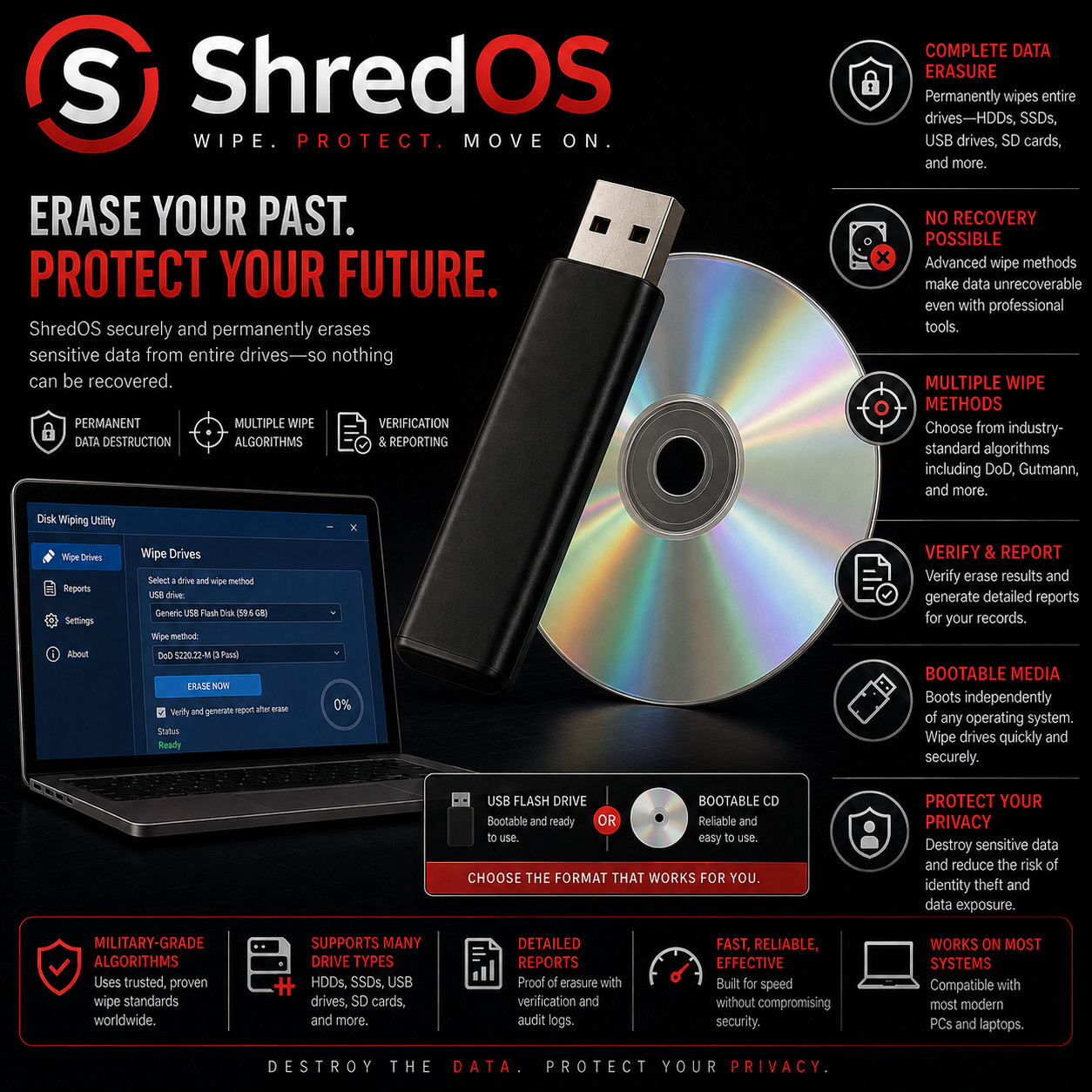
Secure Disk Erasure & Privacy Utility SHREDOS BOOT · SELECT · ERASE · VERIFY · DOCUMENT Erase sensitive data before a computer or drive leaves your hands. Whole-Drive Erasure Verification Options PDF Erasure Reports Choose Your Boot Media — Buyer's Choice Select a bootable USB flash drive for most modern PCs, or a bootable CD-ROM for computers with an optical drive. Both versions boot independently of the operating system already installed on the computer.
ShredOS is a compact bootable disk-erasure environment built around nwipe. Start the computer from the prepared USB or CD, choose the drive or drives you want to sanitize, select an erase method and verification level, and begin the wipe. Because ShredOS runs independently from the computer's installed operating system, it can erase a drive containing Windows, Linux, macOS data, old user profiles, documents, photos, browser data, application files, and partitions without relying on the installed system to be working.
Why This Edition Stands Out 💾 Bootable USB or CD — prepared for you No image-writing setup on your side. The physical media arrives prepared and tested so you can insert it, restart the target computer, choose the boot device, and begin. 🧹 Built specifically for whole-drive erasure A focused environment that boots directly into nwipe. Select one drive or several drives, choose the method, review the settings, then start the erase. 📄 Verification & erasure documentation Verification options help confirm the completed overwrite, while nwipe can generate detailed PDF erasure certificates and logs for recordkeeping. 🖥️ BIOS & UEFI boot support Current ShredOS media supports both traditional BIOS and modern UEFI booting on compatible Intel/AMD x86 computers. Secure Boot may need to be disabled. ⚡ Modern high-throughput wiping Recent nwipe releases use large aligned I/O buffers and modern direct-I/O handling to improve throughput and reduce CPU overhead, especially when multiple drives are being erased. 🔍 Current stable build at preparation time Your media is prepared using the current stable ShredOS release available when your order is assembled, rather than an old archive image sitting on a shelf. Secure Erasure Features 🗑️ Erase the entire selected drive ShredOS targets complete block devices rather than just individual documents. When you select a disk for wiping, the goal is to remove its partitions, file systems, operating-system data, user files, and other addressable content in one controlled operation. 🎯 Multiple recognized wipe methods Choose from methods such as zero fill, ones fill, PRNG stream, DoD 5220.22-M short and full patterns, Gutmann, HMG IS5 Enhanced, Schneier, RCMP TSSIT OPS-II, BMB21-2019, plus dedicated verification modes. Pick the method that fits the drive, time available, and your sanitization policy. ✅ Verification you control Set nwipe to verify the final pass, verify every pass, or use dedicated verify-zero / verify-one modes. Verification reads the disk after writing so you have an additional check that the expected pattern is present. 📑 PDF erasure certificates & logs Create per-drive erasure certificates containing wipe status and drive information. Current nwipe also supports a system-focused PDF report that can consolidate erasure status and hardware identifiers for a desktop, laptop, or server — useful for refurbishing, resale, asset retirement, and audit records. 🧰 SMART data & hidden-area awareness ShredOS includes disk utilities used by nwipe for SMART information and HPA/DCO detection. That gives the erasure workflow better visibility into drive health, identifying details, and hidden addressable areas that may require attention. 🧵 Erase multiple drives in parallel Select several attached drives and let nwipe process them simultaneously. This is especially useful for computer refurbishers, repair shops, IT departments, and anyone sanitizing batches of retired storage. 💽 HDD, SSD & NVMe workflows ShredOS can work with common SATA/SAS/NVMe storage exposed to the system, and current nwipe builds can use supported native drive sanitization capabilities where available. Device firmware and controller pass-through vary, so direct motherboard connections are recommended when using drive-native erase functions. ⌨️ Advanced disk utilities included The environment includes tools such as smartmontools, hdparm, nvme-cli, sg3_utils and hexedit for users who need drive health information, firmware-level commands, low-level inspection, or more advanced storage work from the terminal. Privacy Benefits 🔐 Prepare a PC for resale Erase the storage before selling or giving away a computer so the next owner does not inherit your old files, accounts, saved documents, or operating-system data. ♻️ Sanitize before recycling Clean drives before equipment leaves your control for recycling, donation, trade-in, asset disposal, or parts harvesting. 🏢 Retire business equipment Use reports and drive details to support an organized asset-retirement process when old desktops, laptops, servers, or loose disks are leaving service. 🧾 Keep an erasure record PDF certificates and logs give you a tangible record of which drive was processed, which method was used, and whether the erase completed successfully. 🧑🔧 Work without the installed OS The target computer does not need a working Windows, Linux, or macOS installation. Boot the erasure environment directly and work with the storage device from outside the installed system. 🔌 No network required for normal wiping A standard local erasure can be performed entirely on the target machine. The core wipe process does not require cloud access or an online account. Who It's For 🏠 Home Users Before selling, donating, trading in, or recycling an old PC or storage drive. 🛠️ PC Technicians Keep a dedicated erasure tool ready for customer-approved drive sanitization and machine turnover. ♻️ Refurbishers Process several drives, verify results, and retain certificates before hardware is resold or redeployed. 🏢 IT Teams Useful for decommissioning workstations, laptops, servers, and storage assets under an internal sanitization process. What You Receive in the Mail
1 × bootable USB flash drive or bootable CD-ROM — your choice at checkout - Current stable ShredOS build prepared on the selected physical media and tested before shipment
- Read Me First PDF guide with boot-menu steps, basic wipe workflow, verification tips, and report-saving notes
- Quick-reference boot key guide covering common PC manufacturers
Compatibility Requirement Supported / Notes Computer type Intel/AMD x86 PCs, laptops and servers; 64-bit build is standard for modern hardware Boot firmware Legacy BIOS and UEFI supported on current builds; Secure Boot may need to be disabled Installed operating system Does not depend on the installed OS — can erase disks previously used with Windows, Linux, macOS and other systems Intel-based Macs Supported on compatible Intel Macs by selecting EFI boot at startup; this does not apply to Apple Silicon Macs Storage devices Common HDD, SSD, NVMe, SATA/SAS and USB-attached block devices when exposed properly by the system/controller How It Works — 3 Steps 1 Boot from USB or CD Insert the prepared media, restart the computer, open its boot menu, and select the USB or optical drive. 2 Select drive & wipe settings nwipe opens automatically. Select the correct disk, choose the erase method, rounds, blanking and verification options, then review everything carefully. 3 Erase, verify & document Start the wipe and let it complete. Review the result, verification status and generated certificate/log before redeploying or disposing of the drive. Privacy Starts Before the Device Leaves Your Hands Deleting files or reinstalling an operating system is not the same workflow as intentionally sanitizing an entire storage device. ShredOS gives you a dedicated boot environment for selecting the disk, applying an erasure method, verifying the result, and keeping a record of what was processed. Frequently Asked Questions 💿 USB or CD — which should I choose? Choose USB for most modern laptops and desktops. Choose CD if the target computer has a bootable optical drive and you prefer optical media. The USB version is especially convenient if you want generated reports saved back to the writable boot media. 🪟 Does ShredOS need Windows to work? No. It boots independently from the prepared USB or CD. The installed operating system can be healthy, broken, or completely absent. ⚠️ Will it erase Windows too? Yes, if you select the drive containing Windows and start a whole-drive wipe. The operating system, partitions and files on that selected drive are part of the data being erased. This is why checking the selected drive is critical. 🧵 Can I wipe more than one drive at a time? Yes. nwipe can erase multiple selected drives in parallel, making it well suited to systems with several disks or batch processing workstations. 📄 Can I get proof of the wipe? nwipe can generate PDF erasure certificates and text logs with wipe details. Current builds also support a consolidated system erasure report. Saving behavior depends on the boot media and output configuration. 💽 What about SSDs and NVMe drives? They are supported as storage devices, and current nwipe builds can use supported native sanitization capabilities on compatible hardware. Flash devices behave differently from magnetic hard drives, so the best method depends on the specific drive, firmware, and controller connection. 🌐 Do I need an internet connection? Not for a normal local wipe. Boot the media, select the storage device and erase it directly on the computer. Network output and automation features are optional advanced workflows. 🍎 Will it boot on a Mac? Compatible Intel-based Macs can boot ShredOS using EFI boot selection. Apple Silicon systems use a different architecture and are not the target platform for these x86 builds. 🔑 Does it need a product key or account sign-in? No product key or account sign-in is required to boot and use the prepared ShredOS utility. 🧯 What if I select the wrong drive? Stop before starting the wipe and verify the drive model, capacity and serial details. Once an erase is underway, data may become unrecoverable very quickly. Disconnect drives you do not want to risk erasing whenever practical. 📦 We ship as soon as paid Erase the Data. Protect Your Privacy. Boot. Select. Erase. Verify. Document. Have a question about your computer, drive type, USB, or CD option? Please message us before purchasing.
This listing is for professionally prepared physical media. Your USB or CD arrives prepared with ShredOS and seller-supplied quick-start documentation, ready to boot. The purchase price reflects the physical media, preparation, testing, documentation, packaging, and shipping.
Condition: brand new prepared USB flash drive or CD-ROM, according to the option selected at checkout. Professionally assembled, tested, and verified before shipping.