We are a store, mainly runComputers, Tablets & Network Hardware and Business & Industrial part accessory,We work with a good quality OEM supplier and factory. Help you and us save money greatly.
I have other models not listed, if there're any you needed, please message us for consulting, we'll give you more discount. Shopping confidently with us, customer satisfaction is a top priority for us.
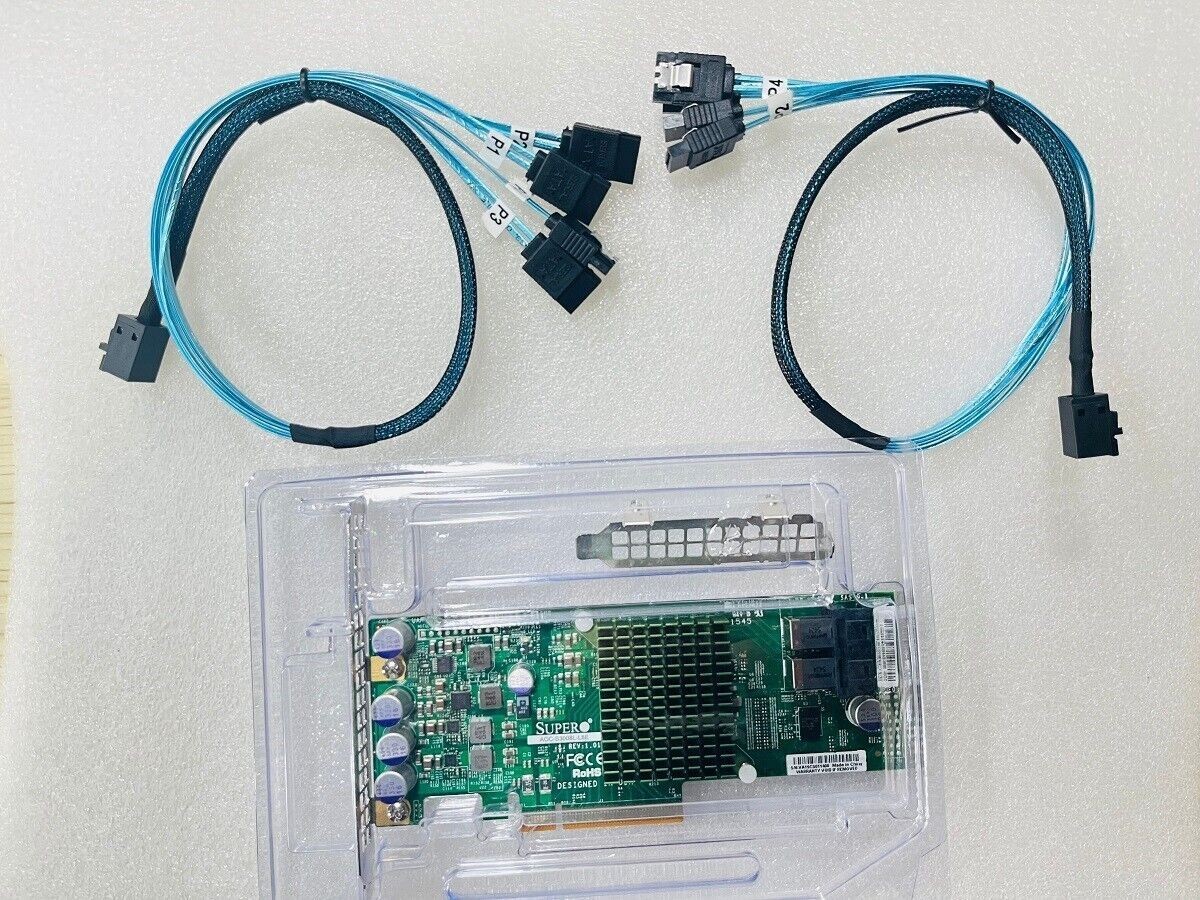
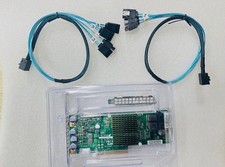
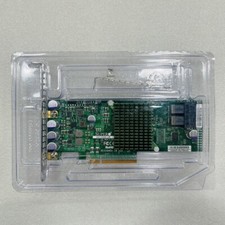
Model: AOC-S3008L-L8E Chip: SAS3008 Slot: PCI Express x8 Specification: ● Lifecycle: Active ● Host Bus Type: x8 lane PCI Express® 3.0 ● Physical Dimensions: Low profile (2.6" x 6.0") ● Devices Supported: 1024 Non-RAID SAS/SATA devices ● Fusion MPT Support: Fusion MPT™ 2.5 ● Internal Connectors: 2 Mini-SAS HD SFF8643 ● Internal Ports: 8 ● Operating Temperature: 0°C to 55°C ● Operating Voltage (V): +12V +/-8%, 3.3V +/-9% ● OS Support: Microsoft Windows, Linux (SuSE , Red Hat), Solaris, VMware , FreeBSD See the downloads page for details on versions The HBA supports Solaris 10 and Oracle® provides a built in driver; installation of an LSI driver is not required. ● PCI Power: 13W ● Cable Support: Passive Copper ● I/O Controller: LSI SAS3008 ● MTBF: > 2,800,000 hours ● Operating Humidity: 5% to 90% Non-condensing ● Brackets: Full height and low profile vented ● Regulatory Certifications: Australia/New Zealand (AS/NZS 3548), Canada (ICES-003), EMC: Class B-US (CFR 47, P15B), Europe (EN55022/EN55024), Japan (V-3/02.04), Korea (N-B 2-0001-404), RoHS, Safety: EN60950, WEEE ● Data Transfer Rates: 12Gb/s SAS-3 Compliant To install the 12Gb/s SAS HBA, follow these steps: 1. Unpack the HBA, and inspect it for damage. Unpack the HBA in a static-free environment. Remove the HBA from the antistatic bag, and carefully inspect the device for damage. If you notice any damage, contact LSI or your reseller support representative. ATTENTION: To avoid the risk of data loss, make a backup of your data before changing your system configuration. 2. Prepare the computer. Turn off the computer, and disconnect the power cord from the rear of the power supply. CAUTION: Disconnect the computer from the power supply and from any networks to which you will install the HBA, or you risk damaging the system or experiencing electrical shock. 3. Remove the cover from the chassis. 4. Check the mounting bracket on the HBA (system-dependent). If required for your system, replace the full-height mounting bracket that ships on the HBA with the low-profile bracket supplied. Complete step a through step d to attach the short bracket. a.Use a #1 Phillips® screwdriver that is ESD safe to remove the two Phillips screws that connect the full-profile bracket to the board. Unscrew the two screws located at the top and bottom edges of the board. Avoid touching any other board components with the screwdriver or the bracket. CAUTION: Damaging the screw can void the warranty. To prevent damage to the screw, center the screwdriver in the top of the screw. b.Remove the full-profile bracket from the HBA. Do not damage the board. c.Place the HBA on top of the low-profile bracket. Position the bracket so that the screw holes in the tabs align with the openings in the board. d.Use a #1 Phillips torque screwdriver, that is ESD safe, set to a maximum torque of 4.8 ± 0.5 inch-pounds. Replace the two Phillips head screws removed in step a. CAUTION: Exceeding these torque specifications can damage the board, connectors, or screws, and can void the warranty on the HBA. 5. Insert the HBA into an available PCIe® slot. Locate an empty x8 PCIe slot. Remove the blank bracket panel on the rear of the computer that aligns with the empty PCIe slot. Save this bracket screw, if applicable. Align the HBA to a PCIe slot. Press down gently, but firmly, to seat the HBA correctly in the slot. The following figure shows how to insert the HBA into a PCIe slot.(As the Pic) NOTE: The shape, size, and locations of the components on your HBA and its bracket might vary from this illustration. The HBA requires a x8 PCIe slot.
Package Included:
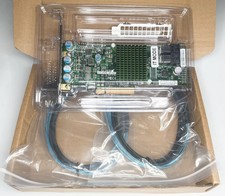
1x RAID Controller Card 2x SATA Cable 1x Full-Height Bracket 1x Low Profile Bracket
We have a very professional and attentive customer support team. Welcome to contact us any time and any issue will be solved by our great communication.
All items will be ship within 1-2 days, and we will ship out all orders as soon as possible after payment verified.
We Will pack your order carefully before shipping,your order will be shipped by airmail. Customs will random inspection some parcel,that may make your order take some more days for delivery.
So,Ship to US 1 to 3 Weeks ,to UK,EU,Europe 2 to 4 Weeks. and to other country 3 to 6 Weeks,please be patience.
Shipping time is only estimated and not guaranteed.
We do not bear any customs duties and import charges,These charges are the buyer's responsibility.
If you do not receive your item on time, please contact us immediately for further assistance.
We can be reached at message most emails are answered within 24 hours.
Our normal business hour is Monday to Friday 9AM to 5PM PST . All emails and orders will NOT be processed during weekends and holidays.
Describe your question clearly; we will give you the best solution.
1. We provide 60 days free replacement ,60 days money back on non-defective, undamaged, unused and resalable products. Product is not eligible for refund after the 30-day refund period has expired.
2,Our warranty does not extended to any products that are physically damaged or that are not under normal operating conditions as a result of misuse or improper installation on the buyer/user's part.
3. For all returned products, Please contact us for the returning address.
4. In all cases, buyers pay shipping fees at their own cost to return products for exchange or refund. We will be responsible for the postage of replacements. Refund will be made upon receipt of the returned item.