 When you click on links to various merchants on this site and make a purchase, this can result in this site earning a commission. Affiliate programs and affiliations include, but are not limited to, the eBay Partner Network. When you click on links to various merchants on this site and make a purchase, this can result in this site earning a commission. Affiliate programs and affiliations include, but are not limited to, the eBay Partner Network.
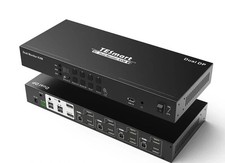
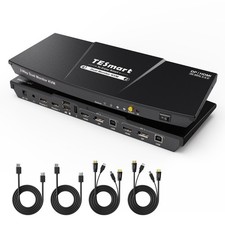
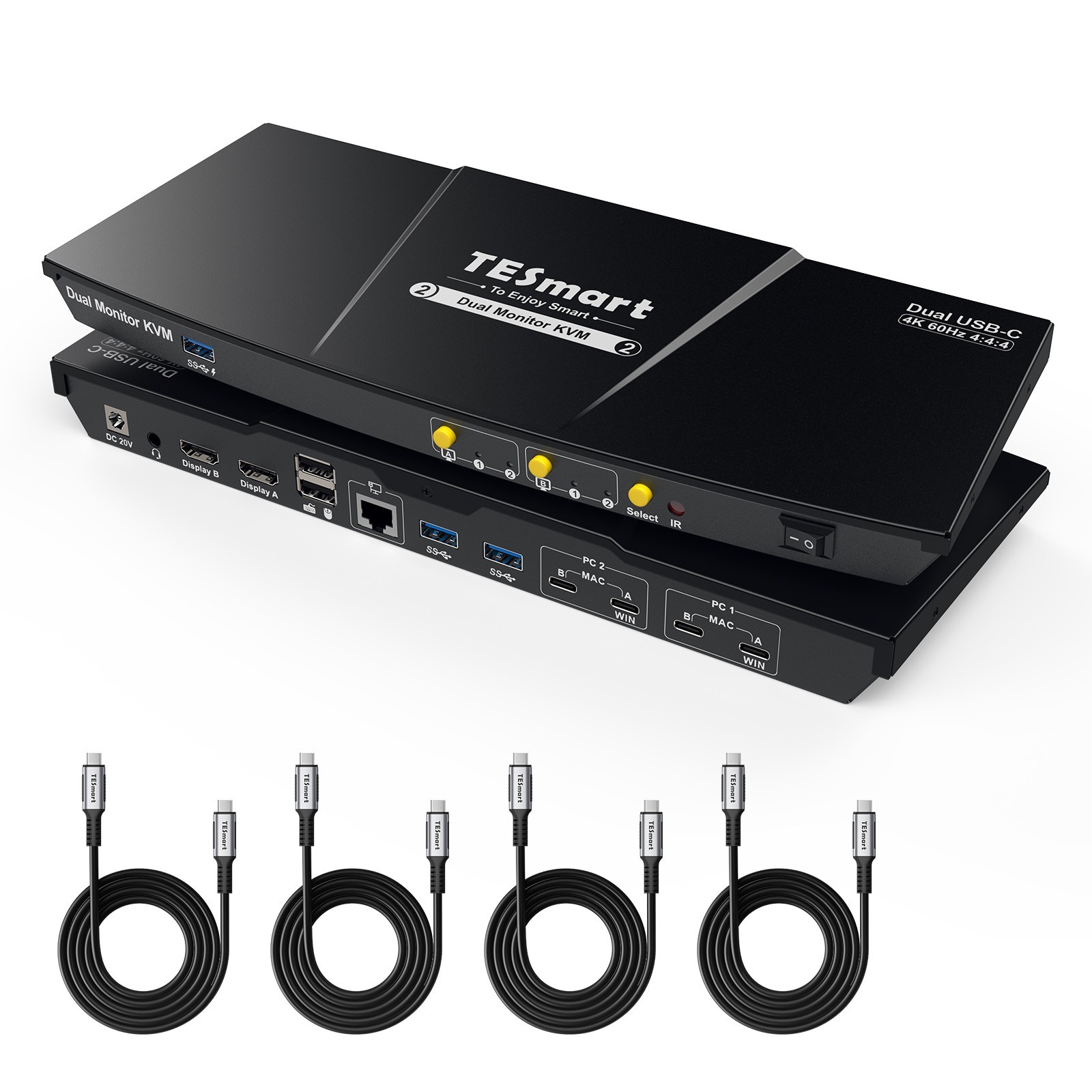
TESmart Listing Template TESmart To Enjoy Smart TESmart With You. Evolving For You! TESmart Dual Monitor USB-C KVM Switch 4K@60Hz for 2 Laptops MST, EDID, USB 3.0 SKU:CKS202-P23 PRODUCT DESCRIPTION Dual Displays from a Single USB-C Host Link A compatible Windows laptop can use one full-function USB-C connection with MST to carry video, USB data and charging for the dual-monitor workspace. Two Display Modes for Two-Laptop Workflows Use both monitors with one laptop, or keep one computer visible on each display and move keyboard and mouse control to the system you need. Dual 4K60 for Everyday Productivity Support up to 3840×2160@60Hz 4:4:4 on compatible computers and displays for detailed office, development and creative workflows. EDID Helps Keep Both Desktops Stable EDID emulation keeps monitor information available to both hosts, reducing display re-detection and desktop rearrangement when switching. Keep USB and Audio on the Computer You Choose USB and audio focus can be locked to one system instead of always following the display selection, useful for calls, storage or peripherals that need to stay active. Built-In Shared Docking Station Shared USB ports let compatible storage and accessories follow the selected computer at up to USB 3.0 speeds. About this item - USB-C Multi-Stream Transport KVM: 2 Monitors Control 2 Laptops with 1 Keyboard/Mouse. Ideal for modern laptops! Connect two USB-C devices (or other computers via adapters) to drive dual monitors in extended/duplicated/mixed modes. One setup simplifies your desk.
- Note: If connect with MacBook, it requires two USB-C connections to this KVM for dual-display functionality. Also, due to macOS chip limits, M1/M2 Macs can natively output only one external extended display, while M3 has the same limit in open-lid mode. For M1/M2/M3 users, TESmart HDC203-PM24 is optimal solution, as its PC1 port uses DisplayLink to overcome this.
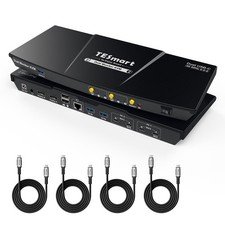
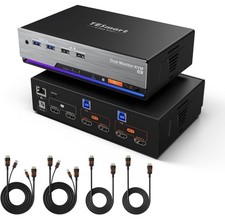
- All-in-One USB-C KVM Docking Station — Includes 3× USB 3.2 Gen 1 ports (5Gbps, one with 7.5W power output), 2× USB 1.1 ports (customized for keyboards and mice, compatible with most of setups), 1× gigabit LAN port, 1× 3.5mm headset jack, and 2× HDMI 2.0 outputs for a complete home office setup.
- 36W Power Delivery for Workstations — This dual-monitor KVM switch keeps both laptops powered while reducing cable clutter, so you can stay connected without extra adapters. Important Notice: If your laptop charging protocol does not support 20V DC voltage, a handshake failure may occur, causing the laptop to receive only 7.5W of power.
- High-Resolution + High Refresh Rate:HDMI 2.0 compatible, supporting up to 4K@60Hz 4:4:4. Catering to high refresh rate enthusiasts with support for 1080P@240Hz/165Hz/144Hz/120Hz and 2560×1440@144Hz/120Hz, meeting the needs of both designers seeking crisp visuals and gamers desiring swift refresh rates.
- Advanced Features for a Streamlined Setup:Choose between Shared or Independent PC Views with 2 Modes. Effortlessly switch inputs using hotkeys, the front panel button, or the remote control. Seamless K&M operation after switching. EDID emulation prevents resolution and icon rearrangement. K&M pass-through ensures adaptability with various keyboards, including wired, wireless, mechanical, and gaming keyboards.
- Ultimate Service from TESmart: Includes KVM-to-Laptop cables (4 * USB-C Cables) for a complete setup. Provide 1-Year Warranty & Pro Support. Engineered for stable 24/7 operation. Backed by 1-year warranty and dedicated technical support for worry-free productivity.
Q&A Why Is My MacBook Showing Mirrored Display or Only One Active Screen? Hardware Limitation: MacBook Pro models with M1/M2/M3 chips support only one external display natively.System :MacOS doesn't support MST,you must connect 2 Thunderbolt ports to PC1 input ports A and B on the KVM switch to enable dualexternal displays.How do I get my Mac to display two extended monitors? To achieve dual extended displays on macOS (like on Windows), please ensure your Mac supports multi-display output and use both included USB-C cables. Is this KVM difficult to set up, and will I lose display during switching? No, the setup is simple with plug-and-play. Be sure to connect the USB-C cable to a Thunderbolt port or a USB-C port with DP Alt Mode; otherwise, display loss may occur. With proper connection, it works stably. Business Policies Payment Policy - All payment methods supported by Managed Payments are accepted.
- Buyers must follow the payment instructions on the checkout page and confirm all information before submitting payment.
- We are not liable for unidentified payments or delivery delays caused by buyer failure to follow checkout instructions.
Shipping Policy - Orders are typically shipped within 48 hours after payment is confirmed. Orders placed on weekends or holidays may be processed on the next business day.
- Free shipping is available to the contiguous 48 U.S. states. Additional shipping charges may apply to Alaska, Hawaii, U.S. territories, and APO/FPO addresses.
- Our warehouses operate Monday through Friday, excluding holidays.
- Orders are shipped from one of our U.S. warehouses based on product availability and delivery location.
- Buyers can track their orders online using the tracking number provided.
- Buyers are responsible for providing a complete and accurate delivery address during checkout.
- Additional shipping or re-delivery charges may apply to orders returned or undelivered due to an incorrect or incomplete delivery address or unsuccessful delivery attempts.
Return and Refund Policy - Returns and refunds are accepted within 30 calendar days of delivery.
- Returned items must be in their original condition and include the original packaging, accessories, manuals, and documentation.
- Buyers may be asked to provide photos of the item and packaging when submitting a return request, especially for damaged, defective, or missing-item issues.
- For non-quality-related returns, return shipping costs are the buyer's responsibility.
- For quality-related issues confirmed by our technical team, return shipping costs are covered by the seller.
- Returns may not be accepted for products damaged due to misuse, improper operation, improper installation, or unauthorized modification by the buyer.
- Refunds may be adjusted in accordance with applicable policies if a returned item is used, altered, or damaged after delivery.
Warranty Policy - Products are covered by a one-year warranty from the date of delivery.
- Within 30 calendar days of delivery, eligible issues are handled in accordance with our Return and Refund Policy.
- After the 30-day return period and until the end of the one-year warranty period, defective products confirmed by our technical team are eligible for repair or replacement.
- Replacement with the same model is prioritized, subject to product availability.
- The warranty does not cover damage caused by misuse, improper installation, improper operation, unauthorized disassembly, or unauthorized modification.
TESmart  |
|