[Datacaciques code start,cross,md5___11388___,don't modify it] [Datacaciques code end]
PhomemoOfficial Free Shipping Worldwide One-Year Guaranty Customer Service
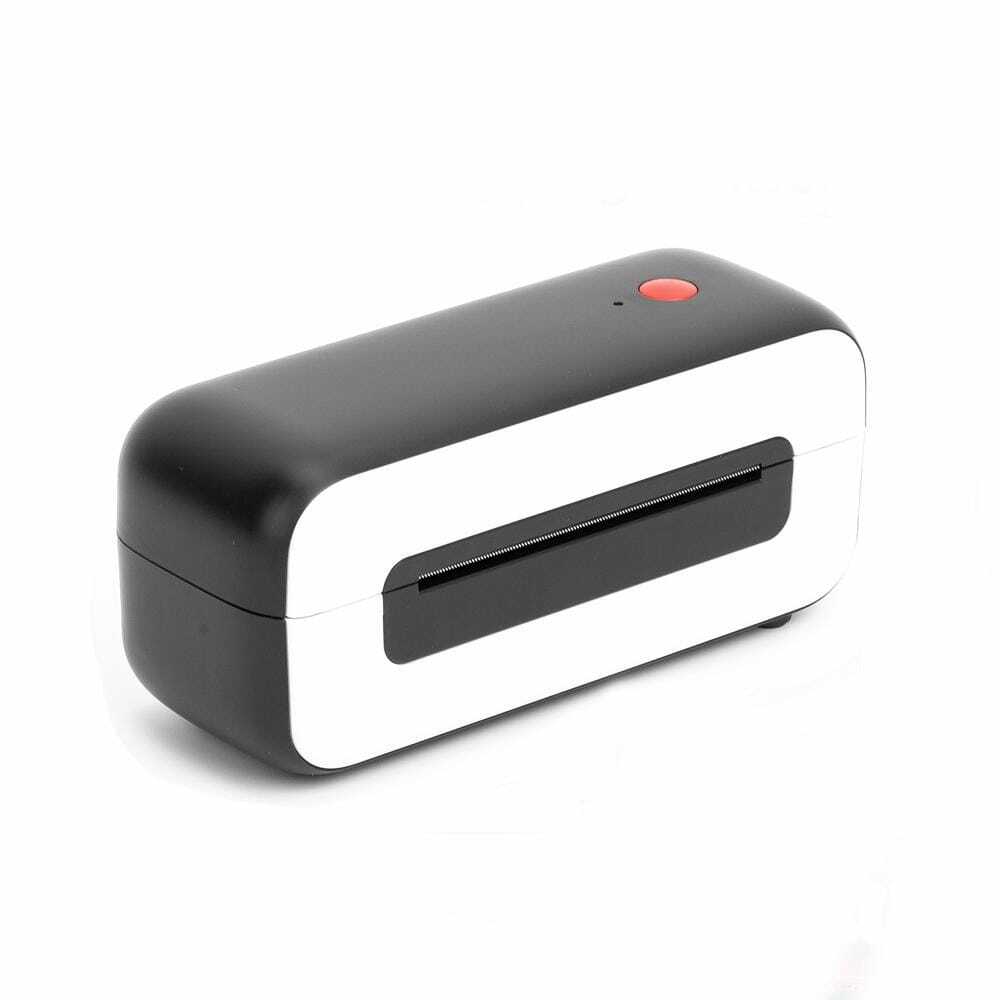
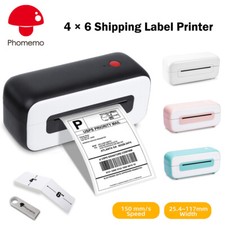
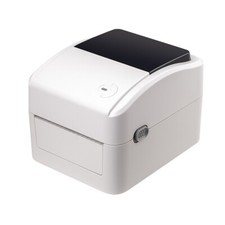
Phomemo PM-246S Thermal Shipping Label Printer
Product Specification:Electrical: 24 V, 2.5 A
Printer Language: TSPL2, EPL2
Product Dimensions: 8.42"×3.85"×3.31"(214×98×84 mm)
UnitNetWeight: 1.59 lb(720 g)
Resolution: 203 dpi (8 dots per mm)
Printing Method: Direct Thermal
Memory: 2 MB SDRAM, 224 KB flash
Maximum Print Width: 4.25" (108 mm)
Maximum Print Length: 11.81" (300 mm)
Maximum Print Speed: 6 in/sec (150 mm/s)Printing Life: ~650,000 labels
Printer: 1 Year Warranty
Great Service: If you have any problems please kindly contact us, we are always here to help you!
✔Compact Size and Lighter Weight
Save more space for your office or home desk.
✔High-Speed Printing at 150 mm/s
Direct Thermal Label Printer, engineered for high volume shippers, print up to 4" width, can work continuously for more than 12 hours printing 4"x 6" shipping labels, at least 43200 labels, at a rapid 6 in/sec print speed.
You can create customized labels directly from Microsoft and Mac Address Book, etc. It installs and works like a regular printer that can create customized labels directly from any application.
✔Works with Any Thermal Direct Label
Phomemo Label Printer works with any thermal direct label including free UPS labels. Save hundreds of dollars on label costs. Print without buying any ink, toners, or ribbons.
✔Compatible withMajor Couriers
Compatible with all major shipping platforms including Endicia Dazzle, Stamps.com, ShipStation, ShippingEasy, ShipWorks, Shippo, Ordoro, and market places including Amazon, Shopify, Etsy, , and others. Technology long used by shipping couriers themselves is now available at your fingertips at an affordable price.
✔Automatic Label Identification
Insert the label, the printer will automatically catch the label and feed it into the printer. The first label is not wasted. High-speed label maker prints labels from 1.0" to 4.5" wide, maximum print length 11.81" (300 mm). Ideal for 4" x 6" shipping labels, warehouse labels, barcode and ID labels, bulk mailing labels, and more.
Phomemo shipping label printer compatible with Window and Mac, Please download the driver from USB flash drive or official website before printing. It only takes a few minutes to set up. (Not compatible with Chrome OS, Surface tablet, iPad and Phones).
Features:
●6 in/sec print speed makes one 4"x 6" shipping label per second possible.
●Cut costs direct thermal printing technology - use with any direct thermal shipping label - no ink or toner needed.
Packing Listing (Printer):Phomemo PM-246S Shipping Label Printer * 1
USB Cable * 1
Power Adapter * 1
Power Cord * 1
Quickstart Guide * 1
U Disk * 1
4×6 Test Labels * 25
If you choose label only:500* 4 × 6 Labels Only / 500* 4 × 6 Fanfold Labels Only / 1000* 4 × 6 Fanfold Labels Only*If you choose label only, you will receive label only, no style="box-sizing:border-box;">Media Characteristics:Media width: 1.0" to 4.5" ± 0.078" (25.4 mm to 120 mm ± 2 mm)
Media length: 1.0" to 11.8" (25 mm to 300 mm)
Maximum media roll size: up to 5" (127 mm)
Media thickness: 0.003" to 0.008" (0.08 mm - 0.2 mm)
Media types: Roll-fed or fan-fed, die-cut or continuous direct thermal labels with or without black mark, tag stock, continuous receipt paper, wristbands and optional liner-free direct-thermal media
Media Sensors:
• Fixed position transmissive sensor (for die-cut label)
• Adjustable position reflective sensor (for black mark label)
• Head open sensor
Q&A:Q:Does the printer require ink, toner or ribbon when put into use?A:Our label printer employs direct thermal technology and thus prints on direct thermal labels(such as the label paper sample coming with the machine), facilitating your business at a low practical cost.Q:Why i am printing blank labels?A:Please ensure your labels are properly loaded, the tearable side up.Ensure your labels are "Direct Thermal" labels, The paper enclosed in the package meets this condition.Q:How do Icalibrate the printer?A: Press and hold the feed button until the indicator (blue) flashes 2 times. Release the feed button and the printer will begin calibrating.
[Datacaciques code start,cross,md5___2448___,don't modify it]
[Datacaciques code end][Datacaciques code start,cross,md5___11388___,don't modify it] [Datacaciques code end][Datacaciques code start,cross,md5___329___,don't modify it] [Datacaciques code end][Datacaciques code start,code,don't modify it][Datacaciques code end]