html_content_converter = """Oassuose RCA to USB 2.0 Video Capture Card & Analog-to-Digital Converter Oassuose Tech Solutions Oassuose USB 2.0 Video Capture Card & Analog-to-Digital Converter
Digitize and preserve your precious memories. Transfer video and audio from legacy VCRs, camcorders, VHS, and DVD players straight to your PC or Mac in high definition.
1080P / 30fps Output Windows & Mac OS Plug & Play Setup Bring Your Old Home Videos Into the Digital Era
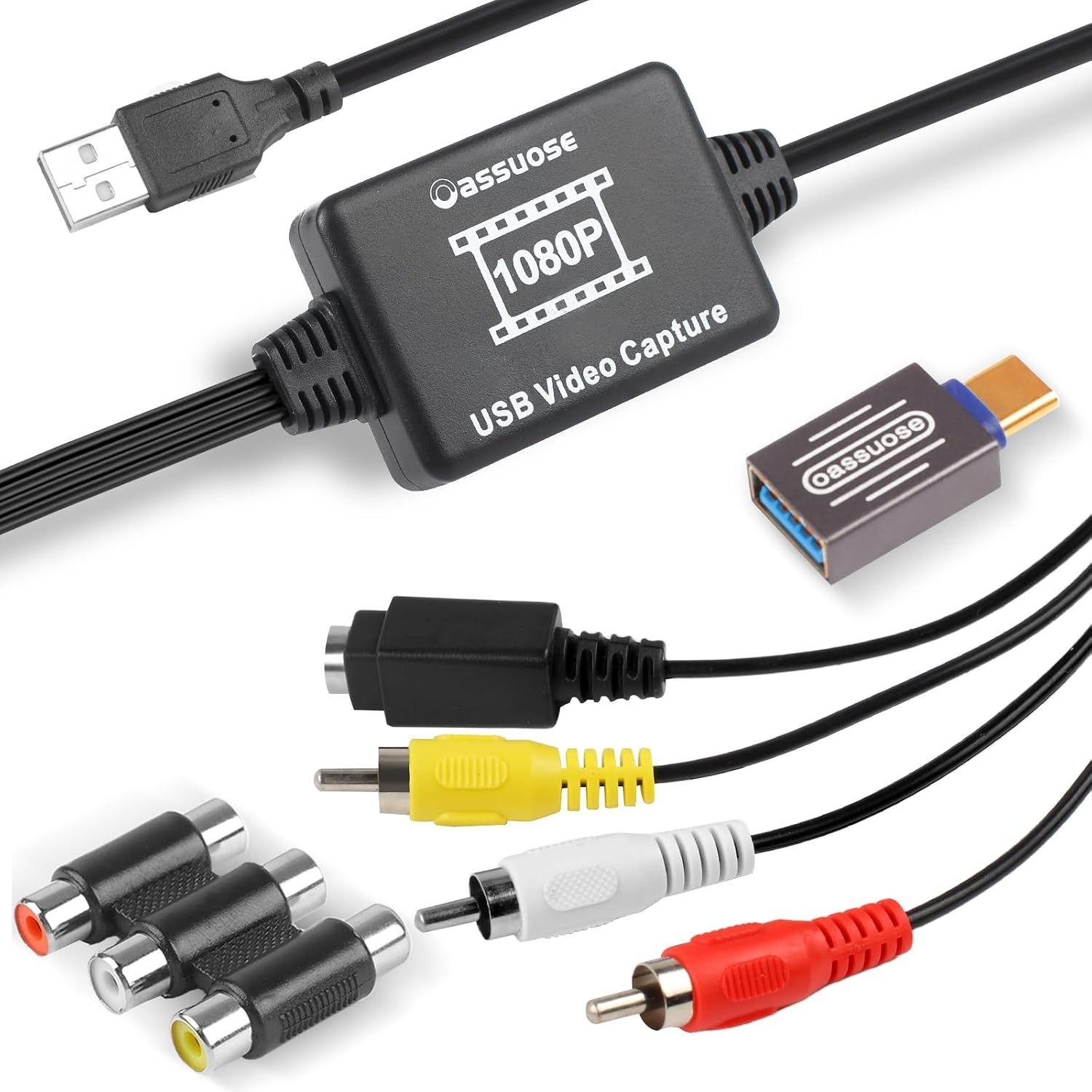
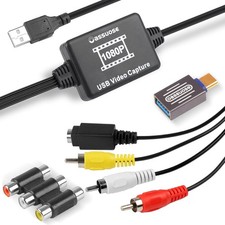
Are your cherished family memories trapped on aging VHS tapes, camcorder cassettes, or old DVDs? The Oassuose USB 2.0 Video Capture Card bridges the gap between analog and modern digital tech. It seamlessly converts RCA and S-Video analog signals into crisp digital files on your computer.
Designed with universal operating system compatibility, it works effortlessly with Windows and macOS without requiring complex driver installations. Simply plug it in, pair it with free recording software like OBS Studio or PotPlayer, and begin saving your history forever.
Key Performance Features Universal Compatibility
Connects VHS, VCR, DVD, Hi8, camcorders, gaming consoles, and digital cameras to your computer.
High-Definition Conversion
Outputs up to 1080P at 30fps, digitizing your vintage media with clean visual clarity.
Driverless Plug & Play
No complicated driver setup required. Operates instantly with standard capture software.
Product Highlights at a Glance
- Dual Interface Support: Equipped for standard analog RCA and S-Video inputs.
- Cross-Platform Ready: Fully compatible with Windows and Mac OS systems, supporting NTSC, PAL, and SECAM video formats.
- Fine-Tuning Controls: Adjust brightness, contrast, hue, and saturation directly through your capture software for optimal video restoration.
Technical Specifications Brand unbranded Item Type USB 2.0 Video Capture Card / Analog-to-Digital Converter Connector Type RCA / S-Video Input to USB-A / USB-C Output Compatible Devices VHS, VCR, DVD, DVR, Hi8, Camcorders, Mini DV Players, Digital Cameras, Gaming Consoles Supported Operating Systems Windows & macOS Recommended Software OBS Studio, PotPlayer (Windows), QuickTime Player (Mac) Color Black Warranty 1 Year Manufacturer Support Software & Usage Guide
Quick Setup: Connect your legacy player's RCA/S-Video outputs to the capture adapter, then plug the USB end into your computer's USB port.
Software Requirement: This device requires third-party capture software to view and record. We recommend downloading OBS Studio or PotPlayer for Windows, or QuickTime Player for Mac.
Fast Shipping • 1-Year Warranty • Professional Technical Support
© 2026 Professional Listing. All rights reserved.
"""with "oassuose_video_capture_card.html", "w", encoding="utf-8") as f: oassuose_video_capture_card.html successfully.")