DevPurple - Ultimate DVDStyler Pack DEVPURPLE
Premium Software Collections
ULTIMATE DVDSTYLER PACK
Real DVD-Video authoring with interactive menus, for Windows, Mac, and Linux, supplied on USB Drive or DVD, including the newest build with ffmpeg 7.0
Build a disc that plays in the DVD player under your television, with a real interactive menu, using the Ultimate DVDStyler Pack. DVDStyler is supplied for Windows, Mac, and Linux on one piece of media: the current stable release in both 64-bit and 32-bit, the newest build the developer has published, complete no-install archives, and three Mac builds for different macOS versions. No product key, no activation, no subscription, and no device limit.
This matters, and it is the difference between this and most budget disc software. Plenty of programs will write a video file onto a disc, which gives you a disc of files that a set-top player usually cannot read. DVDStyler builds an actual DVD-Video disc: the VIDEO_TS structure, the VOB video objects, the IFO navigation files, and a menu with working buttons. That is what a standalone DVD player expects.
This Is Authoring, Not Just Burning
- It builds a real DVD-Video disc: The full VIDEO_TS structure with working navigation, so the finished disc plays in a standalone player, not only on a computer.
- You get an interactive menu: Choose or design a menu screen, place buttons on it, and decide what each button does when it is pressed.
- That is the part most software leaves out. A disc of video files is not the same thing as a DVD-Video disc, and this pack is about the latter.
Windows, Mac, And Linux In One Pack
- Windows, 64 bit: the current stable release, DVDStyler 3.2.1.
- Windows, 32 bit: the same release built for 32-bit Windows.
- Windows, newest build: DVDStyler 3.3b4, carrying ffmpeg 7.0 instead of 4.2.1, which reads far more of the video formats in use today.
- Windows, no installation: complete 64-bit and 32-bit archives of version 3.0.3 that run from the folder with nothing installed and nothing added to the registry. This is also the version to use on a machine where you are not permitted to run an installer.
- Mac, macOS 10.15 Catalina and newer: DVDStyler 3.2.1.
- Mac, macOS 12 Monterey and newer: DVDStyler 3.3b3.
- Mac, macOS 10.10 Yosemite and newer: DVDStyler 3.0.3. This is why the oldest build is here, because it is the one that still runs on an older Mac.
- Linux: the official 3.2.1 source release, which is the supported route on Linux.
- Honest note on the Mac builds: all three are built for Intel Macs. On an Apple Silicon Mac they run through Rosetta 2, which macOS provides. There is no native Apple Silicon build from the developer, and we would rather tell you that than let you find out after you buy.
The Whole Toolchain Is Included
DVDStyler is self-contained, so you never have to go looking for a missing piece:
- ffmpeg: decodes and encodes the video.
- dvdauthor: builds the DVD-Video structure.
- spumux: multiplexes subtitles into the video stream.
- mplex: multiplexes MPEG streams.
- mkisofs: builds the disc image.
- growisofs: writes the disc.
- dvd+rw-format and dvd+rw-mediainfo: handle rewritable media.
- And the content to build menus with: 92 menu templates, 77 button graphics, 40 backgrounds, 17 objects, and 12 transitions.
- Plus built-in help in 19 languages, opened from the Help menu and usable with no internet connection.
What You Can Do With It
- Build a real DVD-Video disc: Create the full VIDEO_TS structure with working navigation, so the result plays in a standalone player.
- Design your own menu: Start from a blank menu and place buttons, text, images, and graphic objects anywhere on the screen.
- Use a ready-made template: Or pick one of the 92 included templates and adjust it.
- Make a photo slideshow: Turn a folder of pictures into a title with transitions.
- Add multiple audio tracks: Put more than one soundtrack on a disc and choose between them from the menu.
- Add multiple subtitle tracks: Include subtitles as proper DVD subtitle streams, multiplexed into the video.
- Avoid re-encoding where you can: DVDStyler can often place MPEG and VOB files on a disc without converting them, which is much faster and loses no quality.
- Mix formats on one disc: Titlesets let you put files with different audio and video formats on the same DVD.
- Scale and restyle anything: Resize any button or object, and change fonts, colors, and other parameters.
- Copy and reuse your work: Copy a single object or an entire menu, so a series of discs shares one design.
- Control navigation precisely: Set what every button does, and go further with DVD scripting if you want to.
- Test before you burn: Build the disc to a folder or an ISO image, check it, and write the disc later.
- Drag and drop: Add files and arrange your project without hunting through dialogs.
- Use every core: Encoding uses all the processor cores available to it.
The Two Windows Releases, And Which To Use
- DVDStyler 3.2.1 is the current stable release, and it carries ffmpeg 4.2.1.
- DVDStyler 3.3b4 is the newest build the developer has published, and it carries ffmpeg 7.0, which is several years newer.
- If your video files are older, or already MPEG-2 or VOB, use 3.2.1 and enjoy the stable release.
- If you have modern files that 3.2.1 will not open, or you simply want the widest format support available, use 3.3b4.
- 3.3b4 is labelled a beta by the developer. It is included deliberately, because it is the only build with the current ffmpeg, and because it installs and runs alongside 3.2.1 without interfering with it. If you are not sure, start with 3.2.1.
What This Will And Will Not Do
- It makes DVD-Video discs. DVD-Video is a standard definition format, 720 by 480 pixels for NTSC or 720 by 576 for PAL. That is what a DVD player reads, and no authoring program can change it.
- So if you want a disc that plays in a normal DVD player under a television, this is the tool for it.
- Does not work with blu-ray discs/burners.
System Requirements
- Operating system: Windows, macOS, or Linux. On Windows, 32 bit and 64 bit are both covered. On Mac, the three builds cover macOS 10.10, 10.15, and 12.0 onward.
- Processor: 2 GHz or faster. Video encoding uses every core available, so more cores help.
- Memory: 4 GB or more.
- Disk space: 1 GB for the application, and more for the video files and disc images you work with. A single-layer DVD image is about 4.7 GB.
- Disc drive: A DVD writer is needed to burn a disc. You do not need one to build an ISO image or a folder and check your work first.
- No internet connection is needed to install or to use any of it.
What's Included
- One Physical Media: Your choice of a Premium USB Drive or DVD, pre-loaded with the complete pack
- Windows 64 bit: The official DVDStyler 3.2.1 installer, the current stable release
- Windows 32 bit: The same stable release built for 32-bit Windows
- Windows, Newest Build: DVDStyler 3.3b4 in 64 bit, the only build carrying ffmpeg 7.0
- No-Install Archives: Complete 64-bit and 32-bit copies of DVDStyler 3.0.3 that run from the folder with nothing set up
- Three Mac Builds: DVDStyler 3.2.1 for macOS 10.15 and newer, 3.3b3 for macOS 12 and newer, and 3.0.3 for macOS 10.10 and newer
- Linux Source: The official DVDStyler 3.2.1 source release, the supported route on Linux
- Developer Notes: The README files that ship with three of the releases
- Checksums And Setup Notes: An MD5 and SHA256 value for every file, plus a Read Me covering which build to pick and what to expect on the first run
Shipping & Delivery
- Fast Processing: Orders typically ship within 1-2 business days
- Tracked Shipping: Delivery confirmation included on all orders
- Secure Packaging: Your disc or drive arrives protected and ready to use
- Worldwide Shipping Available: Check listing for rates and estimated delivery times
Satisfaction Guarantee
If there is an issue with your order, contact us and we will make it right (including replacements for defective media).
Why Buy From Dev Purple? Three Systems Covered
Windows, macOS, and Linux, with the correct build supplied for each and three Mac builds for different macOS versions.
The Whole Toolchain
ffmpeg, dvdauthor, spumux, mplex, mkisofs and growisofs are all inside, along with 92 menu templates, 77 buttons, 40 backgrounds, 17 objects and 12 transitions.
Two Windows Release Lines
The stable release and the newest build with ffmpeg 7.0, with a plain explanation of which to use and why, so a modern video file is not a dead end.
Verified To Work
Each Windows build was installed, launched, and uninstalled while this pack was made. All of them installed cleanly, opened with a working window, and removed without leaving anything behind.
No Subscription
A complete DVD authoring suite with no monthly fee, no product key, and no expiry.
Dedicated Support
Contact us with any questions before or after your purchase. We are here to help.
Compliance
This listing complies with 's software policy. This is a lawful compilation of redistributable software. No paid, commercial, or copyrighted software is included. Every program fits one of these categories:
- GPL / LGPL / MPL licensed: These open-source licenses explicitly grant anyone the right to copy, distribute, and redistribute the software in any medium, provided the license terms are preserved. This is a core feature of copyleft licensing. DVDStyler is released under the GNU General Public License, version 2, and its author states plainly that it may be used for any personal, commercial or educational purpose, on as many computers as you like.
- Components covered by their own open source licences: The bundled ffmpeg, dvdauthor, spumux, mplex, mkisofs and growisofs are each open source under their own licences, all of which permit redistribution.
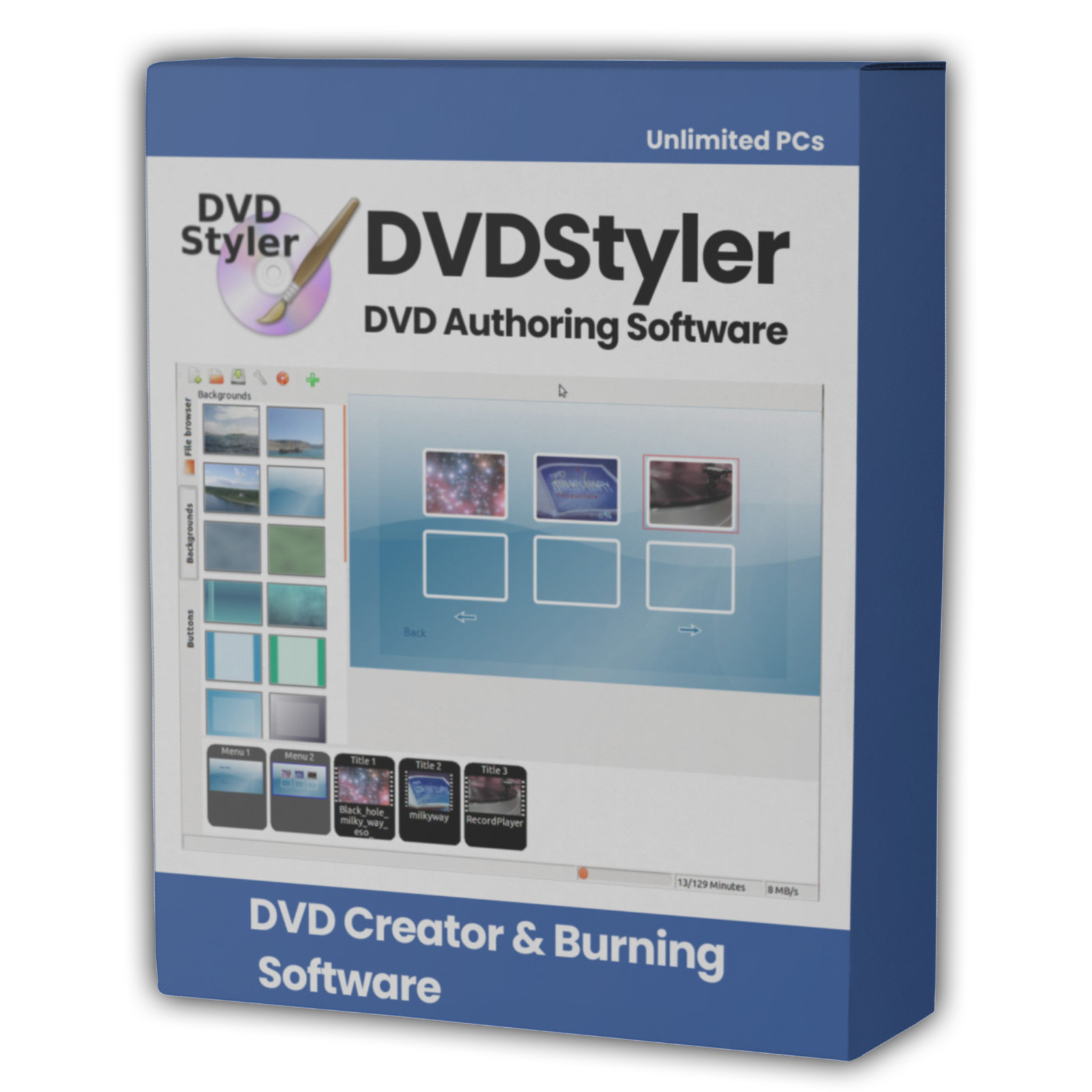
The DVDStyler name is used here to refer to DVDStyler itself. This pack is an independent compilation and is not endorsed by or affiliated with the DVDStyler project. The software box shown in any product images is a display image only and is not included. You receive the media only.
's Verified Rights Owner (VeRO) program targets listings that infringe intellectual property. This listing does not fall into that category because every program's license already authorizes the copying and redistribution being done here. Buyers receive only the rights each program's original license grants.
Frequently Asked Questions
How is this item delivered?
This is a physical item (USB drive or DVD) that will be shipped to you. Choose your format when you order.
What is the difference between this and a disc burning program?
A burning program writes files onto a disc. DVDStyler builds a DVD-Video disc, with the VIDEO_TS structure, the navigation files, and an interactive menu, which is what a standalone DVD player needs in order to play it on a television. That is the whole point of it.
Will the discs I make play in a normal DVD player?
Yes, that is what it is for. DVDStyler produces standard DVD-Video discs, which is the format set-top players read.
Does this work on a Mac?
Yes, and three Mac builds are included so you can pick the one your macOS version needs. One covers macOS 12 Monterey and newer, one covers macOS 10.15 Catalina and newer, and one reaches back to macOS 10.10 Yosemite. All three are built for Intel Macs and run through Rosetta 2 on Apple Silicon, which macOS provides.
Which of the two Windows releases should I install?
Start with 3.2.1, the current stable release. If you have video files it will not open, or you want the widest format support, use 3.3b4, which carries ffmpeg 7.0 instead of 4.2.1. Both install side by side without interfering with each other, so there is no harm in having both.
Do I need to install anything else, like ffmpeg or dvdauthor?
No. Everything DVDStyler needs is already inside it. ffmpeg, dvdauthor, spumux, mplex, mkisofs, growisofs and the dvd+rw tools all come with it, so it works on a clean Windows install with nothing else added.
Does this software need a product key or activation?
No. DVDStyler is open source software released under the GNU General Public License, version 2, so there is no product key, no activation step, no registration, and no account. Install it and start building.
How many menu templates come with it?
92 menu templates, along with 77 button graphics, 40 backgrounds, 17 objects and 12 transitions. You can use them as they are, adjust them, or start from a blank menu and build your own. There is also built-in help in 19 languages, usable offline.
Will it make a high definition or Blu-ray disc?
No, and no DVD authoring program will. DVD-Video is standard definition by definition, which is what a DVD player reads. If you want high definition output, that is Blu-ray, and it needs different software and different blank media.
Do I need a DVD writer?
You need one to burn a disc. You do not need one to build the disc to a folder or an ISO image and check it first, which is worth doing while you learn.
Is there a manual on the media?
There is no PDF manual, because the developer does not publish one, and we would rather say so plainly. What the application does include is built-in help in 19 languages, opened from its own Help menu and usable with no internet connection.
Do I need to copy the pack to my computer first?
The USB version runs the no-install archives directly from the drive. For DVD orders, copy the pack folder to your computer (e.g., your Desktop) first for best performance, then run the installer or the no-install build from there.
Important Notes
- This is a PHYSICAL ITEM (USB DRIVE OR DVD) that will be shipped to you. Choose your format when you order.
- Windows, macOS, and Linux are all covered, with the correct build supplied for each and three Mac builds for different macOS versions.
- DVDStyler makes DVD-Video discs, which is the standard definition format a standalone DVD player reads. It does not make Blu-ray discs.
- The Mac builds are for Intel Macs and run through Rosetta 2 on Apple Silicon, which macOS provides.
- Two Windows release lines are included, the stable release and the newest build with ffmpeg 7.0, and the Read Me explains which to use.
- Contact us with any questions before or after your purchase.
Thanks for Shopping with DevPurple!
Your premium software collection is here.
© 2026 DevPurple. All rights reserved.