DevPurple - Ultimate Scribus Pack DEVPURPLE
Premium Software Collections
ULTIMATE SCRIBUS PACK
A complete desktop publishing studio for Windows, Mac and Linux, with both Mac architectures, the source code, and the manual inside the program.
Scribus lays out a printed page and prepares it for a press. Text, pictures, drawn shapes and colour sit in frames on a page, the frames move and resize at any time, and the finished document is exported as print ready PDF. This pack carries the current stable release, 1.6.6, as the Scribus project publishes it, for 64-bit and 32-bit Windows, for Apple Silicon and Intel Macs, and for Linux.
The one fact worth understanding before anything else is what Scribus writes. It was the first desktop publishing program in the world to support the demanding PDF/X-3 specification, and it now exports PDF/X-1a and PDF/X-4 as well, with colour separations, crop marks and bleeds. That is the format a commercial printing house asks for, and it is the difference between a document that looks right on screen and one that comes back from the press correctly.
Nothing here needs special knowledge to start. Install the program, open it, and press F1: the manual opens inside the program and covers every tool, dialog and menu. Pages are built from frames you draw and fill, which is the standard way desktop publishing has always worked.
One Release, Six Files, Every Desktop
- Windows 64-bit: the official 1.6.6 installer, which the project lists for Windows 7, 8, 10 and 11.
- Windows 32-bit: the same release built for a 32-bit Windows, listed for the same Windows versions.
- Apple Silicon Mac: the native disk image for the M1, M2, M3 and M4 family.
- Intel Mac: a separate native disk image, needing macOS 12 Monterey or newer.
- Linux: the official AppImage, which runs without being installed, and the complete source archive beside it.
- Every file is unmodified. Nothing has been renamed, repackaged or rebuilt, and the version number is the project's own.
What You Can Do With It
- Set long documents: text frames carry copy onto as many pages as it needs, with paragraph and character styles, hyphenation, ligatures and full typographic control.
- Draw the layout: lines, curves, polygons and freehand paths, with node editing for the shapes you draw.
- Place photographs and artwork: image frames crop, scale and rotate a placed picture without changing the original file.
- Manage colour properly: RGB, CMYK, LAB and spot colours, with almost two hundred palettes included, and a proofing view that shows how a page reads to a colour blind reader.
- Build a repeatable document: master pages, layers, guides and grids keep a long publication consistent from the first page to the last.
- Write print ready PDF: PDF/X-3, PDF/X-1a and PDF/X-4 for a press, and ordinary PDF for forms, presentations and the screen.
- Pull in other people's files: imports include EPS, SVG, PDF, IDML, OpenDocument and the older PageMaker and Ventura formats.
- Automate the repetitive jobs: a Python console runs a script that sets up seventy pages the same way.
- Keep the work readable: a Scribus document is a plain text file, so a damaged file can be repaired in a text editor and a layout can be checked without the program.
- Work entirely offline: no account, no sign in, no activation and no internet connection at any point.
The Manual Travels Inside The Program
Scribus documents itself. The project publishes no separate PDF and no EPUB, and the pack does not pretend otherwise.
- Press F1, or use Help and then Scribus Manual, and the Help Browser opens the manual in the language your interface is set to.
- It covers every tool, dialog and menu, with screenshots, and it is the project's own writing rather than a third party summary.
- The source archive carries the same documentation as files in its doc folder, together with the change log for the release.
- Nothing to fetch afterwards. The manual is on the media inside the installer, and it works with no connection.
The Mac Builds And Their macOS Versions
Both Mac images were opened and their contents read while this pack was made, rather than trusted from the file names, and the two do not agree with the project's own download page.
- The Intel image needs macOS 12 Monterey or newer. The project's download page says the same, and every library inside the image declares 12.0 or lower, so the two agree.
- The Apple Silicon image was built on a newer system than the project states. The download page lists it as macOS 13 Ventura or higher, and the program file inside it declares 11.0, while 73 of the libraries bundled beside it declare 26.0.
- macOS reads those libraries at launch, which is why the pack states macOS 26 for the Apple Silicon image. On anything older, macOS refuses to load them.
- On an Apple Silicon Mac running macOS 12 through 15, the Intel image is the one to use, under Rosetta 2, and it is on the media. macOS 11 is covered by neither image, because the Apple Silicon image needs 26 for the libraries inside it and the Intel image needs 12.
System Requirements
- Windows: Windows 7, 8, 10 or 11, in either a 64-bit or a 32-bit form. That is the project's own published support statement for both installers.
- Mac with an Intel processor: macOS 12 Monterey or newer.
- Mac with Apple Silicon: macOS 26 or newer for the native image, or the Intel image under Rosetta 2 on macOS 12 and newer.
- Linux: a 64-bit distribution on Intel or AMD.
- Disk space: about 325 MB for the installed application.
- No internet connection needed to install Scribus, to read the manual, or to use the program.
The sizes above were measured while this pack was made, when both Windows installers were installed, launched and removed again on a test machine.
What's Included
- One Physical Media: Your choice of a Premium USB Drive or DVD, pre-loaded with the complete pack
- Windows 64-bit: the official Scribus 1.6.6 installer
- Windows 32-bit: the official Scribus 1.6.6 installer for a 32-bit Windows
- Mac, Apple Silicon: the official Scribus 1.6.6 disk image
- Mac, Intel: the official Scribus 1.6.6 disk image, macOS 12 Monterey or newer
- Linux: the official Scribus 1.6.6 AppImage, which runs without being installed
- Source Code: the complete official Scribus 1.6.6 source archive
- The Manual: built into the program and opened with F1, as described above
- Setup Notes: a Read Me covering which file to pick, and what to expect the first time you run it
Shipping & Delivery
- Fast Processing: Orders typically ship within 1-2 business days
- Tracked Shipping: Delivery confirmation included on all orders
- Secure Packaging: Your disc or drive arrives protected and ready to use
- Worldwide Shipping Available: Check listing for rates and estimated delivery times
Satisfaction Guarantee
If there is an issue with your order, contact us and we will make it right (including replacements for defective media).
Why Buy From Dev Purple? Four Systems Covered
Windows in 32-bit and 64-bit, macOS on Apple Silicon and on Intel, and Linux, with the correct file supplied for each.
The Real macOS Floors
Both Mac images were opened and read while this pack was made. The Intel image needs macOS 12 Monterey, and the Apple Silicon image needs macOS 26, which is newer than the project's download page claims. The pack says so rather than leaving a buyer to find out.
The Manual, Installed With The Program
Scribus carries its own manual inside the program, opened with F1 in the language the interface is set to. Nothing has to be downloaded to read it.
Official Releases
Every installer, disk image and source archive here is the official release from the Scribus project, taken from the project's own download pages.
The Source Code Is On The Media
Scribus is open source under the GNU General Public License, and the complete source archive for this release is included, as that license requires.
No Subscription
No product key, no activation, no account and no expiry. It can be installed on as many computers as you like.
Fair Pricing For A Complete Set
One purchase, no subscription, and no expiry date.
Compliance
This listing complies with 's software policy. This is a lawful compilation of redistributable software. No paid, commercial, or copyrighted software is included. Every program fits one of these categories:
- GPL licensed: Scribus is released under the GNU General Public License, and that license explicitly grants anyone the right to copy, distribute, and redistribute the software in any medium, provided the license terms are preserved. This is a core feature of copyleft licensing. The Scribus project publishes the source code for every release, and that source code is included on the media.
- Official releases, unmodified: Every file on the media is the official release as published by the Scribus project, unchanged. Nothing has been patched, cracked, or rebuilt.
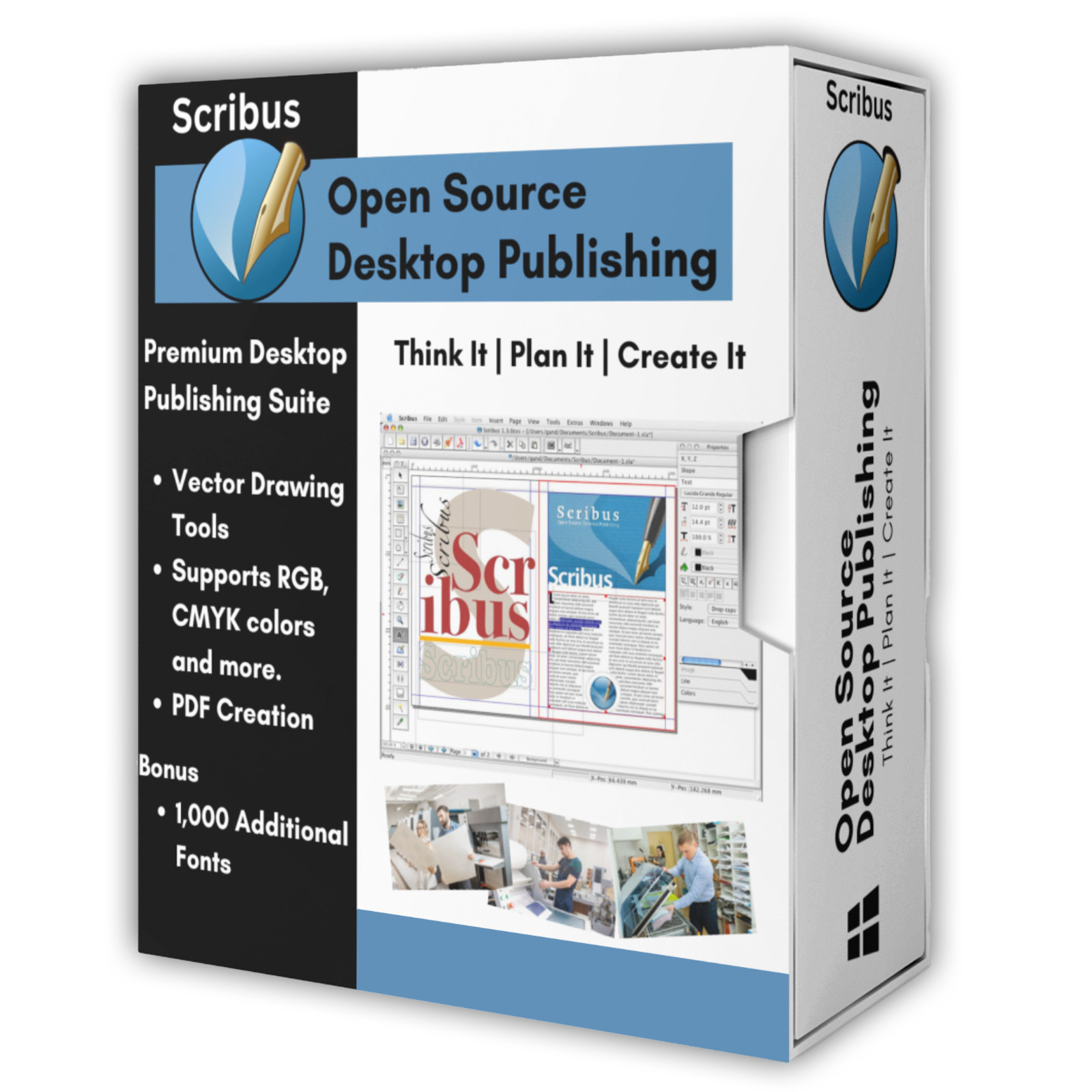
The Scribus name is used here to refer to Scribus itself. This pack is an independent compilation and is not endorsed by or affiliated with the Scribus project. The software box shown in any product images is a display image only and is not included. You receive the media only.
's Verified Rights Owner (VeRO) program targets listings that infringe intellectual property. This listing does not fall into that category because Scribus's license already authorizes the copying and redistribution being done here. Buyers receive only the rights the original license grants.
Frequently Asked Questions
How is this item delivered?
This is a physical item (USB drive or DVD) that will be shipped to you. Choose your format when you order.
Which file should I use?
On 64-bit Windows use scribus-1.6.6-windows-x64.exe. On 32-bit Windows use scribus-1.6.6-windows.exe. On an Intel Mac use scribus-1.6.6.dmg, and on an Apple Silicon Mac use scribus-1.6.6-arm64.dmg if the Mac runs macOS 26 or newer, or the Intel image under Rosetta 2 if it runs macOS 11 through 25. On Linux use scribus-1.6.6-linux-x86_64.AppImage. The Read Me on the media lists every file with the system it serves.
Does this work on a Mac?
Yes, and both Mac processor types are covered by a native build. The Intel image needs macOS 12 Monterey or newer. The Apple Silicon image needs macOS 26 or newer, which is newer than the project's download page states: the program file declares macOS 11.0 while 73 of the libraries bundled inside the image declare 26.0, and macOS reads those libraries when the program starts. On an Apple Silicon Mac running macOS 12 through 15, use the Intel image under Rosetta 2. To check which Mac you have, open the Apple menu and then About This Mac: a Chip line means Apple Silicon, and a Processor line means Intel.
Is the manual included?
Yes, and it needs no download. Scribus carries its manual inside the program: press F1, or use Help and then Scribus Manual, and it opens in the language your interface is set to. The project publishes no separate PDF or EPUB, so the pack states where the manual is rather than substituting one. The source archive on the media carries the same documentation as files, together with the release change log.
What can I produce with it?
Brochures, newsletters, magazines, posters, flyers, business cards, book covers, menus, letterheads, invitations, labels and multi-page reports. Work is exported as print ready PDF using PDF/X-3, PDF/X-1a or PDF/X-4, or as ordinary PDF for screen use, forms and presentations. Pages are built from frames, which is how professional layout programs work, and the manual inside the program explains it as you go.
Can it open files from other publishing programs?
It imports EPS, SVG, PDF, IDML, OpenDocument, and the older PageMaker and Ventura formats. An InDesign IDML file opens as editable frames, so an existing layout can be brought across. Scribus saves its own documents as a text based file, which is worth knowing because a damaged document can be repaired in a plain text editor.
Does this software need a product key or activation?
No. Scribus is open source under the GNU General Public License, so there is no product key, no activation step, no registration, and no account. It can be installed on as many computers as you like.
Is this a portable program?
On Linux it is. The AppImage runs from wherever it is put and installs nothing into the system. On Windows and macOS Scribus is installed in the usual way, and removing it again is done from Apps and features on Windows or by dragging it to the Trash on a Mac.
Do I need to copy the pack to my computer first?
For DVD orders, copy the pack folder to your computer (for example, your Desktop) first, then run the installer from there. DVDs have much slower read speeds than USB drives, and a DVD install run directly from the disc will be slow.
Important Notes
- This is a PHYSICAL ITEM (USB DRIVE OR DVD) that will be shipped to you. Choose your format when you order.
- Windows, macOS, and Linux are all covered, with a native build supplied for both Mac processor types.
- Every file is the official release, unmodified, taken from the Scribus project's own download pages.
- Message us through if anything is unclear, and we will answer before or after you order.
Questions?
Message us through and we will answer. Every pack we sell is put together and tested by hand before it is listed.
Thanks for Shopping with DevPurple!
Your premium software collection is here.
© 2026 DevPurple. All rights reserved.